
So I was ecstatic to hear of Skywind after finishing the Skyrim main questline. So last night I began the download, and after all was downloaded, I watched the video, and read the instructions, but was unable to start the process. I extracted sky wind to the data file of Skyrim and when I try to open the launcher, it says "error make sure you downloaded the correct version (64bit or 32bit)". I ran as administrator, downloaded it twice, troubleshoot it, and still cannot get it to work. It also starts out as a .rar and I change it to .exe. If it helps, I run windows 7 64bit. Any ideas how to fix this problem?
Skyrim says that? What
Skyrim says that? What program gives that message?
pic and log below
pic and log below
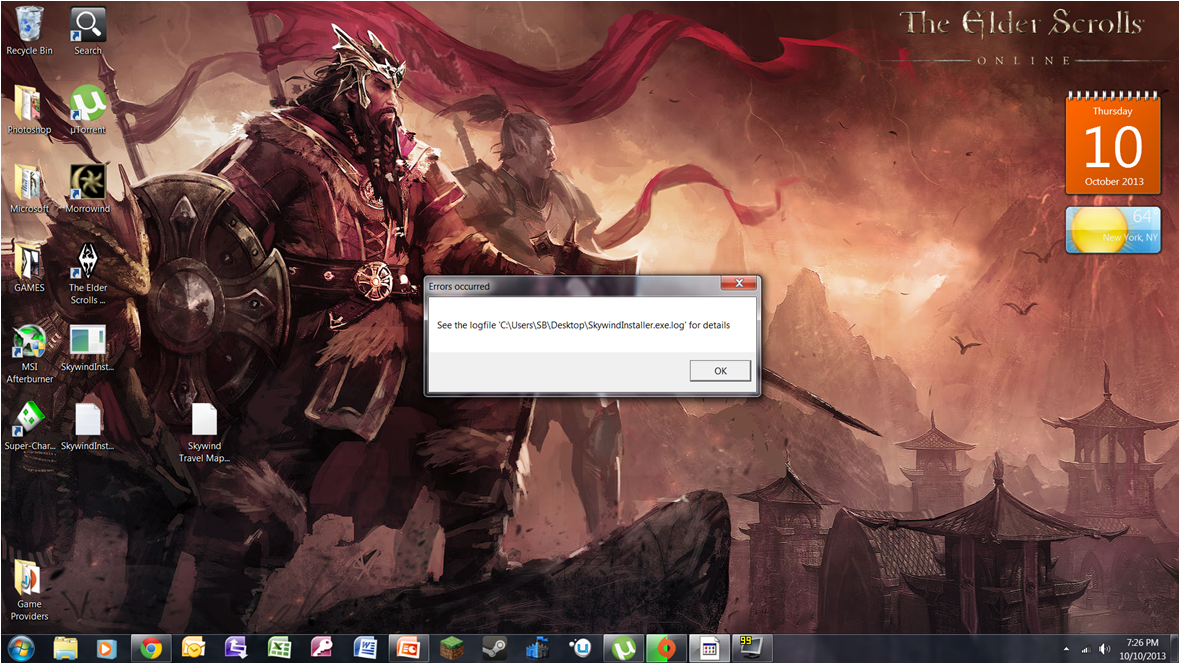
Traceback (most recent call
Traceback (most recent call last):
File "Skywind.py", line 42, in <module>
File "shutil.pyo", line 117, in copy
File "shutil.pyo", line 82, in copyfile
IOError: [Errno 2] No such file or directory: 'C:\\Users\\SB\\Desktop\\config\\contrib\\unrar.exe'
Traceback (most recent call last):
File "Skywind.py", line 42, in <module>
File "shutil.pyo", line 117, in copy
File "shutil.pyo", line 82, in copyfile
IOError: [Errno 2] No such file or directory: 'C:\\Users\\SB\\Desktop\\config\\contrib\\unrar.exe'
Traceback (most recent call last):
File "Skywind.py", line 42, in <module>
File "shutil.pyo", line 117, in copy
File "shutil.pyo", line 82, in copyfile
IOError: [Errno 2] No such file or directory: 'C:\\Users\\SB\\Desktop\\config\\contrib\\unrar.exe'
Traceback (most recent call last):
File "Skywind.py", line 42, in <module>
File "shutil.pyo", line 117, in copy
File "shutil.pyo", line 82, in copyfile
IOError: [Errno 2] No such file or directory: 'C:\\Windows\\system32\\config\\contrib\\unrar.exe'
Traceback (most recent call last):
File "Skywind.py", line 42, in <module>
File "shutil.pyo", line 117, in copy
File "shutil.pyo", line 82, in copyfile
IOError: [Errno 2] No such file or directory: 'C:\\Users\\SB\\Desktop\\config\\contrib\\unrar.exe'
Traceback (most recent call last):
File "Skywind.py", line 42, in <module>
File "shutil.pyo", line 117, in copy
File "shutil.pyo", line 82, in copyfile
IOError: [Errno 2] No such file or directory: 'C:\\Users\\SB\\Desktop\\config\\contrib\\unrar.exe'
Traceback (most recent call last):
File "Skywind.py", line 42, in <module>
File "shutil.pyo", line 117, in copy
File "shutil.pyo", line 82, in copyfile
IOError: [Errno 2] No such file or directory: 'C:\\Windows\\system32\\config\\contrib\\unrar.exe'
Traceback (most recent call last):
File "Skywind.py", line 42, in <module>
File "shutil.pyo", line 117, in copy
File "shutil.pyo", line 82, in copyfile
IOError: [Errno 2] No such file or directory: 'C:\\Users\\SB\\Desktop\\config\\contrib\\unrar.exe'
this is the log
I asked you a simple
I asked you a simple question, why can't you just answer it?
sorry, the skywind installer
sorry, the skywind installer
Have you tried the alternate
Have you tried the alternate installer? http://morroblivion.com/forums/skyrim/skywind-mod-releases/5308
LASentry wrote: Have you
LASentryHave you tried the alternate installer?
no, where can i find it?
Sean wrote: LASentry
SeanLASentryHave you tried the alternate installer?
no, where can i find it?
the onscreen instruction page still does not come up
What are you talking about?
What are you talking about? Just run the installer like you would normally...
>
>
.... sorry wrong
.... sorry wrong
All I can say is that I have
All I can say is that I have Windows 7 64 bit and had no issues.