
Hello. I believe this is due to an installation error, but I have tried installing in every way possible and cannot get the game to load. I have Morrowind GOTY installed through Steam and Skyrim installed through Steam and updated to latest version.
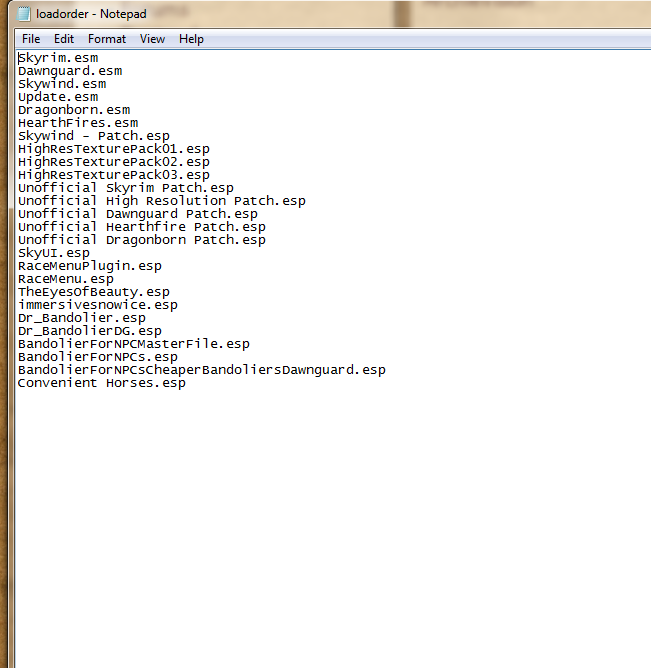
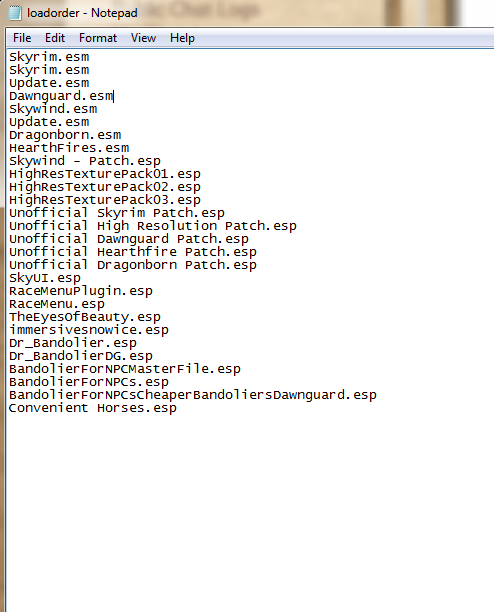
Once I run the installer and it is "Successful" I launch Skyrim and check to make sure the Skywind.esm and Skywind-Patch.esp files are checked and in the correct order (Patch.esp last). I then hit Play and it goes to the first Skyrim menu screen (black with Skyrim symbol, no text) for a few seconds before kicking me back out to the desktop with no notification or error message or anything. Skyrim is no longer running just like if I exited the program.
I have tried:
1. Put installer and asset .7zip on the desktop. Run installer, as admin, select ...\common\Skyrim folder and go through installation.
2. Put installer and asset .7zip on the desktop. Run installer, as admin, select ...\common\Skyrim\Data folder and go through installation.
3. Put installer on the desktop. Unzip assets files to ...\common\Skyrim\Data. Run installer, as admin, select ...\common\Skyrim folder, and say to continue at pop-up complaining about not finding the assets .7zip file. Install completed.
4. Put installer on the desktop. Unzip assets file to ...\common\Skyrim. Drag \mesh and \texture folders into ...\Skyrim\Data folder. Run installer, as admin, select ...\common\Skyrim folder say to continue at pop-up complaining about not finding the assets .7zip file. Install completed.
With all of these I get no unexpected error messages and all lead to having the Skywind.esm and Skywind - Patch.esp selected in the Data Files tab.
I should also note that I have Morrowind installed on my internal SSD but Skyrim is installed on a separate HDD. Both games run fine on their own however,
Unlike in the video I have seen about installing (for V0.7 I think), I never get the window that checks Skyrim and Morrowind are installed. I never get a prompt to have me disclose the location of my Morrowind installation.
Any idea why it is doing this? I can provide any additional information, screenshots or video if needed. Thank you ahead of time.
Is the folder structure like
Is the folder structure like this from "Skyrim" onwards and do you have all of these folders?