
Last edited by thermador on 21 Nov 2014 - 10:36.
Sidebar updates are really
Sidebar updates are really nice, thank you.
I also noticed that whole site is wider now - which is convenient when using big monitor :)
Ah you must be using a
Ah you must be using a 1920x1080 (or larger) monitor - I also added a new set of formatting rules to make things a little bigger for people with large monitors.
Sorry for the extended
Sorry for the extended downtime on the chat service.
Not my fault though - the third party that I pay for the chat service has been having server problems. You can check their status here: http://status.iflychat.com/
Although it's not that much help.
The reason that I (and pretty much everyone else) use a third party for chat is that running a chat service on the same server as the normal web server puts a huge load on the web server and slows everything down. Unfortunately, this means that I have very little control when they have problems.
EDIT: update: according to the status page, they have added two new chat servers. Hopefully things will be sorted out soon.
Chat seems to be back online
Chat seems to be back online for pretty much everyone.
If you are using a Firefox add-in "Ghostery", it may be blocking the chat. To fix this, go to "Manage Ghostery Options" and then search for "iflychat" in the "trackers" tab and uncheck the box next to it. iflychat is not actually a tracker, it is the service that runs the chat for this site. Ghostery has been contacted about this.
Apologies for the downtime
Apologies for the downtime yesterday - it was dreamhost's problem: http://www.dreamhoststatus.com/2014/01/07/limited-number-of-servers-in-us-west-irvine-experiencing-connectivity-problems/
Holy crap! It's time for an
Holy crap! It's time for an upgrade to Drupal 7, and a domain move. Insane!
I will have a lot more to do tomorrow, but if you have issues, post them here so I can try to get them fixed.
Known issues:
- there is only one theme available right now. that will change.
- you can no longer customize the way comments are displayed. they read from oldest to newest, unthreaded, 50 per page. that functionality was part of the Drupal 6 core and they removed it for Drupal 7.
- the bugtracker is gone - there is no functioning upgrade path from Drupal 6 to Drupal 7. the posts have been moved into the "Morroblivion Problems" forum. i will sort them out manually. there are about 70 or so that are Skywind bug reports, but the rest are Morroblivion. no one really used it like it is supposed to be used anyway.
- the user titles are gone ("frequent poster" etc.). User Titles has no functioning Drupal 7 version and is abandoned. I have duplicated some of the functionality myself, but it's not perfect
- the image gallery is gone. it won't be coming back. (no D7 version)
- the "image attach" module is gone. it won't be coming back. (no D7 version)
- file uploads don't work quite like i'd like them to. they will get better.
- the "create a new forum post" is messy
- and other things i'm sure.
Upgrades to the site.
- New domain name, tesrenewal.com
- Much easier to administrate
- Much easier to have multiple user-selected themes, change logos, etc.
- Huge upgrades to backend, removal of reliance on legacy modules that barely worked, etc.
- You can now change or remove your upvote/downvotes entirely
- Got rid of database table prefixes that caused numerous admin problems over the years
- Better security
- And a whole lot more that I'm forgetting
What happened to Morroblivion
What happened to Morroblivion ,, Looks a Mess
So this Means Morroblivion is Dead,, Looks this Way..
You can still access the site
You can still access the site through morroblivion.com adress.
tommythegun wrote:
tommythegunYou can still access the site through morroblivion.com adress.
Must be Taking it time to Reset some Links went to a Couple Links ,, It Came Page Cannot be Displayed..
Have Skywind Topics under Morroblivion Avtive Topics
Bug report: Developper chat
Bug report: Developper chat log doesn't seem to work anymore.
Oh, dear...
Oh, dear...
the bugtracker is gone
[External image] (well, at least I now have a legit excuse for not fixing bugs)
![[External image]](http://tesrenewal.com/sites/all/modules/ckeditor/ckeditor/plugins/smiley/images/cry_smile.gif)
the posts have been moved into the "Morroblivion Problems" forum
They seem to be in reverse order, i.e. the oldest entries from bugtracker are now at the top and the newest are on page 25 or something.
the "image attach" module is gone. it won't be coming back.
Hmm, I'm still seeing it (button on top, between links and smileys). Or maybe you mean different thing.
Other things I noticed:
- All file attachments are gone
- [collapsed] tag no longer works. Do you plan to restore it?
- Sidebars on the right with active topics are also missing
- Text which was centered in old posts is now aligned to the left, as everything else. I know it's really minor, asking just to clarify if it needs to be corrected manually.
Hey Thermador, it appears
Hey Thermador, it appears that you are using the older version of the logo, here s the new one:
.png)
qwertyasdfgh wrote:
qwertyasdfghOh, dear...
the bugtracker is gone
[External image] (well, at least I now have a legit excuse for not fixing bugs)
the posts have been moved into the "Morroblivion Problems" forum
They seem to be in reverse order, i.e. the oldest entries from bugtracker are now at the top and the newest are on page 25 or something.
the "image attach" module is gone. it won't be coming back.
Hmm, I'm still seeing it (button on top, between links and smileys). Or maybe you mean different thing.
Other things I noticed:
- All file attachments are gone
- [collapsed] tag no longer works. Do you plan to restore it?
- Sidebars on the right with active topics are also missing
- Text which was centered in old posts is now aligned to the left, as everything else. I know it's really minor, asking just to clarify if it needs to be corrected manually.
Thanks qwerty.
The bugtracker would eventually have to die, unfortunately. I have known this for a couple years, but Drupal 6 is approaching end of life and will no longer receive security updates soon - so upgrading is a necessity. Unfortunately, there is no functioning upgrade path for the bugtracker module to Drupal 7. This site started out on Drupal 4 and has gone through 3 core upgrades now - it is amazing that anything still works. There really was, functionally, not much difference between the way the bugtracker was being used and the forum posts. So hopefully it is not too big of a loss.
Yes, the reverse order is a problem. I have a fix for it, but it will be manual (editing/updating every thread) so I haven't had time yet. There are also some skywind bugs mixed in there. It is lucky I was able to figure out how to save the bugtracker content at all really. I will clean it up though.
The file attachments work fine for me. Here's an example (first post): http://tesrenewal.com/forums/oblivion/morroblivion-development/6046 So if you can clarify where you are missing files, that would be great.
The collapsed tag is an easy fix. I do plan on restoring it.
The sidebars on the right are coming back, but will be marked as initially disabled. You will be able to enable them in your profile, but it will clutter the layout and make the center column (the content) much narrower.
I will look into the centered text. I have a pretty good idea what is causing that.
This thread for example has
This thread for example has lost all of its attachments. And in your example the posts in the thread itself don't have any attachments anymore as well.
The main advantage of
The main advantage of bugtracker is filtering and the ability to set 'status' on every entry. But if the new CMS simply doesn't support it, well, we'll have to adapt.
And yes, the link Brainslasher posted is a good example of dissappeared attachements.
Ok the "collapsed" stuff is
Ok the "collapsed" stuff is fixed, the right sidebar is available again (disabled by default but you can enable it in your profile if it's not showing) and the chat windows are no longer semi-transparent.
The files do still exist on the site, but for some reason the conversion only seems to have done some of them. I will try and get it fixed ASAP [External image]
![[External image]](http://tesrenewal.com/sites/all/modules/ckeditor/ckeditor/plugins/smiley/images/sad_smile.gif)
A "dark" theme is now
A "dark" theme is now available. I know it's not perfect, but if you are dying from blindness at the light theme, you should now be able to switch to a basic dark theme by editing your "My Account" settings.
ahhhhh dark theme! much
ahhhhh dark theme! much better!
Ahem, so my thread is all
Ahem, so my thread is all kinds of messed up! My first post is completely missing, but if i edit it its all there, also all of your drop down spoiler stuff isnt hidden it just shows up overlapping everything else, i can only assume thats why my post didnt bother to show up, because it uses like 20 of those LOL
Fixed... this is because of
Fixed... this is because of the input filter problem (had to configure new filters from scratch). Input filters are what prevent people from executing malicious code in their forum posts. I am still sorting out the new filters.
thanks thermador took a quick
thanks thermador took a quick look on the mobile and it looks good!, your spreadsheet dropdown tutorial was still showing though. also I had some videos embedded on the first post that aren't working anymore either.
Good progress today. I can't
Good progress today. I can't help you on the videos STJ, you might have to re-insert them [External image]
But I fixed the second post in the thread, as well as the first one (besides the videos).
The themes are now wider, approximately 1920px wide less a little on the edges. The chat window stays minimized by default, should load a little faster. The main site theme is now blue. The alternate theme is black. There will be more themes later.
For the Morroblivion group, I have fixed the forum display so all the old bugtracker posts are sorted by date, within the "Morroblivion Problems" forum. I also have started on sorting out the Skywind bugtracker posts and moving them to the "Skywind Problems" forum. I'm about 1/3 of the way done with that.
I also found out about a little bug in the user profile pages. It should fix itself, but if you are having problems saving your profile, make sure to set your time zone and theme choice.
Still working on the rest of the issues, and finding new bugs all the time. More tomorrow.
thanks for all the work
thanks for all the work thermador, ill play around with those videos myself, see if I can't get it to work!
Thanks, you are really
Thanks, you are really working hard on this update.
I went ahead and moved all Skywind topics I could find to 'Skywind Problems', hope you don't mind.
What I'm thinking is do we really need to keep all these old topics, most of which are no longer relevant?
Also, the descriptions of 'Morroblivion\Skywind\Skyblivion Problems' subforums still have links to the bugtracker.
thermador wrote:
thermadorThe chat window stays minimized by default, should load a little faster.
I love you Thermador :P
My Account\Edit\ E-Mail
My Account\Edit\ E-Mail address ,,, Is Incorrect Do I Reset it or do You.
My Account\Edit I Un_Ticked Contributor Menu it does not de_activate still appears on Screen.
roxon_55: I'm still having
roxon_55: I'm still having some issues with those features; i hope to get it fixed soon.
I got rid of the links in the forum overview to the old bugtracker.
So far today, I have focused on the Views module update. That means fixing all of the "views" on the site, including the forum topic lists (within a forum), the active topics views, and the active topics blocks on the right sidebar. Numerous things changed from Drupal 6 to Drupal 7 (it is sooo much better, but some manual upgrading had to be done). I also made the layout a little cleaner, merging together the "author picture" and "author name" columns so there is less width.
qwertyasdfgh wrote:
qwertyasdfghI went ahead and moved all Skywind topics I could find to 'Skywind Problems', hope you don't mind.
What I'm thinking is do we really need to keep all these old topics, most of which are no longer relevant?
Thanks - I just went through my list and it looks like you got all of the remaining ones. Thank you!
Are you going to set up
Are you going to set up Uploading .7z files Rejects files in ( .7z ) Format.
roxon_55 wrote:
roxon_55Are you going to set up Uploading .7z files Rejects files in ( .7z ) Format.
Thanks - got it fixed. Also increased the file size limit.
EMail still will not Change
EMail still will not Change roxon_55@optusnet.com.au,, it Keeps changing the ( P ) in Optusnet to a ( D ),, I do Run an English to Russian Keyboard thought it might have been Problem,Changed back to a Standard Keyboard still the Same.
Hey thermador, heads up I got
Hey thermador, heads up I got my thread all fixed up, everything is recentered and vids are back up!
roxon_55 wrote:
roxon_55EMail still will not Change roxon_55@optusnet.com.au,, it Keeps changing the ( P ) in Optusnet to a ( D ),, I do Run an English to Russian Keyboard thought it might have been Problem,Changed back to a Standard Keyboard still the Same.
It's got to be something with your keyboard or web browser, because when I go to edit your profile, I see the correct email (optusnet NOT odtusnet).
digitalparanoid wrote: Bug
digitalparanoid Bug report: Developper chat log doesn't seem to work anymore.
It seems like chat logs are working now. I think the logs got cleared with the site switch
Also, do you guys want a
Also, do you guys want a separate section for Skyblivion?
This would mean:
- Skyblivion "menu" block on the left (can enable/disable in your profile)
- Skyblivion "active topics" block on the right (can enable/disable in your profile)
- Skyblivion "download" and "FAQ" page created, and links added to the "menu" on the left
- Skyblivion sub-forums put in a separate forum container (minor change)
I would say yes. It makes it
I would say yes. It makes it less cluttered in the Skywind forums and it deserves it's own section as well. Also is there anyway to get that old paper theme back?
mspeed101 wrote:I would say
mspeed101I would say yes. It makes it less cluttered in the Skywind forums and it deserves it's own section as well. Also is there anyway to get that old paper theme back?
Eventually. I have several other issues to solve before I get there though.
thats fine, I would rather
thats fine, I would rather the site to be at its best before you worry about customizability[External image]
![[External image]](http://tesrenewal.com/sites/all/modules/ckeditor/ckeditor/plugins/smiley/images/wink_smile.gif)
to bad u cant read comments
to bad u cant read comments from new to old any more nowe u got to click to the end every time but for the rest its looking very good it feels a lot cleaner than te old site
Well, so far I have these
Well, so far I have these remaining "to do" items, in order of priority:
- Manually re-attach approximately 2500 files to their comments, starting with the most recently uploaded. I knew this would be a possibility when I migrated the site, as there is no functioning upgrade path for the comment_upload module, and I have been unsuccessful in writing my own because of the complex nature of the problem.
- Create a separate Skyblivion section of the site
- More themes.
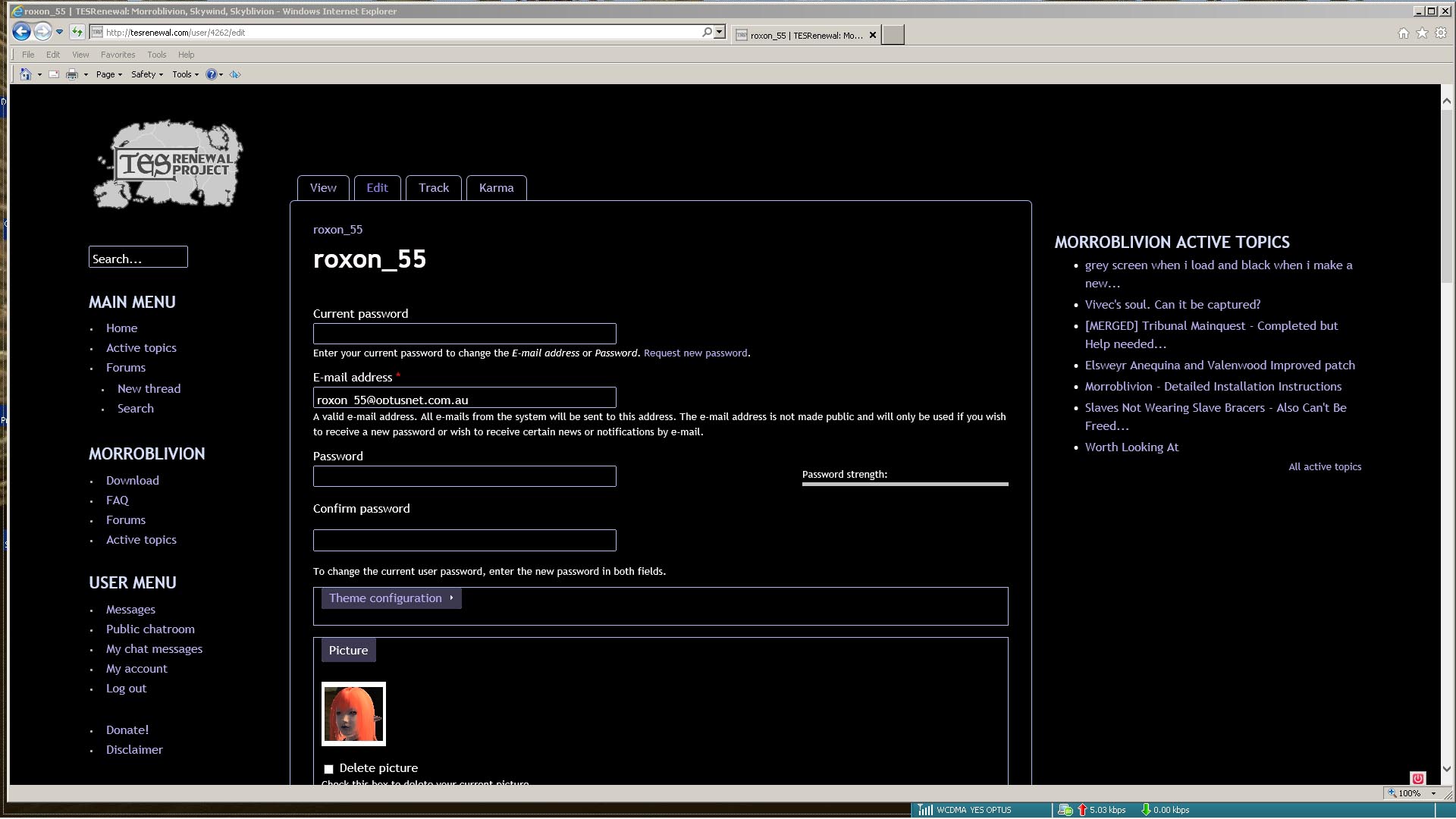
Only thing i can see is Email
Only thing i can see is Email Address sit to Low in Panel ,Cutting of the bottom ( p )and the ( @ ) and making it look like a D
| Attachment | Size |
|---|---|
| email.jpg | 200.86 KB |
speaking of reattaching files
speaking of reattaching files, your spreadsheet files for the VA need to be reattached, anyway you could bump that up the priority list? It would really help if my actors had a script lol!
I like the new site. But, I
I like the new site. But, I miss the thread/post order viewing options. I always had newest first so the new post and threads were always at the top of the page. I hate scrolling...
And the pictures missing in all the threads is very aggravating to say the least. I know it has something to do with illegal characters in the file names, I wish I knew how to code well enough to create a script that would change all the file names and then change the posts to match them.
But Thermador, the site is great, and a commend you for all your hard work and time you have dedicated to this place. I love the Active tab. And the wider forum helps a lot too.
stijmunkey wrote:
stijmunkeyspeaking of reattaching files, your spreadsheet files for the VA need to be reattached, anyway you could bump that up the priority list? It would really help if my actors had a script lol!
Trust me, I'm working on it. If there is a file that you desperately need, the old site is still up at http://morroblivion.net
ArchieVisionI like the new site. But, I miss the thread/post order viewing options. I always had newest first so the new post and threads were always at the top of the page. I hate scrolling...
I haven't been able to find a replacement module for this lost functionality yet, but I am keeping my eyes open. You can read about why they removed the functionality here. I disagree with their reasoning, but at this point, there is nothing I can do. I have searched extensively for a replacement, but none seems to exist.
ArchieVisionAnd the pictures missing in all the threads is very aggravating to say the least. I know it has something to do with illegal characters in the file names, I wish I knew how to code well enough to create a script that would change all the file names and then change the posts to match them.
Yes I am really sorry about that. The good thing is that the new site has that functionality already in the transliteration module.
Yes you have Skyoblivion
Yes you have Skyoblivion working by Default ,in Account menu it's allready Ticked ON so you UNTick Menu on Left Goes Away , Skyoblivion Active Topics on Right hand Side does not Go Away.
That is because the sidebar
That is because the sidebar blocks are cached to save bandwidth and server processing time.
You may need to refresh (F5) or logout/login to see the change.
Today:
Today:
- Skyblivion forums separated out, with their own menu and active topics
- You can now attach files to private messages
- File uploads/attachments now use an "advanced" upload widget that allows for multiple files at once, supports uploading large files (100+MB) that would normally cause a timeout, and also drag-and-drop uploads.
Continued work on restoring old files from the lost comment_upload module.
- Developed a workflow for migrating files that were attached to comments. The worflow consists of an excel sheet of the comment_upload and files database tables that I exported from the database of the old Drupal 6 website (using PHPmyadmin's "export to excel" format). Then I installed the modules filefield_sources and remote_file_source and remote_stream_wrapper for Drupal 7, and set up a "remote file" source for the filefield that is configured for the forum comments. The spreadsheet has formulas that generate links to the original file locations (with the new domain of course) using the path column in the files table, and then also generates links to the comment where that file was originally found, using the cid column in the comment_upload table (for example, http://tesrenewal.com/comment/1234#comment-1234 ). The path for each file can be associated with the comment using an Excel =vlookup formula and the fid column. The links can be created by using the Excel "&" operator if you know the basics of working with strings in Excel. From there, it's just clicking the link to the comment in the Excel sheet, clicking "edit" on the comment, and then copying the appropriate link to the file (generated in the excel sheet) into the "remote file" box for the filefield of that comment, and saving the comment. I'm getting pretty fast at it:
- Migrated 109 files, about 4.2% of the total 2569 files that will need to be hand moved like that. I started with the most recently uploaded files and worked backwards.
2 Screens ,1 is log on Screen
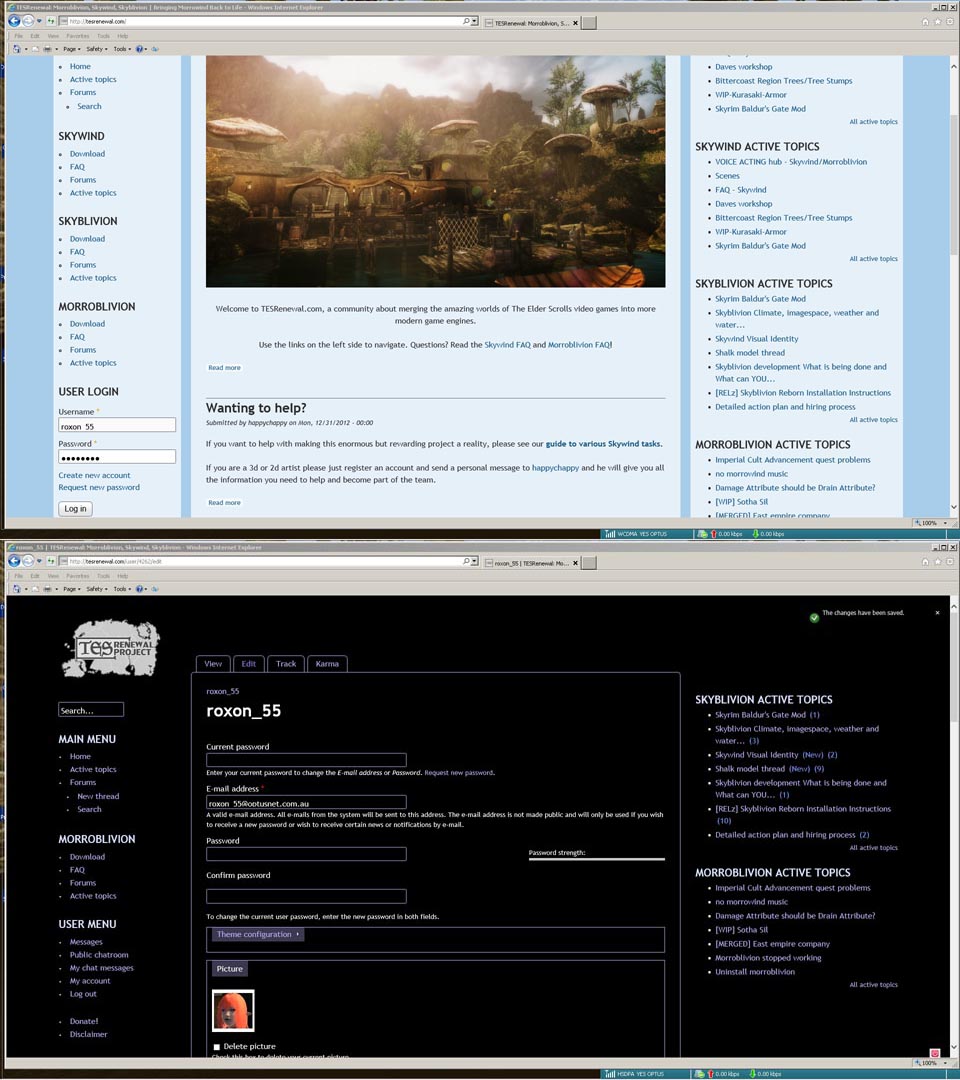
2 Screens ,1 is log on Screen where Roxon_55 the ( _ ) can not be sceen same as ( p ) in Email Address..
Second is Skyoblivion Active topics have Press F5 over the day 4 times. Have Re_Logged on 2 times,Active topics for Skyoblivion is still on Screen
| Attachment | Size |
|---|---|
| merged_screens.jpg | 165.98 KB |
Regarding the fonts in the
Regarding the fonts in the login boxes, there is nothing I can do about that. The fonts are fine for me as well as other users. It is caused by either your keyboard, or the fact that you are using an out-of-date version of Internet Explorer (maybe IE9?), or some other program that changes your fonts or something.
Regarding the sidebar, it works fine for me. I can turn the menu on and off just fine. In your profile, did you uncheck the box that says "View: Skyblivion Active Forum Topics" or just the one that says "Skyblivion menu" ?
OK, some site updates
OK, some site updates today: