Green goo spots

Submitted by jzargo on

Hello there.

First of all, thanks to all the people who took part in this awesome project.

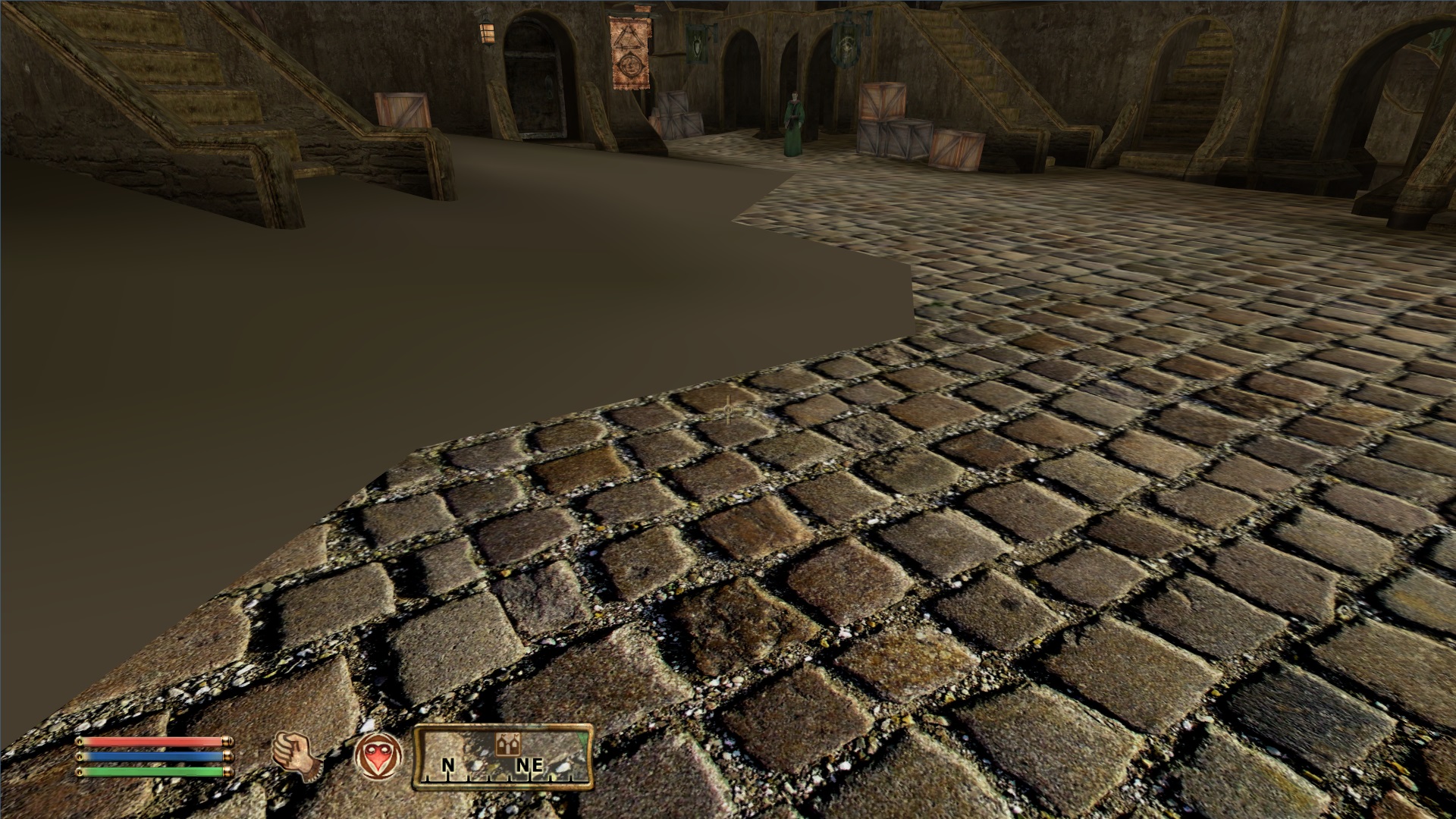
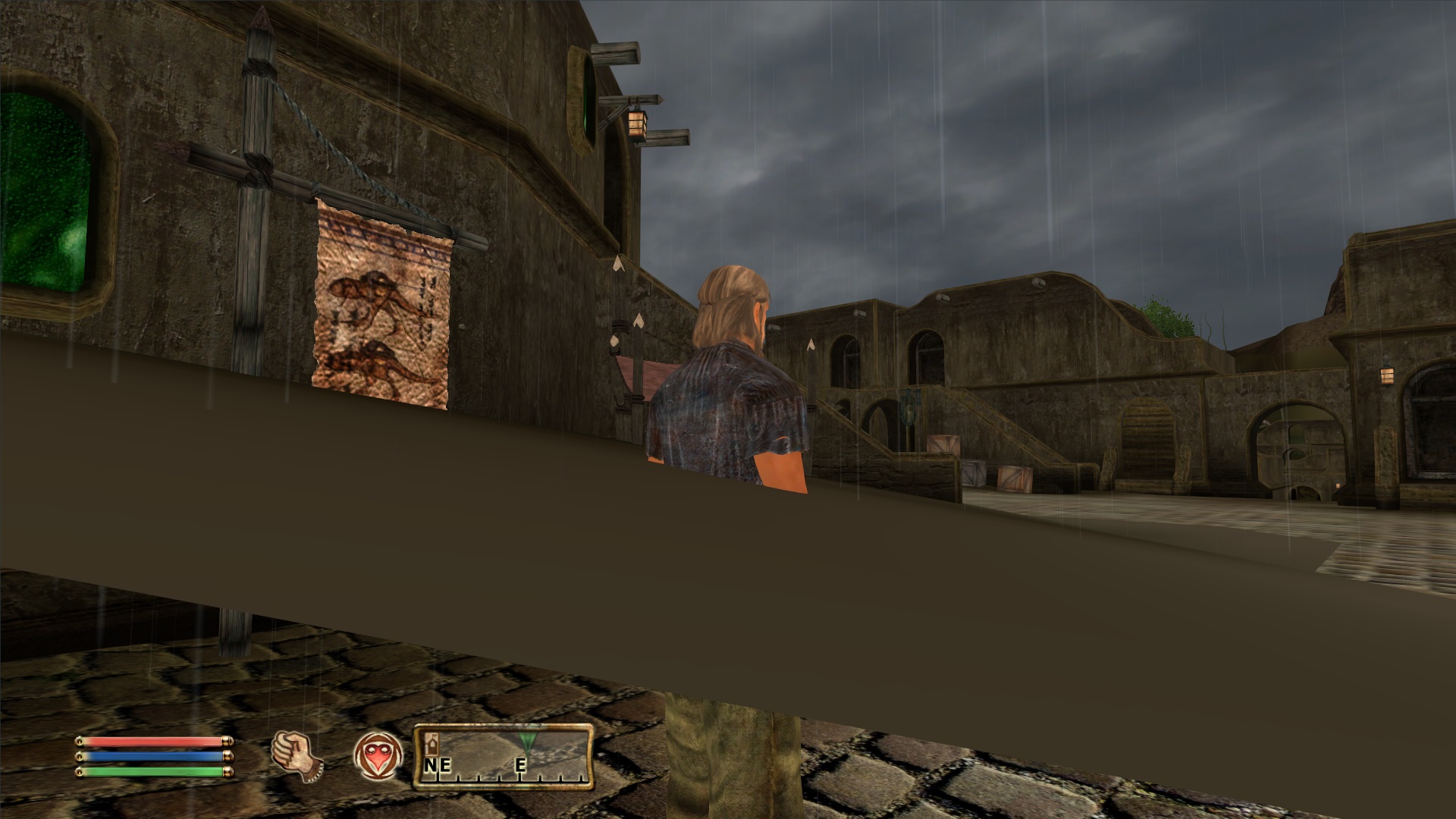
Spread across the world map I have an issue with splotches of a green/brown texture that is laying on top of the normal texture, . (see pic) I can walk through it. There are no missing textures underneath. I´ve installed it strictly as described in the installation guide. Load order is correct.

any suggestions? Thanks in advance

Karma: 0 (0 votes)
Last edited by jzargo on 9 Apr 2014 - 11:30.
That's unusual. What are your computer specs and graphic settings? Do you use any other mods?

Karma: 0 (0 votes)

i5 2.6 ghz, 8gb ram, Radeon HD 7870, win 7.

Graphics settings are ultra, but I tried low and to turn off hdr, shadows etc but no change. Also, I did not change the ini and haven´t installed any other mods.

Karma: 0 (0 votes)

Try turning off Distant Land in graphic settings.

Karma: 0 (0 votes)

that solved it! Thank you so much! Do you see any possibility to still use distant land without leading to the issue, with an ini tweak or so?

Karma: 0 (0 votes)

I'm still baffled as to why it happened in the first place. This was low quality distant terrain you were seeing, but it's supposed to be hidden underneath the normal terrain all the time, and not to pop out like that. Very weird [External image]

Karma: 0 (0 votes)

Do you have any loose files in 'Oblivion\Data\meshes\Landscape\LOD\' folder?

Also, is your Oblivion updated to latest version (1.2.0.416)?

Karma: 0 (0 votes)

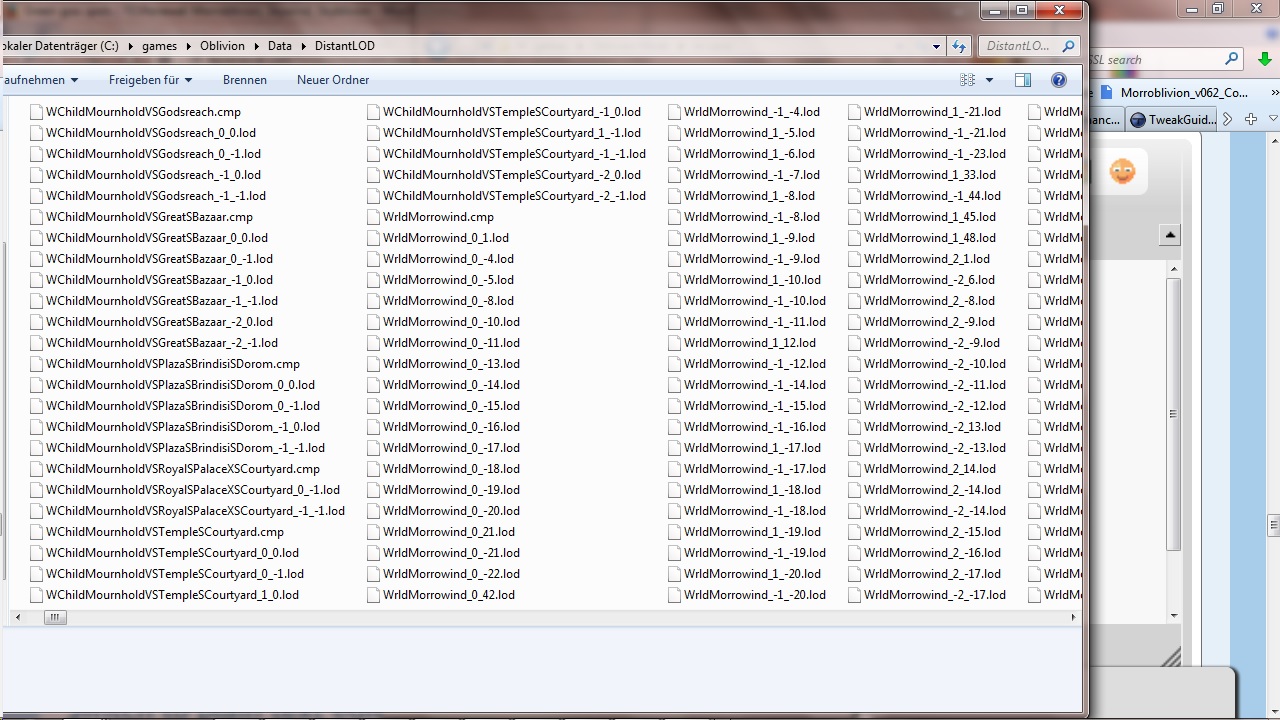
i do not have these folders (meshes,landscapes), the only thing lod related is in \Oblivion\Data\DistantLOD   and it looks like this

the newest patch is installed

Karma: 0 (0 votes)

Did you try to regenerate DistantLod with Tes4LodGen?

Karma: 0 (0 votes)

i tried it with Tes4LodGen now, it didn´t work

Karma: 0 (0 votes)

i do not have these folders (meshes,landscapes), the only thing lod related is in \Oblivion\Data\DistantLOD and it looks like this

No, that's not it.

Can you upload your Oblivion.ini (from My Documents\My Games\Oblivion\)?

Karma: 0 (0 votes)

i found this similar problem on another forum

"The purple ground bug Is usually caused by installing something that overwrites a critical texture. Sometimes that is a wrong version of an oblivion patch."

I had Oblivion installed and played Nehrim for a while. when I reinstalled for Morroblivion I couldn´t install the newest patch because of an "old file issue" which apparently happened because I already had installed shivering isles. So I reinstalled the game, patched it and installed shivering isles afterwards.

Could it have something to do with that?

Attachment Size
oblivion.txt 17.82 KB
Karma: 0 (0 votes)

You should apply a patch specific for SI if I remember correctly.

Karma: 0 (0 votes)

As long as it says 1.2.0.416 in main menu, you should be fine. But it's preferable to just install GOTY edition.

For you issue - change fLODLandVerticalBias value from 0 to -1000

(and before that it would be better to delete your Oblivion.ini and let the game generate a fresh one)

Karma: 0 (0 votes)

that did the trick. Thanks a lot for your time! I´m looking forward to experience Morrowind again after all this years, with a modern touch

Karma: 0 (0 votes)

Are you using something like Emberies\SMAA\FXAA, there are Alterations in your Oblivion.ini Showing Altered Entries, are the Alterations Causing some of the Problems.

If you are running any thing to Alter your Shaders in Game you Will have to Deactivate them Before Deleting you Oblivion.ini incase your Oblivion does not Restart

Karma: 0 (0 votes)