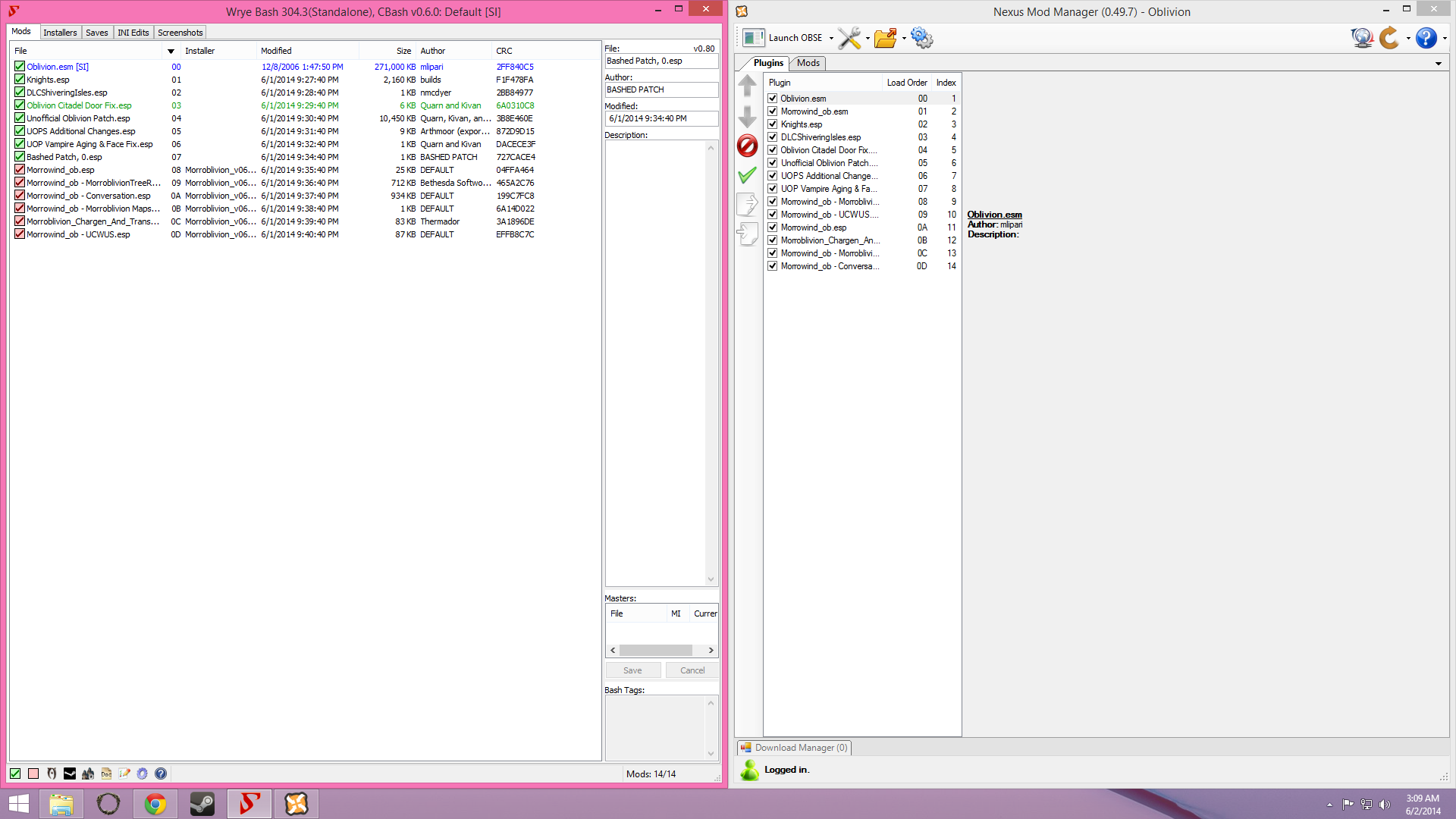
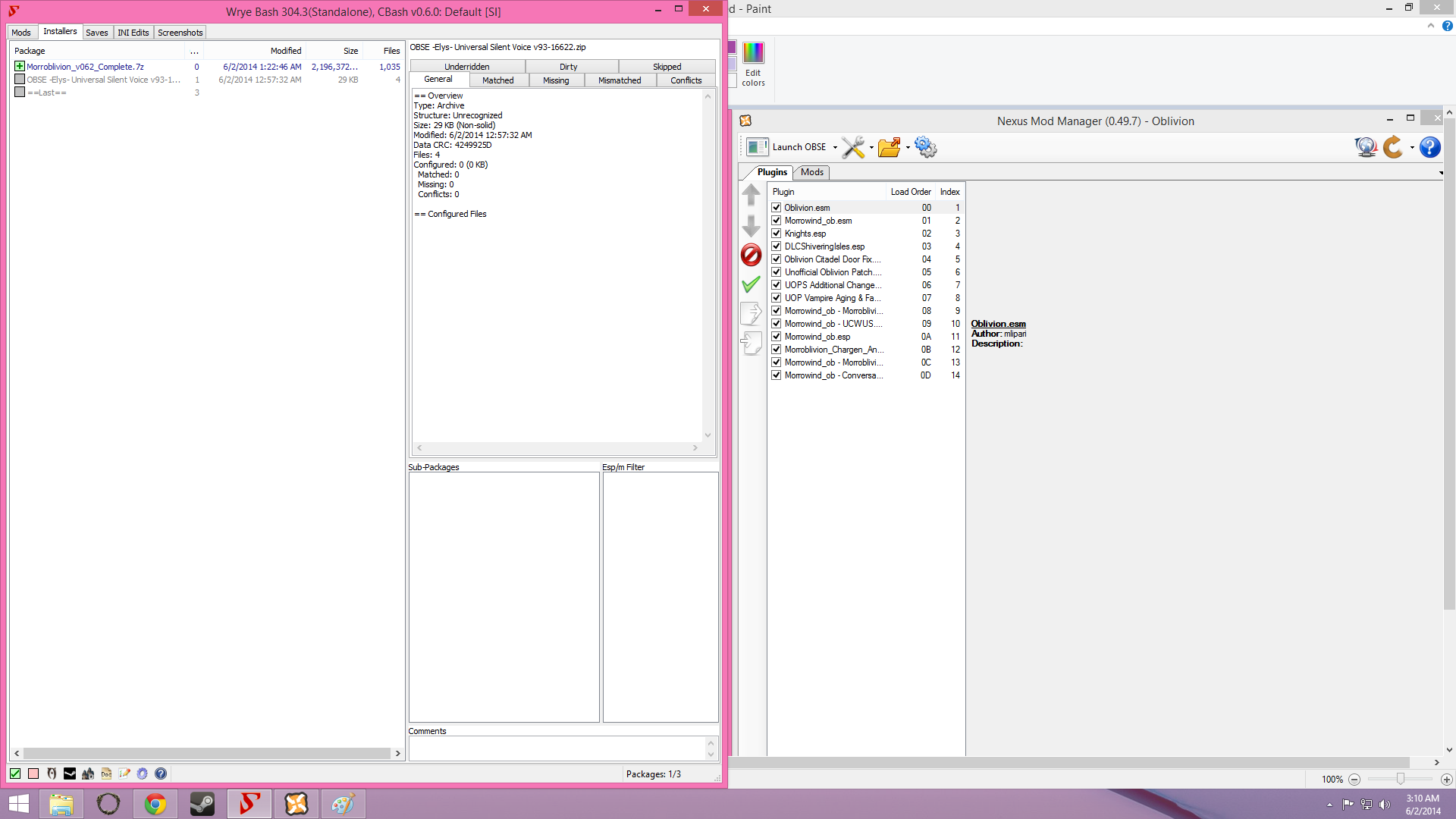
Falling through world after leaving cave area.

Submitted by Kasserole on
Attachment Size
untitled.png 160.58 KB
untitled2.png 150.43 KB

I've included pictures, my husband is the one who does all of the mod stuff but he gave up on trying to fix this. I understand that if we are getting the yellow "WTF" images, it means we're either missing a texture, or it's in the wrong folder. Could you either point us in the direction of a more detailed tutorial/video for noobs, or possibly figure out what's wrong?
I'd be very greatful. We've spent all day trying to figure this out and I searched forums and videos before resorting to posting my own question.
Thank you so much for your help.

Karma: 0 (0 votes)

Why is Bash not Reading Morrowind_ob.esm, Game will not work till it Does  so you can Create your Bash Patch correctly.

Karma: 0 (0 votes)

I don't recommend using NMM for Oblivion, Wrye Bash is better.

I assume you have followed installation instructions? Your NMM and Wrye Bash screens show different load order, which one is more recent?

Karma: 0 (0 votes)

Looks to me like you somehow didn't correctly install the masterfile. At least it doesn't show up in Wrye which is weird.

Karma: 0 (0 votes)

Any chance you could open windows explorer and look for 'Morrowind_ob.esm'?

It should be in your ../oblivion/data folder. (the same folder where Oblivion is installed.)

Karma: 0 (0 votes)

Ah!
He figured out what was wrong, he misplaced a file. Moved it to the correct place, and it works!

Now, does anyone know how to connect a controller to it so I don't need to use the keyboard? Usually I just connect it and it just works automatically. With this, however, the right joystick doesn't work. I probably need a mod for it, correct?

Karma: 0 (0 votes)

Search  www.tesnexus.com for a Program to Setup  Controller for Oblivion on PC have seen 1 There

Karma: 0 (0 votes)

this might not be what you're looking for, but I found one here --> http://www.nexusmods.com/oblivion/mods/44945/?tab=2&navtag=http%3A%2F%2Fwww.nexusmods.com%2Foblivion%2Fajax%2Fmodfiles%2F%3Fid%3D44945&pUp=1

search for 'joystick' in file description at the nexus

Also, I think I remember that if you have a joystick connected to your pc, Oblivion will detect it and give you a way to set it up ingame under Options/Controls.  I don't have a jystick, so I can't test it.

[External image]

Karma: 0 (0 votes)