Game crashes on New game and moving from Cyrodiil to Vvardenfell

Submitted by ElizabethSpec on
Attachment Size
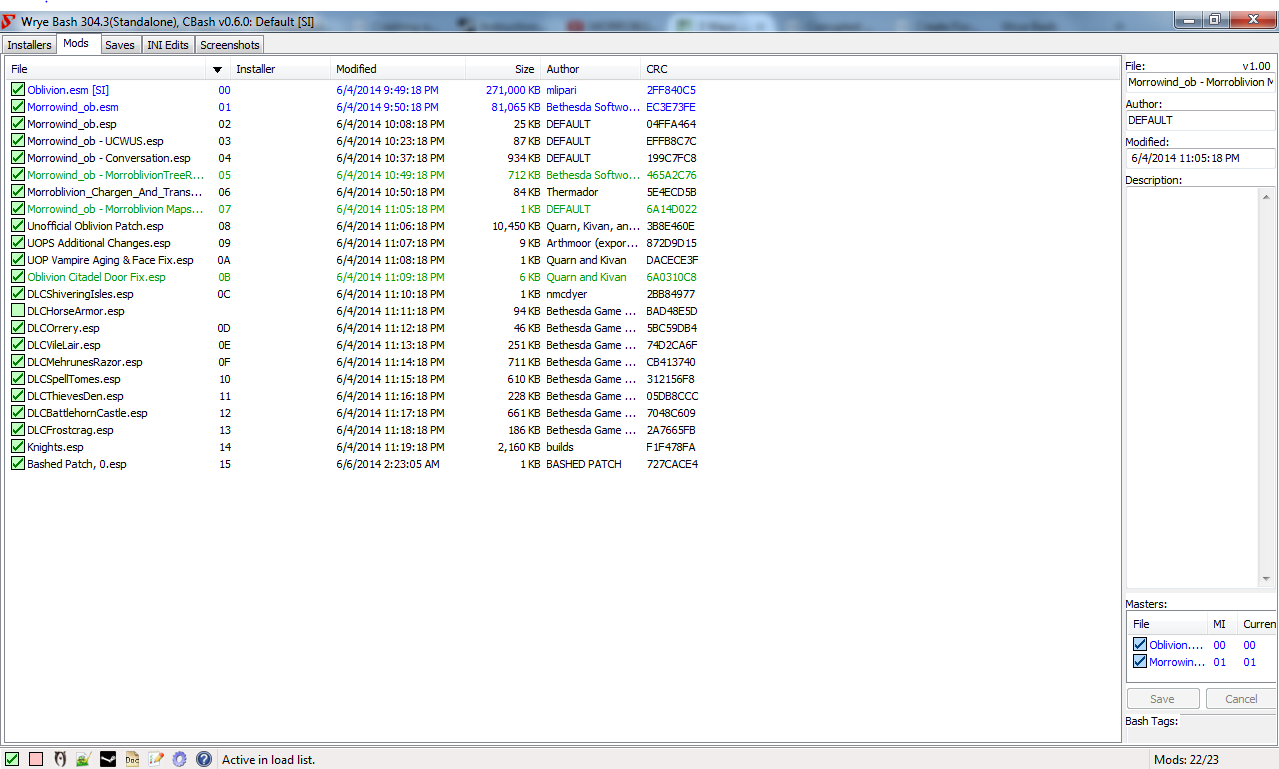
Load Order 133.98 KB
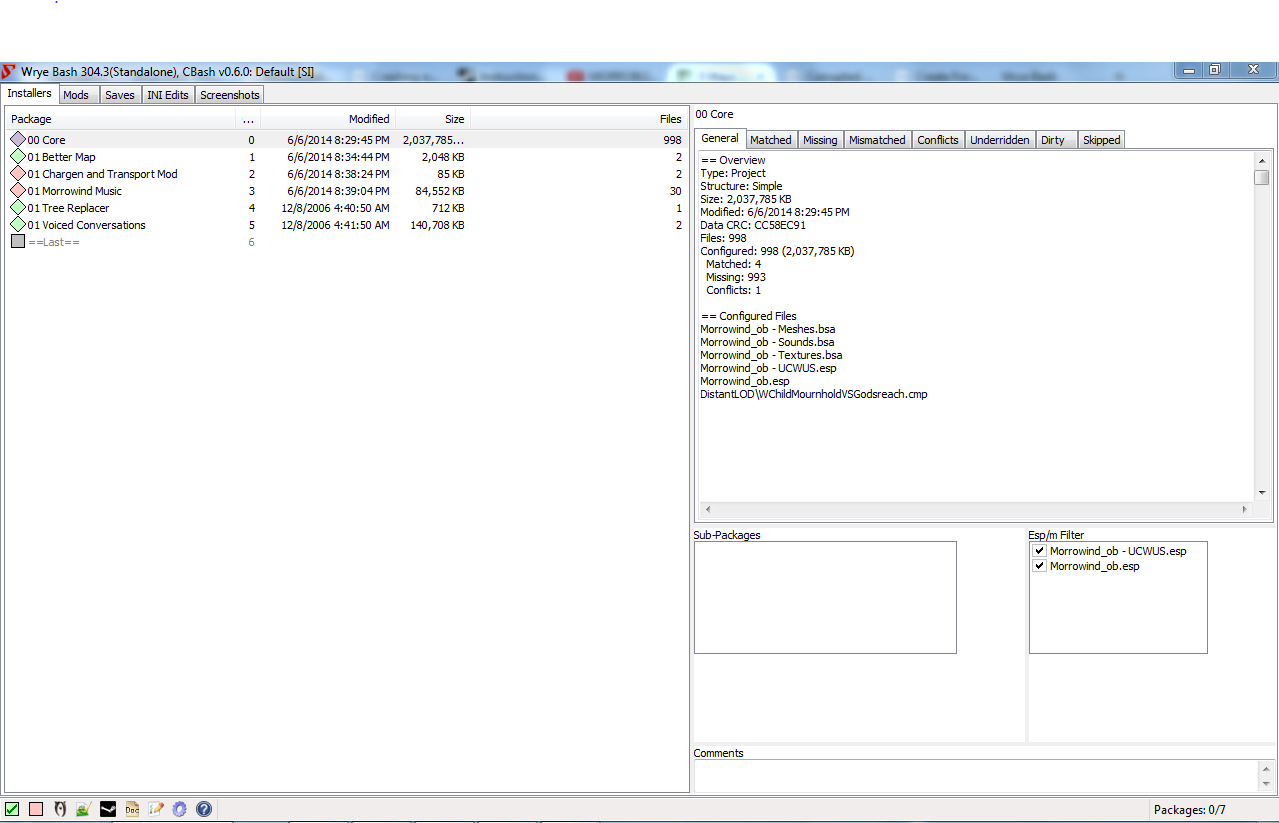
Installers 116.18 KB

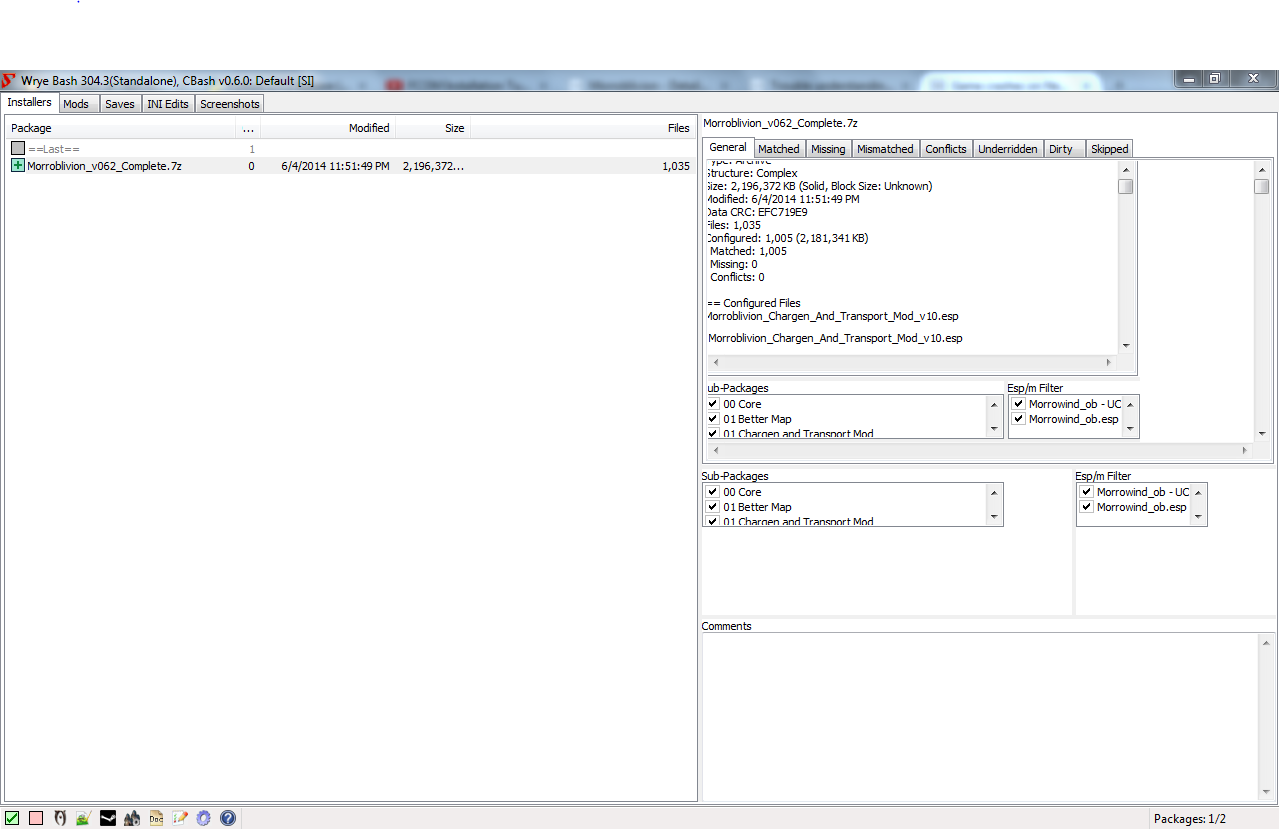
For a few days Ive been trying to get Morroblivion working but because of my limited modding knowledge im stuck. I looked at the installation instructions and made sure to install everything I needed and I used Wrye Bash and put the mods in the correct order. I also have the latest version of OBSE (v21) and I would run it from the obse_loader.exe. But when I would try to make a new game I would get through the character creation but when I try to start in Vvardenfell the game would crash behind a loading screen. When I try to travel from Cyrodiil to Vvardenfell the game would crash behind a loading screen as well. Sometimes when I start a new game I would get text saying that the game cannot detect Morrowind ini and the screen would go black. I included screenshots of my load order and my installers from wrye bash and I hope I can fix whatever needs to be fixed because I would really like to play Morroblivion and I don't want to give up.
Karma: 0 (0 votes)

Your ini files should be in data/ini . There should be a Morroblivion.ini and a MorroblivionLevitation.ini. If they're not there the files weren't installed right.

Karma: 0 (0 votes)

It looks like you've unpacked the resorce archive, which you don't need to do. Please follow Part III of installation instructions - specifically steps 3 and 4.

Karma: 0 (0 votes)

I still don't know what I did wrong, I copy and pasted all of the complete files to my mopy folder, I installed BOSS, I scoured the forums and tried what people suggested but nothing seems to work. Should I just delete everything and start over?

Karma: 0 (0 votes)

I finally found out what you meant after I looked at step 3 again and I put the complete resources file into the bash installers folder, I forgot about the installing part, now I feel really stupid :P I hope it works now

Karma: 0 (0 votes)

Nope It still crashes exactly like before, im sorry about asking about this but it seems that im more clueless about this than I thought. I added an updated picture of my installers tab to see if im still missing something.

Attachment Size
Updated Installers 112.89 KB
Karma: 0 (0 votes)

Why is Wrye Bash's UI doubled on the right side? Try restarting it.

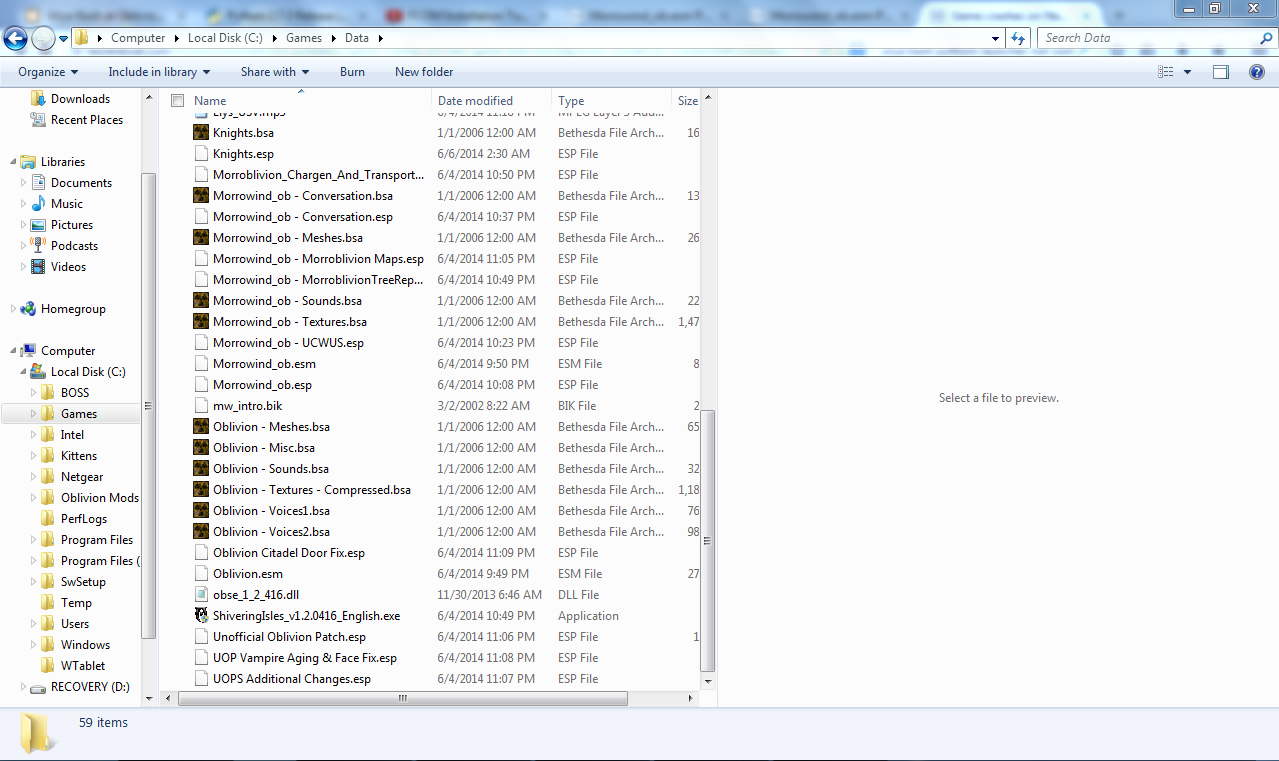
Also, what files do you actually have in your Oblivion\Data folder?

Karma: 0 (0 votes)

Since you have no other mods, once installed, you should have these files in your data folder:

  • Morrowind_ob.esm
  • Morrowind_ob.esp
  • Morrowind_ob - UCWUS.esp
  • Morrowind_ob - Textures.bsa
  • Morrowind_ob - Sounds.bsa
  • Morrowind_ob - Meshes.bsa

There is also a few loose folder files (video, DistantLOD, etc) and possibly other optional files (changen and transport, etc).

Did you run the MorroblivionInstaller.exe?

In addition, I have had Oblivion corrupt itself many (I mean many) times. In these instances, even if I removed all my mods and reset my ini, the game would still crash. The only way to solve this issue was to reinstall Oblivion. One time, the Oblivion installer failed to install Shivering Isles for no apparent reason. Took me a while to realize my Oblivion.esm was the wrong size, and that Shivering Isle was not installed.

Karma: 0 (0 votes)

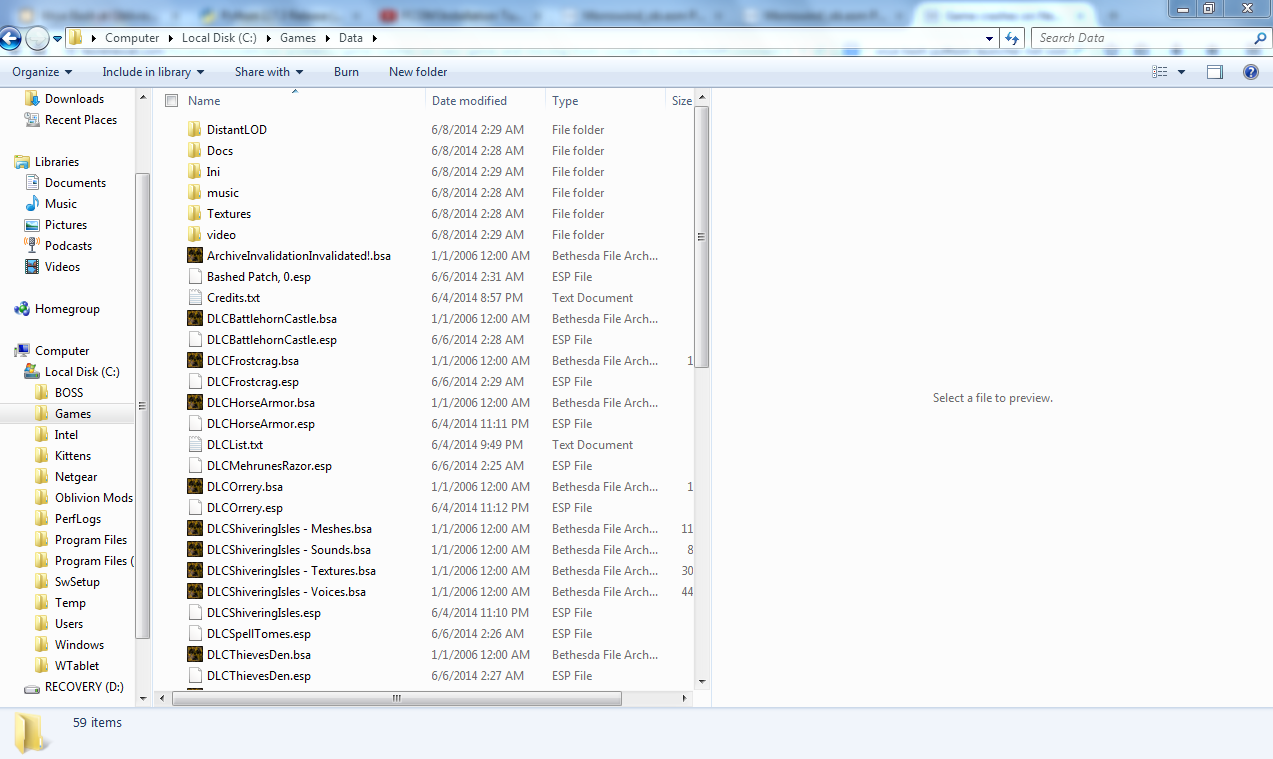
Here is my Oblivion Data folder and I don't think my Oblivion game is corrupted because it runs just fine when running a new game when I remove all of the morroblivion mods

Attachment Size
Oblivion Data folder pt 1 218.58 KB
Oblivion Data folder pt 2 228 KB
Karma: 0 (0 votes)

You must have made some mistakes during installation. The OBSE.dll should not be in your data folder. Please follow its readme's instructions again. All OBSE files should be in the same folder as your exes. Also the fact that mw_intro.bik is in your data folder tells me you did something wrong. This file should be in your video folder. Also why did your put the patch installer into your data files? Did you install the patch?

Karma: 0 (0 votes)

I looked at the Bashed patch again and I think I almost got morroblivion to work, the only problem is when I launch the game from my obse_loader the screen either goes black or cloudy. Im not using HDR and I cant find any oblivion shaders directory, I have just installed the nVidia Black Screen bug and that didn't work. The screen doesn't go black when try to play though steam but the game crashes after I go through character creation. I also tried disabling the steam overlay for morrowind and that didn't work so im out of ideas.

Karma: 0 (0 votes)

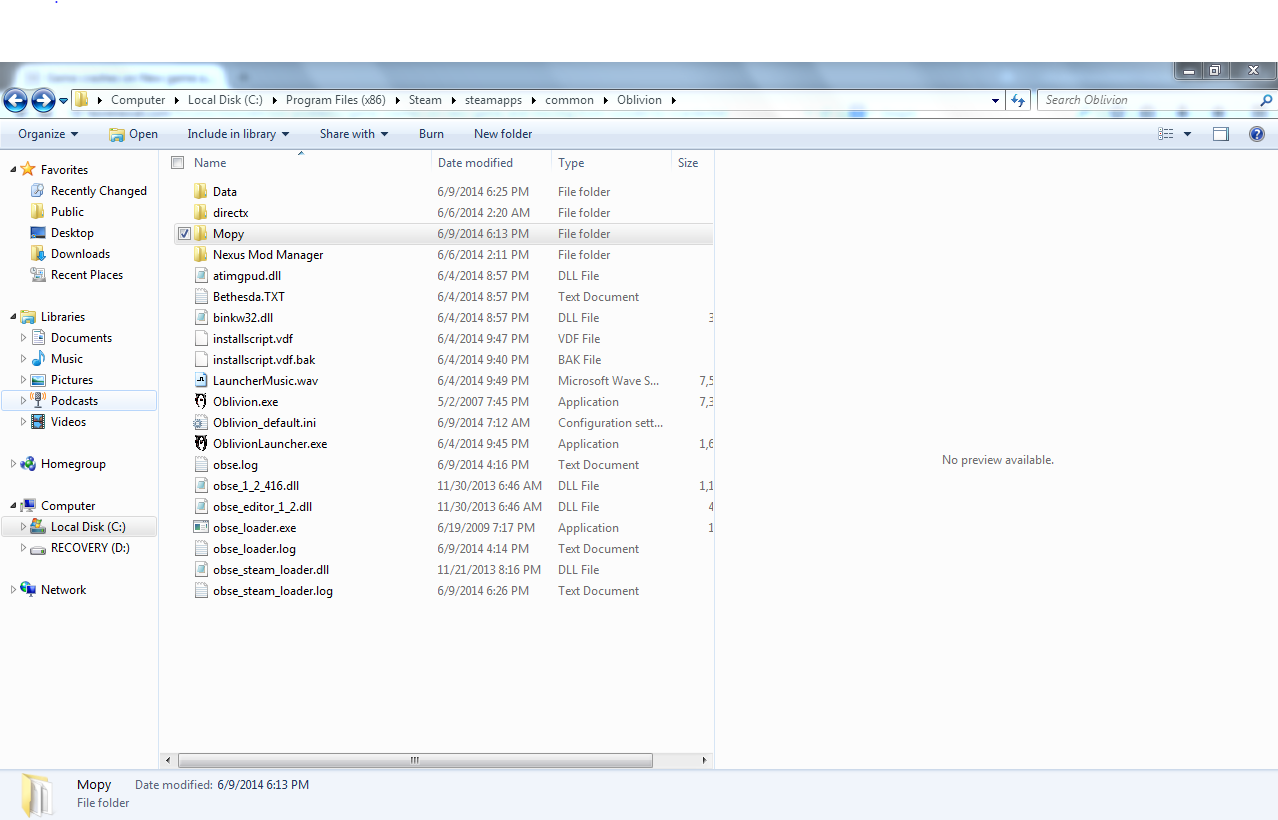
Are you using the steam version of Oblivion or not? From your screenshot it looks like the files aren't in  the steam  directory so that could be a problem. Also, OBSE has a special Steam version. You should really read its readme. If it's installed correctly, Oblivion has to be started through Steam. Something else I noticed: You don't appear to have an actual Oblivon folder, the data folder just sits in your games folder. That could also cause problems.

Karma: 0 (0 votes)

I am running the steam version, I moved everything into the oblivion folder in the steam directory  and OBSE runs through steam. So I just need to figure out what is causing the black/grey screen. Maybie I should give up on this because maybe for some reason my laptop can't handle the mod and I should try again on a new one with a better graphics card and if im lucky skywind will be done by the time I get a new laptop so I can try that too.

Attachment Size
new_oblivion_folder.png 169.18 KB
Karma: 0 (0 votes)