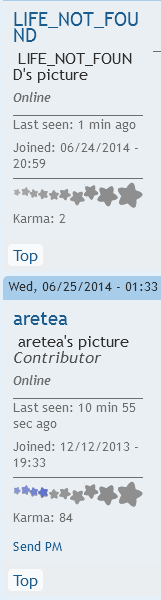
I've seen this in other forums too. I uploaded different images, which were then resized according to the little popup, but currently my picture shows up instead as "USERNAME's picture". Do the images get lost during the resizing process?
Tue, 06/24/2014 - 22:27
#1
Why is my profile picture not showing? [SOLVED]
Edited by: LIFE_NOT_FOUND on 06/25/2014 - 11:42

It is showing up.
But... it's not... and neither is yours... :I
Haha, so only contributors can see images now? Whaaaat?
Just one of the many things that makes me better than other folks! In your face other folks!
Well if you log out I lost the pictures, except for Smites! So who knows what's going on.
Okay, so I had a little look with SeoQuake (which is like an HTML checker thing) to see if me and my beginner coding skills could find the issue, and this is what it came up with:https://drive.google.com/file/d/0BxMuZLiZoooDU1VlY29xcmJTRlk/edit?usp=sharing
Basically, the image is off limits/forbidden to be access by your average user. But that's just the beginner's analysis.
However, it think this issue is exclusive to just us ordinary members, as contributors are able to access and view the image just fine--meaning that the access rights to things are probably the problem.
HappyChappy, when you're logged in you can see them fine right?
I did send this off to someone who hopefully knows who's supposed to fix the problem, so yeah. Hopefully it gets resolved :P
OK fixed, sort of. Apologies for that. I work for free, so you get what you pay for I guess
If there are any other images not showing up to regular users please let me know and I will fix them. Basically they will have to be reuploaded. Whoops. One step forward two steps back...
EDIT: OK most user pics should be fixed - went through everyone who registered since the bug was introduced. Still working on fixing the forum threads.
EDIT2: OK all of the forum threads should be fixed as well.
Thank you! Logged in just now and *BAM!* suddenly profile pics, profile pics everywhere! :D