
Last edited by grumpycat on 23 Apr 2014 - 22:29.
"\Data\meshes\morrowind
"\Data\meshes\morrowind\clutter\cloth\cloth11.nif"

"\Data\meshes\morrowind
"\Data\meshes\morrowind\clutter\cloth\clothbolt03.nif"
"\Data\meshes\morrowind\clutter\cloth\clothbolt01.nif"
"\Data\meshes\morrowind\clutter\cloth\clothbolt02.nif"

"\Data\meshes\morrowind
"\Data\meshes\morrowind\clutter\cloth\foldedcloth00.nif"

"\Data\meshes\morrowind
"\Data\meshes\morrowind\furniture\linen\cushionround07.nif"
"\Data\meshes\morrowind\furniture\linen\cushionround01.nif"
"\Data\meshes\morrowind\furniture\linen\cushionround02.nif"
"\Data\meshes\morrowind\furniture\linen\cushionround03.nif"
"\Data\meshes\morrowind\furniture\linen\cushionround04.nif"
"\Data\meshes\morrowind\furniture\linen\cushionround05.nif"
"\Data\meshes\morrowind\furniture\linen\cushionround06.nif"

"\Data\meshes\morrowind
"\Data\meshes\morrowind\furniture\linen\cushionsquare09.nif"
"\Data\meshes\morrowind\furniture\linen\cushionsquare01.nif"
"\Data\meshes\morrowind\furniture\linen\cushionsquare02.nif"
"\Data\meshes\morrowind\furniture\linen\cushionsquare03.nif"
"\Data\meshes\morrowind\furniture\linen\cushionsquare04.nif"
"\Data\meshes\morrowind\furniture\linen\cushionsquare05.nif"
"\Data\meshes\morrowind\furniture\linen\cushionsquare06.nif"
"\Data\meshes\morrowind\furniture\linen\cushionsquare07.nif"
"\Data\meshes\morrowind\furniture\linen\cushionsquare08.nif"

"\Data\meshes\morrowind
"\Data\meshes\morrowind\furniture\linen\pillow01.nif"

"\Data\meshes\morrowind
"\Data\meshes\morrowind\furniture\linen\pillow02.nif"

There's no reason to start
There's no reason to start big, so I'd like to claim these :)
Blender 2.70 / 2.49
Ok, there is a NIF plugin to
Ok, there is a NIF plugin to import into blender. Do you have TES3? If not then i can convert the models for you. Let me know
I don't. Converted models
I don't. Converted models would be appreciated
Edit: just got Morrowind on Steam, I'll get models myself since there's no reply from you ;>
Sculpted base for cloth10
Sculpted base for cloth10
| Attachment | Size |
|---|---|
| cloth10_v1.jpg | 131.08 KB |
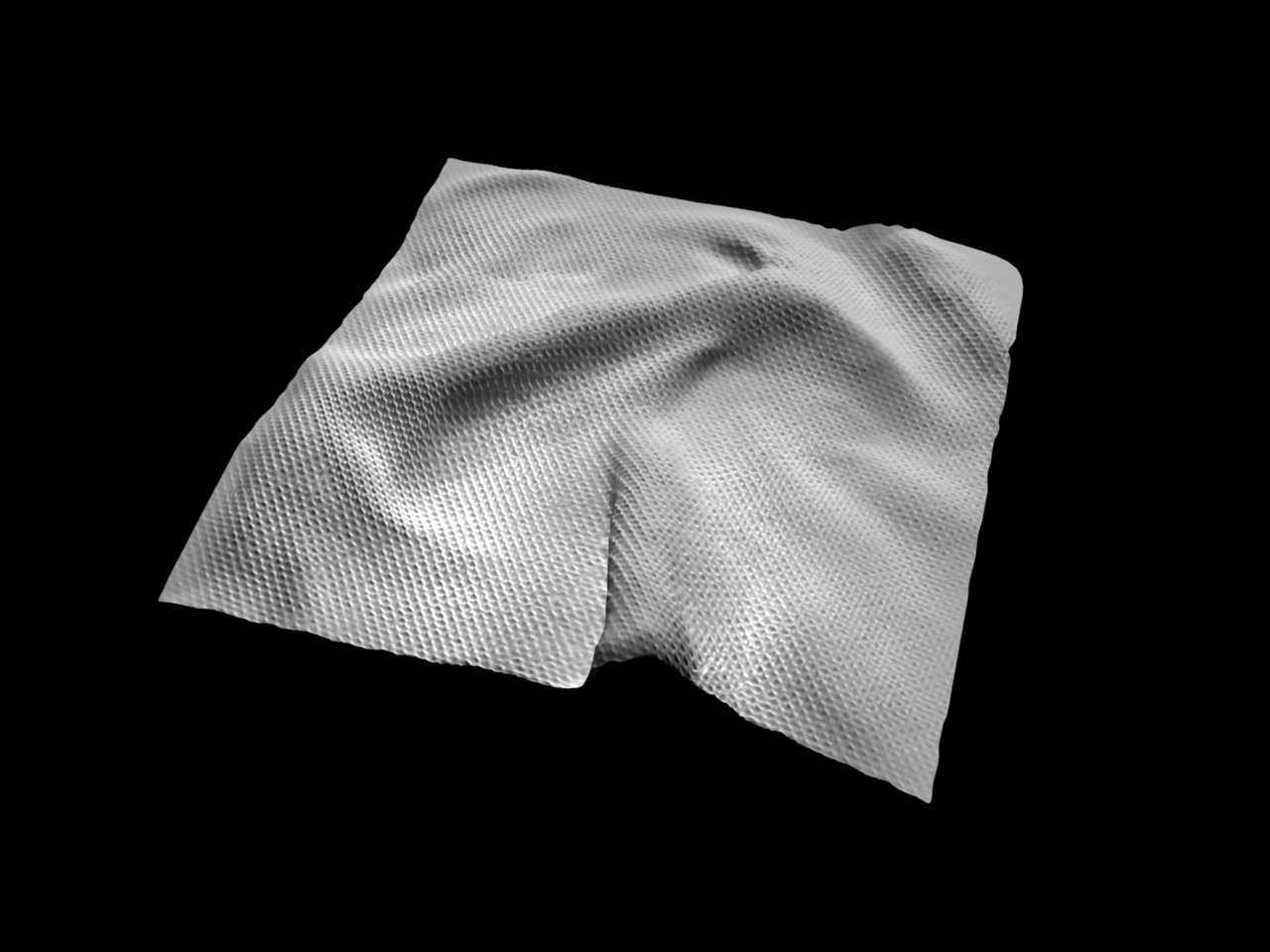
Bases for cloth10&11. Some
Bases for cloth10&11. Some errors visible, shouldn't matter in these kind of objects.
| Attachment | Size |
|---|---|
| cloth10_v2.jpg | 302.96 KB |
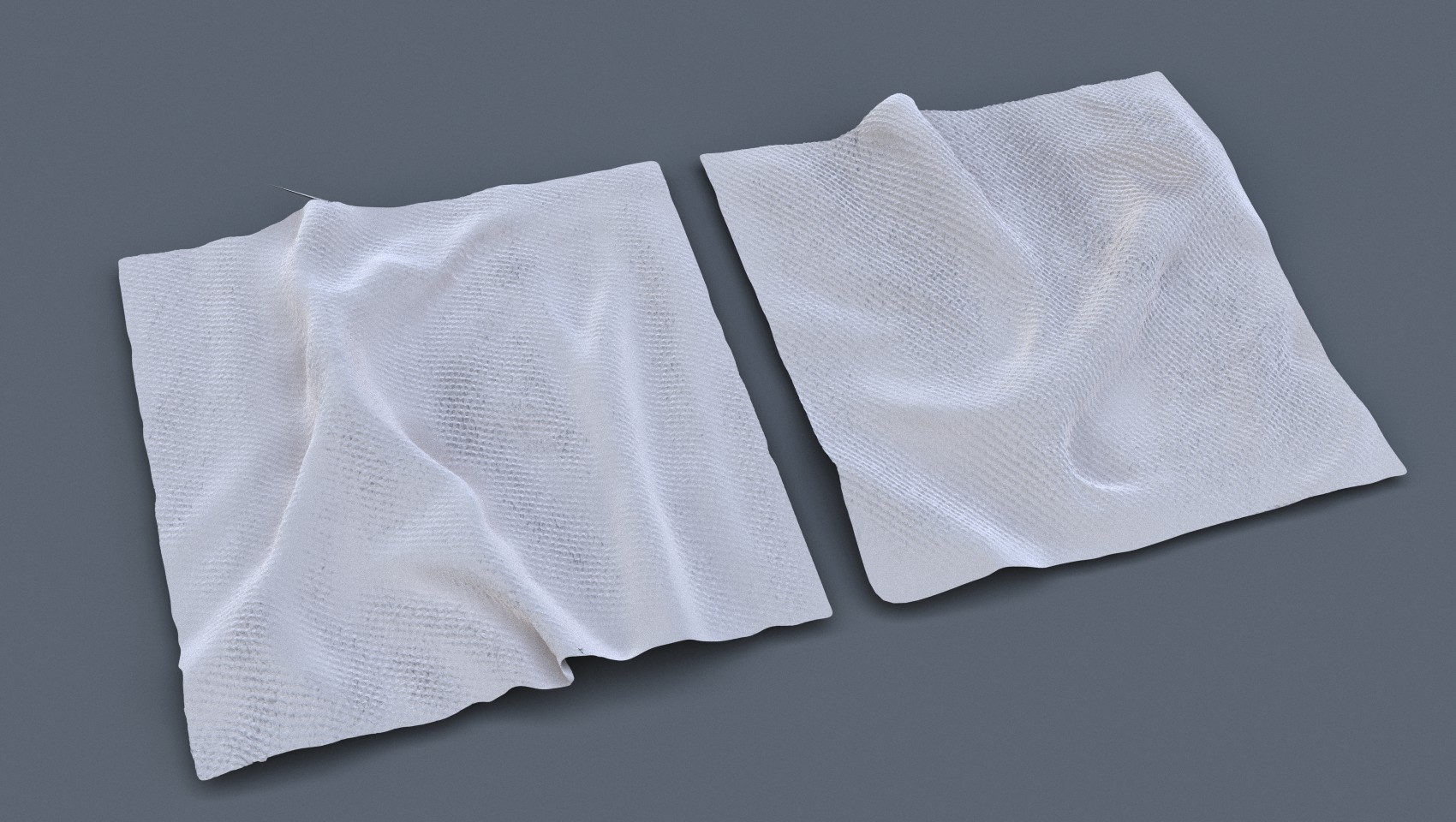
Ok buddy, here are the models
Ok buddy, here are the models in OBJ format, but i havent included textures, but you should make all new ones anyway.
https://drive.google.com/file/d/0B1vwmz6hbHGPWDJwejBzYk5CYzg/edit?usp=sharing
Obviously you're going to need to low poly those models to make them Skyrim friendly, but looking great.
Of course, sculpted models
Of course, sculpted models are for baking normalmaps mainly. I have Already done retopology in one of these and it has circa 270 tris - In tes3, it had 200 tris with no detail whatsoever. What a waste.
Left one - 201 tris. Right
Left one - 201 tris. Right one - 277 tris.
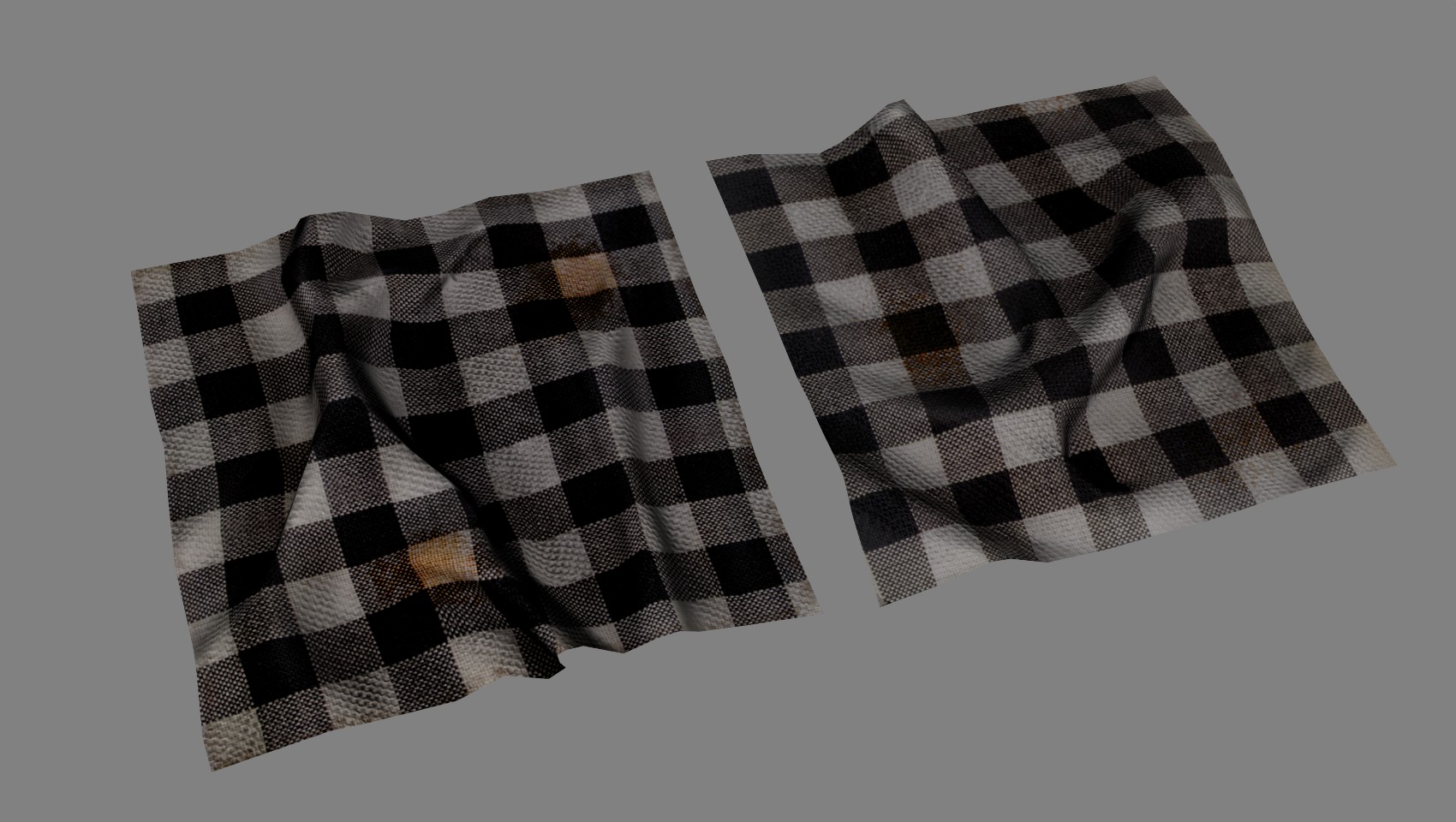
Edit: Currently I'm learning basics of export to Nif, could please someone have look on the attachement? I need to know if the scale is correct (I will eventually get to testing models in skyrim myself) and how I'm supposed to turn off or at least dim specular shader - setting specular strength to 0.00 doesn't work, neither does turning spec color to black. Maybe it's NifSkope failing to correctly render preview? I tried turning shaders rendering off and on, still with no luck.
Edit2: figured it out, so here a little bonus :) No collisions though, I guess I'll leave them to someone else

| Attachment | Size |
|---|---|
| cloth10.zip | 3.65 MB |
First I must say looks it
First I must say looks it very nice. Scale seems to be fine too. To set proper specularity for nif files a specular map should be placed in to normal map alpha channel. And I also noticed that there is no vertex colors in TriShapeData and shader has a flag to use them.
Here are the .nif files. Both
Here are the .nif files. Both need to have collision added, and of course they have my local paths to textures set. Scale and shaders tested in skyrim, look good, but I highly suggest downscaling the textures to 512 (no degradation of detail due to small dimensions) or even to 256, if they were too sharp when compared to other objects.
Vita: I found out about the alpha channel in normalmap, but thanks for pointing out this vertex colors bug - I must have deleted them by accident, should be ok now.
| Attachment | Size |
|---|---|
| cloth1011.7z | 8.06 MB |
These look great! Hopefully
These look great! Hopefully we can get larger variations and couple different colors.
Fairly unrelated, but the cheese should be lighter and smoother that the outside. For texture could have air bubbles in it or saw marks from then it was cut. Currently looks overly moldy.
Yeah, tell that to Bethesda
Yeah, tell that to Bethesda modellers :p
wow! loos great
wow! loos great
How would the collision even
How would the collision even work with this? Like what if I throw it around the room?
Mehh: Just like other objects
Mehh: Just like other objects - simple box as a collision mesh and rigid body physics :) I guess it would be possible to make a few bones and try with ragdoll to achieve "soft" collisions and dynamic cloth folds, but I don't know how to export that. Skyrim had a few ridiculously stiff objects, like maps, which, when pushed, hit the ground with grace of a bread loaf, so I think we may stay with simple collisions.
A tiny skeleton of 5 bones
A tiny skeleton of 5 bones may give quite nice "soft" result. Anyway better then falling down like a wood plank. Unless it's preferable to have a simple rigid box for performances reasons, I can try to ragdoll it.
I still find it weird how
I still find it weird how Oblivion, despite all it's flaws in the physics department, had loads more ragdoll props than Skyrim. When you pick up a piece of clothing in Oblivion, it would flop around like nobody's business. (And also there were those floppy roots in cave systems.) In Skyrim, all of the clothes and fabric or paper items are as rigid as a brick. Maybe they just use more starch in Skyrim than in Cyrodiil?
Anyway yeah this is looking really really good!
I did skinned version of the
I did skinned version of the cloth with skeleton simulating "soft" behavior pretty nice. It's a crap anyway, too buggy - impossible to use it as MiscItem. Frankly, Skyrim was made by a bunch of monkeys.
What is the problem with it?
What is the problem with it?
The problem is that it just
The problem is that it just doesn’t stay where we put it. When dropped from inventory or after loading a save, it randomly appears in the center of the cell if lucky, otherwise I don’t know where.
Well, it's not the end of the
Well, it's not the end of the world, although I'm quite disappointed :( I hoped it was a minor bug - erroneous display in inventory or something.
Anyway, here's a WIP of next model. I'm going to make also another shape, more generic, without folded corner and with different wrinkles for use in greater numbers and to maintain diversity.

As a student and a full-time
As a student and a full-time employee I have little to no time during week, hence the slow progress. I made textures for cloth bolt - one color version for now, there will be more of them :) I have wasted a lot of time trying to figure out how to create collisions for misc items using Blernder/Nifskope (for preview purposes mainly, it would be awesome to be able to flip around my models in skyrim to observe influence of lights), unfortunately, with no luck. I found out how to create them for static meshes using ChunkMerge, but it seems that it's no use for dynamic objects. I tried also moving collision blocks from ingame objects in Nifskope - nothing. If someone knows proper way, please let me know :)
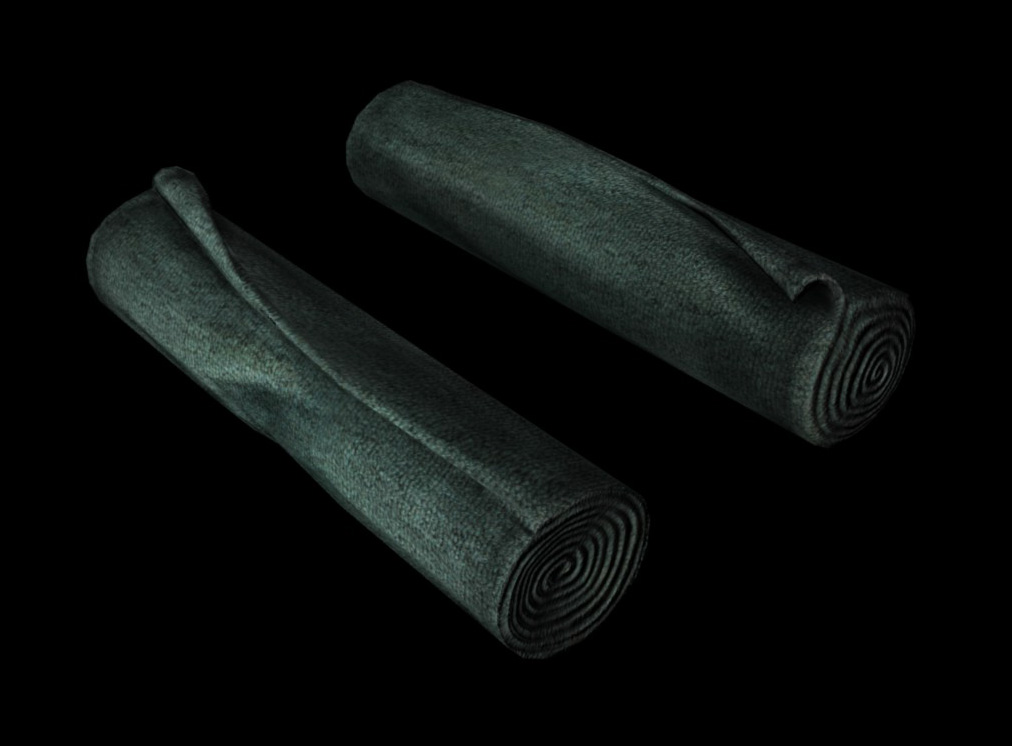

That's one sexy cloth bolt.
That's one sexy cloth bolt. Mmmmhm.
More colors. Uptades may be
More colors. Updates may be slower due to finals month ;]

Models and textures in attachement (EDIT: removed due to updated version below).
It's a nice idea and can be
It's a nice idea and can be easily done, but for more distinctive objects IMHO. I think people don't really pay that much attention to clutter like this - even those TES maniacs. Although, it would make sense if bolts were used to craft clan specific clothes/items.
Whoa, Denevir, I certainly
Whoa, Denevir, I certainly wasn't expecting such emotional response ;>
But still, you have a point - I'll do some research and maybe even paint clan's emblems into textures. The bad news is that it's finals month and I don't have time neither want to do it now. I'm halfway through my exams though, so wish me luck and in a week or so I'll be again able to contribute ;]
Beautiful work, freeqstyler.
Beautiful work, freeqstyler. Can't wait to see more (and eventually see them in game). I've always been one of those players who collects everything... even those 25 pound bolts of cloth. I just had to have one of each. :D
And I hope finals have gone/are going well.
So, I'm back. And don't
So, I'm back. And don't really know if these colors are correct, what do you think?

Finals went... Well, could be better if not Steam sale :P Nothing terrible though, one exam to retake in September and I'm good to go.
Actually the colours of a
Actually the colours of a rainbow are: RED, ORANGE, YELLOW, GREEN, BLUE, INDIGO, VIOLET
There is an easy way to remember them (a mnemonic): Richard Of York Gave Battle In Vain
Just kidding they look great.
Wicked awesome!
Wicked awesome! [External image]
![[External image]](http://tesrenewal.com/sites/all/modules/ckeditor/ckeditor/plugins/smiley/images/thumbs_up.gif)
As promised a few posts
As promised a few posts earlier, one more set of these:

I have to make some corrections in meshes and test them in game, but the effect should be pretty similar to render above.
FINALLY! I managed to add
FINALLY! I managed to add working collision:

More bolts!

(Apparently I don't have skills to make breathtaking screenshots)
I'm attaching a pack of finished models and textures - collision included. I advise to scale textures down to 512x512 for optimal results - loss of detail is almost none compared to original 2048x2048
EDIT: updated normal/specular map for one of the bolts (clothbolt2_nor.dds)
| Attachment | Size |
|---|---|
| [updated] Finished Cloth Bolt models and textures | 18.09 MB |
Thanks a lot. Really hoping
Thanks a lot. Really hoping to see more of your work in future, it is truly awesome!
Folded cloth, stage sculpt-
Folded cloth, stage sculpt->normalmap. C.a. 190 tris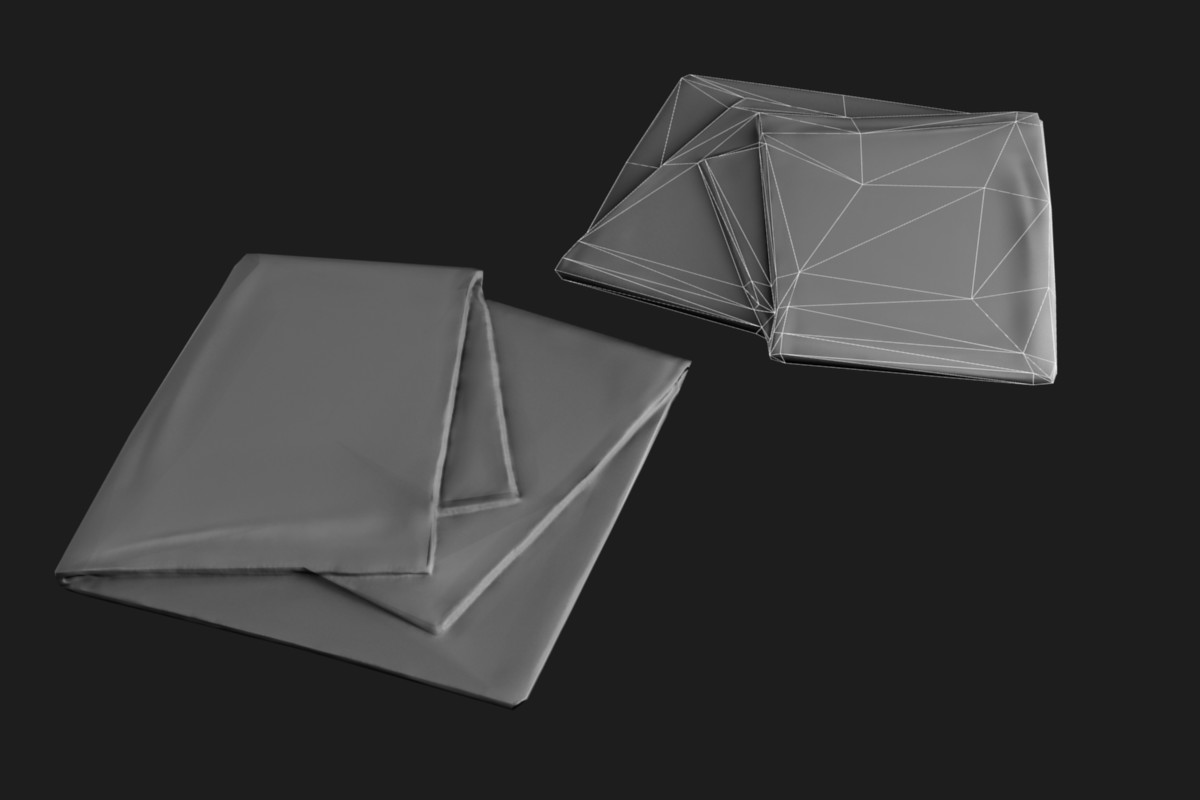
Wow, I just noticed:
Wow, I just noticed:
.jpg)

TIL it isn't the best idea to rely just on scale in files from morrowind. Do you think "new" size of bolts is acceptable or should I resize them to look more like on bottom screen?
.
.
.
Edit: Oh wait. Scale is proper. It seems these particular bolts were resized manually:
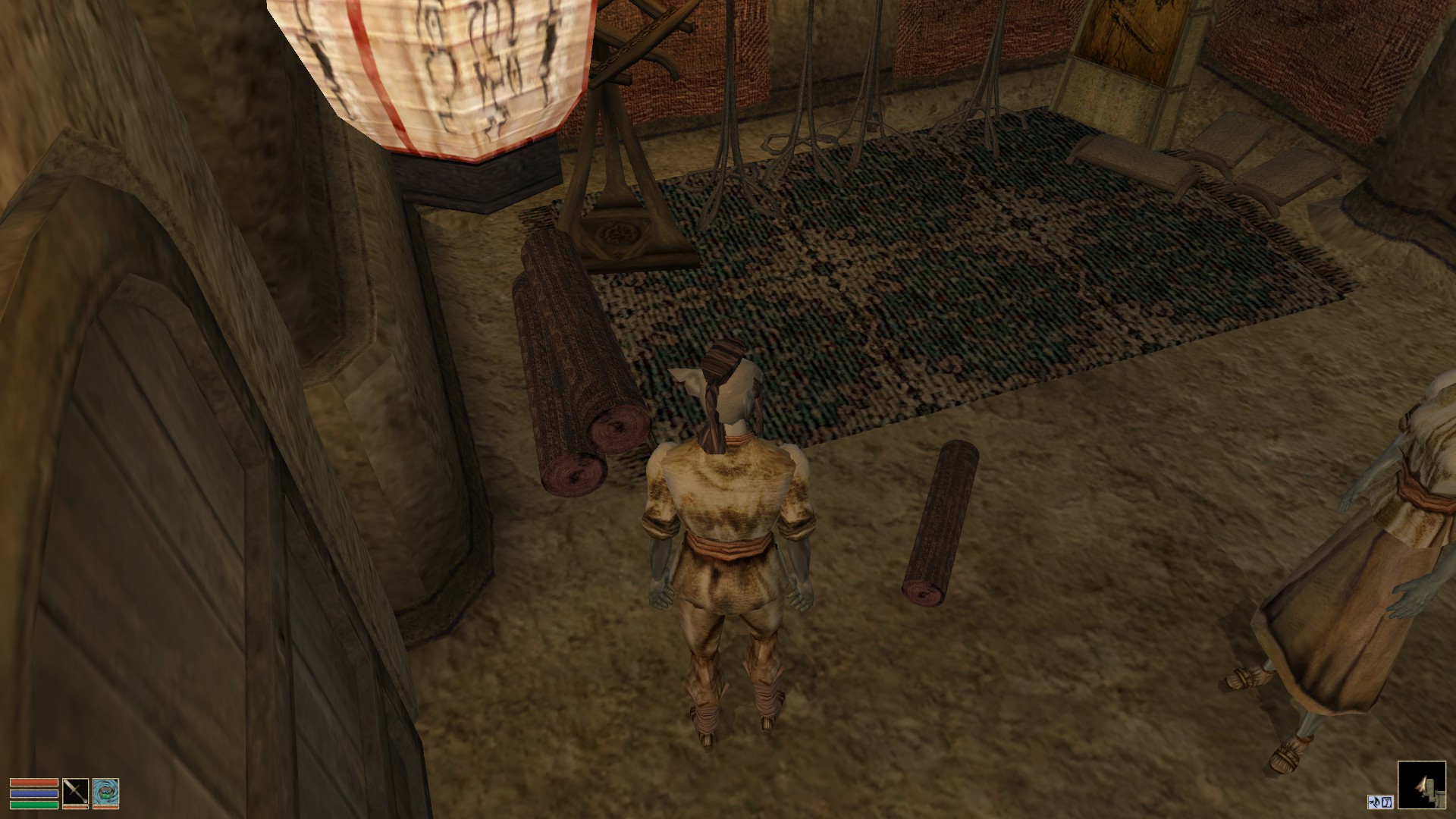
Big bolts shrink magically when picked up :D Bethesda, you almost gave me a heart attack...
Ready to export ;]
Ready to export ;]

What do you think that brown
What do you think that brown stain is?
cire992 wrote:
cire992What do you think that brown stain is?
Poop, dirt, mud or some form of brown liquid.
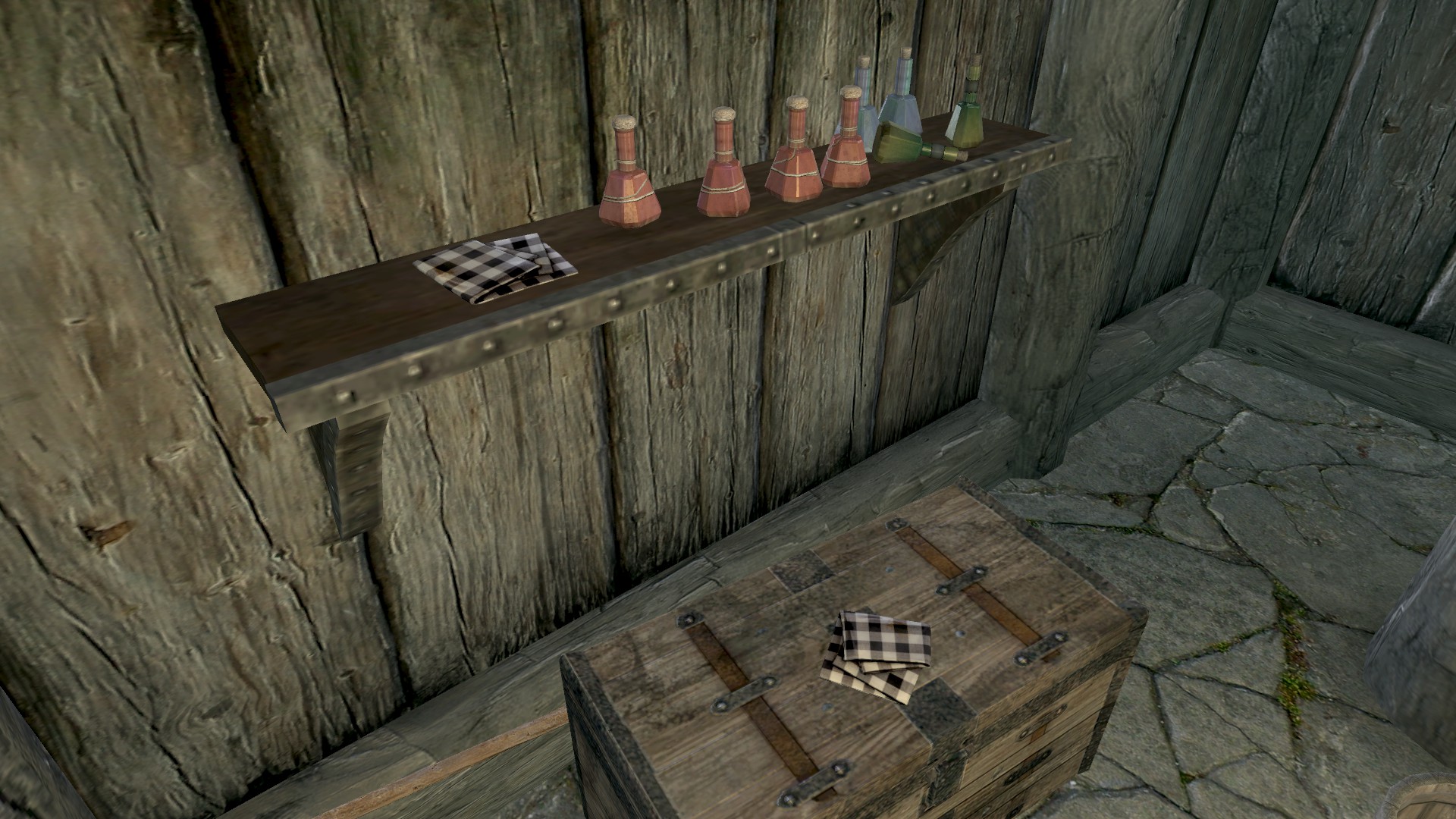
Finished.
Finished.
| Attachment | Size |
|---|---|
| Folded Cloth .nif and .dds | 1.34 MB |
Ahhhh these are great. These
Ahhhh these are great. These games thrive off the little things. It's not glamorous work, but it's important, so thank you!
Thanks for positive feedback!
Thanks for positive feedback!
Anyway, I'm looking forward to make those round cushions and I'd appreciate if someone could point me where can I find them in game. I know there is one in Gnisis with Vivec Ashmask but that's it.
Amazing work freeqstyler.
Amazing work freeqstyler. Looks absolutely amazing.
"H:\_GAMES\__Skyrim_Games
"H:\_GAMES\__Skyrim_Games\Skywind\Data\meshes\morrowind\clutter\cloth\cloth10.nif"