
| Attachment | Size |
|---|---|
| morroblivion_1.png | 113.74 KB |
| morroblivion_2.png | 119.79 KB |
| morroblivion_3.png | 93.9 KB |
| morroblivion_4.png | 142.24 KB |
| morroblivion_5.png | 118.19 KB |
| morroblivion_6.png | 96.24 KB |
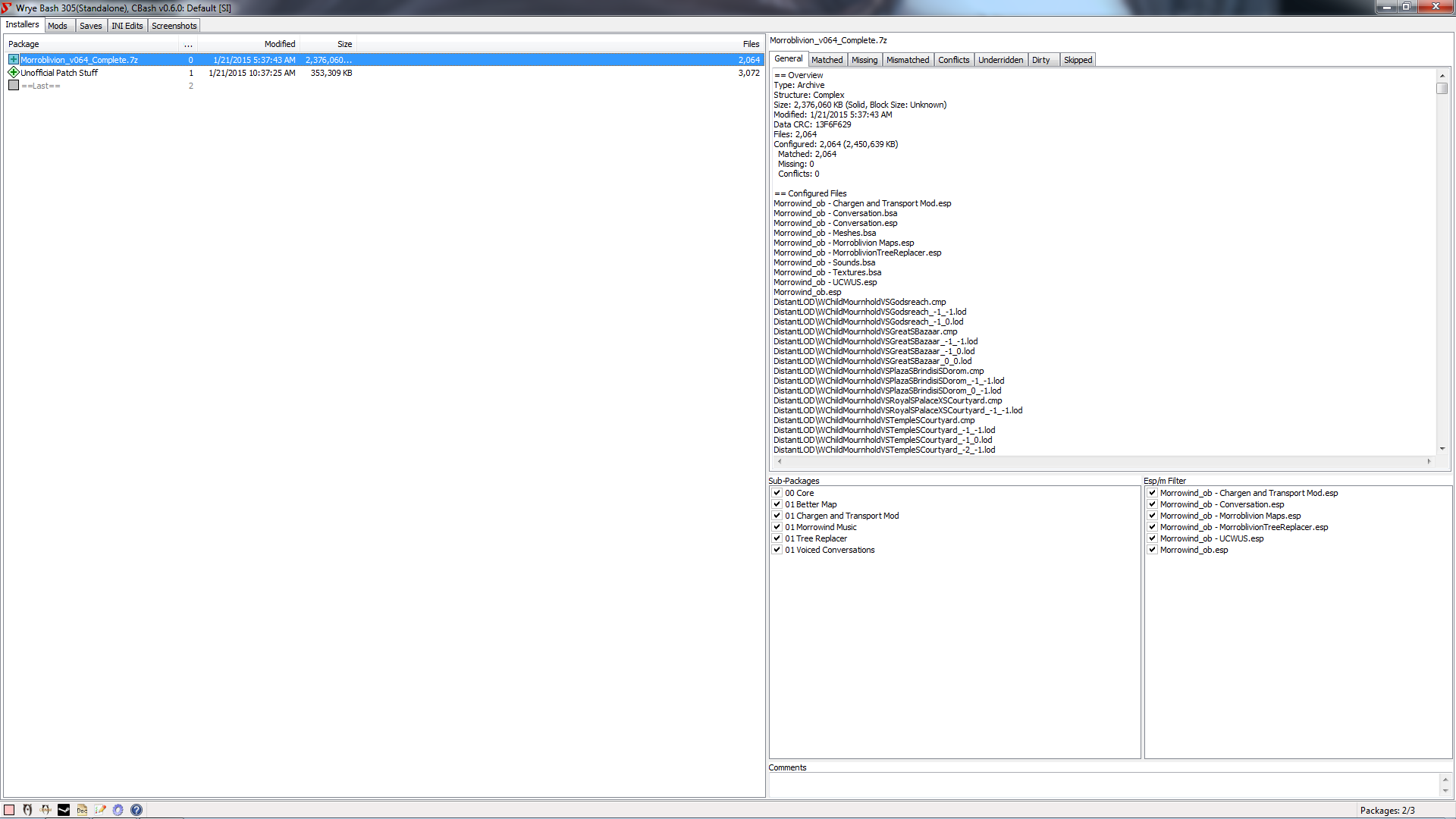
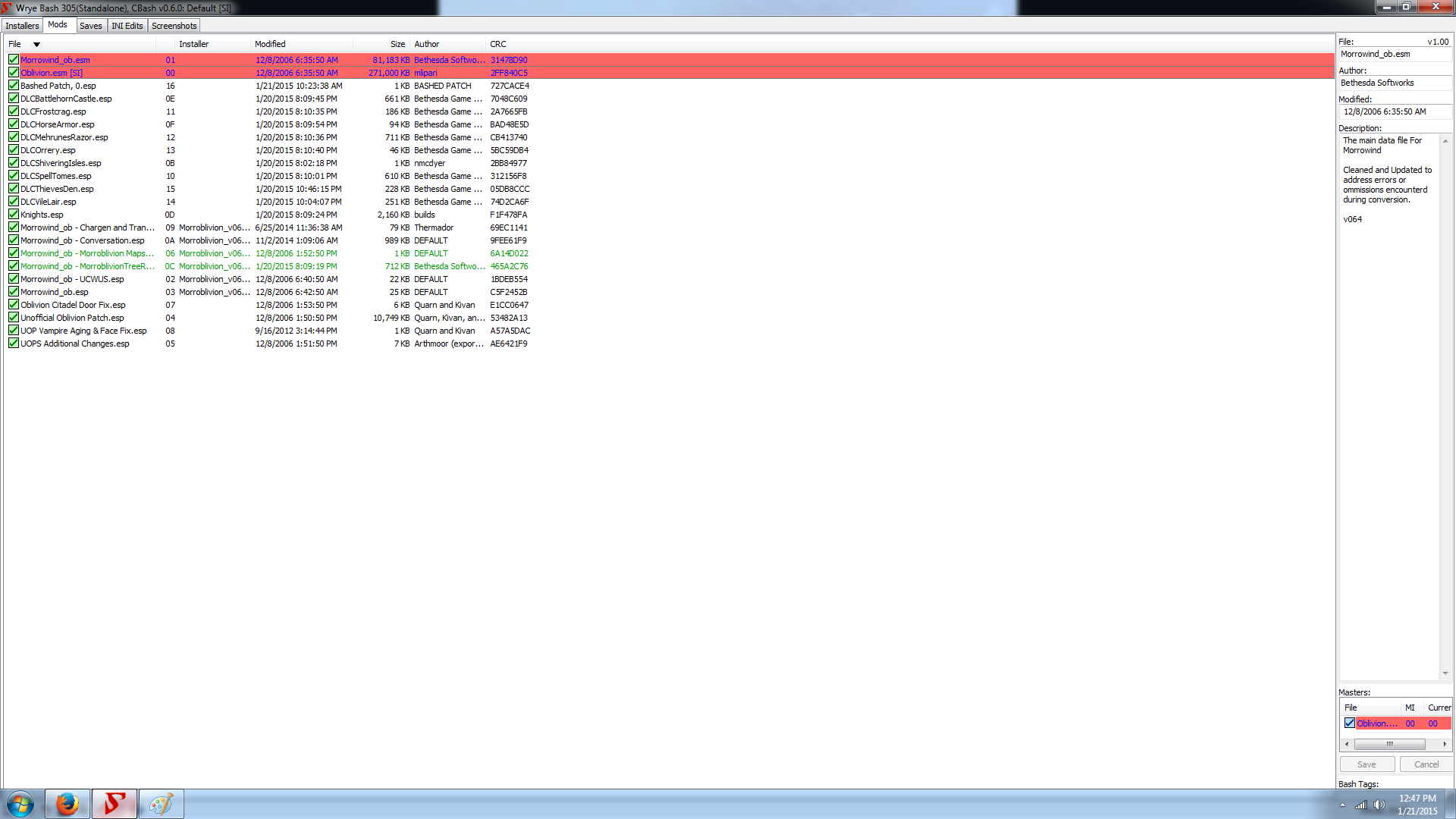


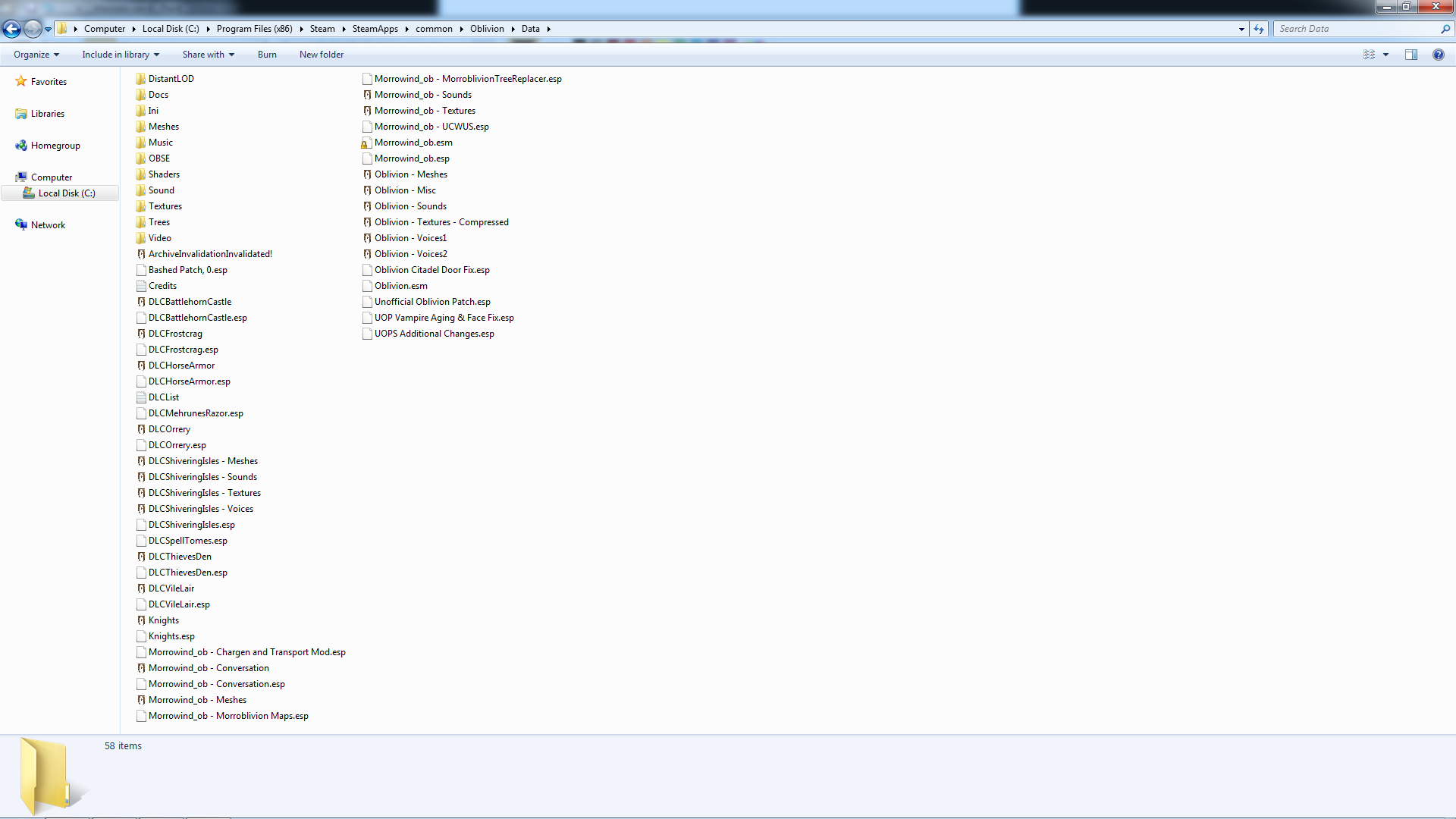

I imagine already there have been hundreds of topics on this, but I haven't been able to find a proper solution to my issue. With that being said, I am now on my twentieth hour, going non-stop trying to get this set up. I've uninstalled and reinstalled the games three times now as well as downloaded everything needed several times to have a fresh start with this. It has yielded no such luck. I have googled, youtubed, and everything else trying to find out what I'm doing wrong. With that being said, let me give the basic run down!
I have OMM and WB. A friend suggested using OMM which has bore no fruit of my labors. It usually crashes around 99% of compressing the Core 00 resource folder. So after tinkering and reading I've got a decent understanding of WB.
With both Morrowind and Oblivion GOTYE installed I follow the instructions and readme.txt files for Ely's, MenuQue, OBSE, and UOP. Yet everytime I boot the game it is generic Oblivion. I'm also enclosing some photos of everything on the off chance it may help with establishing the problem.
So, for starters I install both games.
I run the Morroblivion Installer and specify the paths.
I use Wrye Bash to install the mods and update.
I drop in the OBSE directory.
I drop the Ely's into the OBSE plugin directory.
I drop the MenuQue into the Oblivion directory.
I boot up the game, it's just Oblivion.
I am at wits end and mildly frustrated at this point. Using this as a last ditch effort to amend the issues. Thank you so much for your time and patience reading this! If I need to screen cap anything else to help further diagnose the issue, just tell me what is needed.
Your Oblivion.esm and
Your Oblivion.esm and Morrowind_ob.esm have the same date (that's why they're higlighted in red in Wrye Bash).
Run BOSS to fix this.
On unrelated note, in Wrye Bash you have mods sorted by name, which is largely useless. Sort them by load order (second column).