
| Attachment | Size |
|---|---|
| ProtocolledDialogs-v1_1.7z | 6.76 KB |
Description
------------------------------------------------------------------------------
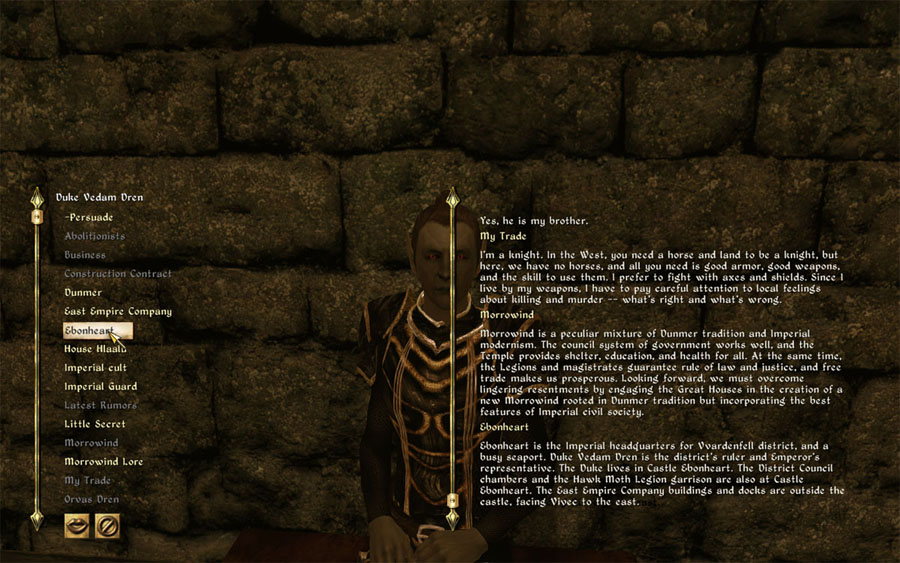
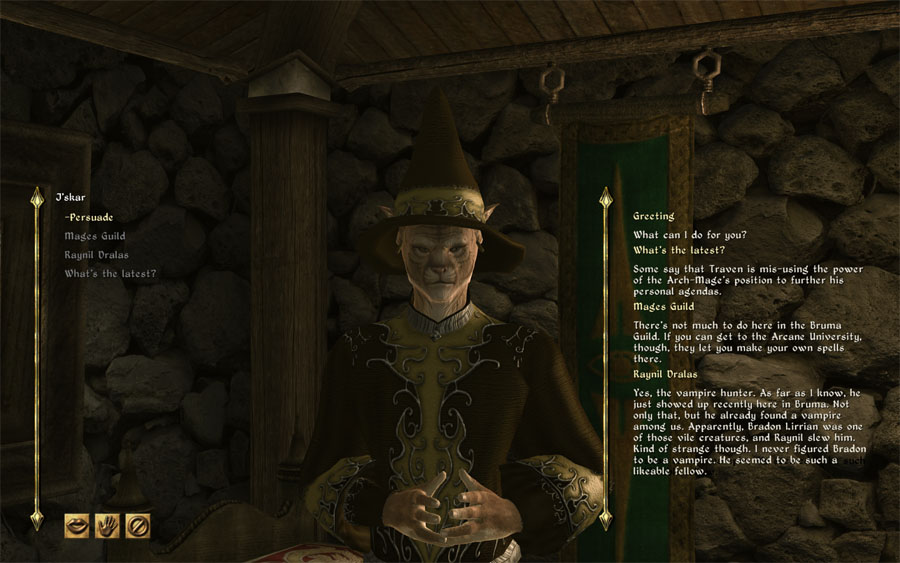
This mod adds a scrollable pane to the dialog window, where the course of the current dialog gets protocolled (see screenshots).
Features
------------------------------------------------------------------------------
- Protocolling of topics and related dialog texts
- Mousewheel scrolling
- In-game enabling/disabling of the protocol pane via Hotkey [Ctrl-D]
(Even if the protocol pane is disabled, it tracks the dialog in the background, so you can enable it at any time to view the whole dialog course) - In-game switching of the protocol pane's position on screen via Hotkey [Ctrl-Shift-D]
(Switch between lower right and upper left corner of the screen) - Compatible with vanilla and DarNified UI
(DarNified UI is highly recommended. Should work with other UI mods as well, but I haven't tested) - No file-replacements
(The protocol pane is injected into the game during runtime, so your Oblivion xml-files don't get touched. If you don't like this mod, just disable/delete it and everything will look like before. No reinstallation of any UI mod is required.)
Requirements
------------------------------------------------------------------------------
- Oblivion Script Extender (OBSE) v19 or higher
- MenuQue v10 beta5
Edit: This mod does not work with the latest version of MenuQue (MenuQue v10 beta4).
Edit: MenuQue has recently been updated to v10 beta5, which is working fine with this mod. Since some guys reported CTDs with MenuQue v9/v9a, I recommend to upgrade to the latest version.
Install
------------------------------------------------------------------------------
Extract the files to your Oblivion\Data directory and activate ProtocolledDialogs.esp
Please let me know if you are experiencing any problems!
Greetz,
Eazzy
Hi
I use this tool and like it very much, but when I go to "Options > Controls > Mouse", my bound extra mouse buttons show the last protocolled quest dialogs instead of "Button 3", "Button 4". This just happens after playing for a while. I use MenuQue v13 and last OBSE beta.