Morroblivion Installation Instructions

Submitted by Daggers on

[insert image here]

A video installation guide for Morroblivion version 68 and newer is available here.

Welcome to the Morroblivion installation section. The written instructions below are primarily for setting up Morroblivion version 67 and older. For Morroblivion version 68 and newer, use the current Morroblivion Project Release page and the video guide linked above.

If you are experienced with TES modding, much of this will be familiar. If you are new to Oblivion modding, read the instructions carefully before installing.

Requirements

Notice: These requirements are also listed on the Morroblivion Project Release page.

Expand

What do I need to own?

You must own legitimate installations of The Elder Scrolls III: Morrowind Game of the Year Edition, including the Tribunal and Bloodmoon expansions, and The Elder Scrolls IV: Oblivion version 1.2.0416 with the Shivering Isles expansion. CD/DVD, Steam, and GOG versions are supported.

Important: These instructions are for the original The Elder Scrolls IV: Oblivion, not Oblivion Remastered.

xOBSE and Plugins
Install xOBSE separately. Installation instructions for xOBSE and most OBSE / xOBSE plugins are included in their archive folders or readme files. Follow those instructions carefully.

Recommended Tools

  • Wrye Bash - Recommended for installing legacy resource archives, managing installers, and creating a Bashed Patch when needed.
  • Wrye Bash Releases - Current release downloads.
  • LOOT - Recommended for automated load-order sorting and load-order warnings.

Installing Morroblivion Version 68 and Newer

Expand

Notice: Version 68 and newer use the current Morroblivion installer workflow. The legacy screenshot-based instructions below are useful for context, but they are outdated for v68 and newer.

  1. Download the current Morroblivion installer from the Morroblivion Project Release page.
  2. Extract the installer archive, then run the installer.
  3. The installer will detect your legal Morrowind and Oblivion installations before deployment.
  4. When prompted, select your Morrowind and Oblivion installation directories. Select the main game folders, not the Data folders.
  5. When prompted for the Morroblivion installation directory, select your Oblivion directory for a direct install, unless you are using a managed mod setup that requires a different staging directory.
  6. Install xOBSE separately, then install any OBSE / xOBSE plugins required by the Morroblivion options or add-ons you enable.
  7. Use Wrye Bash, LOOT, or another Oblivion-aware mod manager to review your plugin list and load order.
  8. Launch Oblivion through xOBSE after installation.

Patch Notice: Morroblivion version 68 currently does not use separate patch files. The associated v67 patches 1-3 are for version 67 only and are already included in v68.

Installing the Morroblivion Master - Version 67 and Older

Notice: This section is for Morroblivion version 67 and older. The installer text may differ slightly from the screenshots because the images are legacy examples.

Expand
  1. Download the master file installer for the version you are installing from the Project Release thread or its archive section. Extract the executable, launch it, and follow the on-screen prompts.
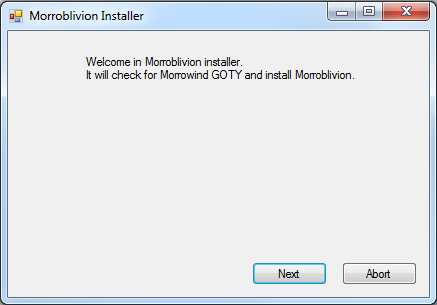
  2. Select your Morrowind and Oblivion directories. Use Browse if needed. Select the main game folders, not the Data folders.

    Example: Select C:\Oblivion, not C:\Oblivion\Data.

    Once the installer detects both games, select Next.
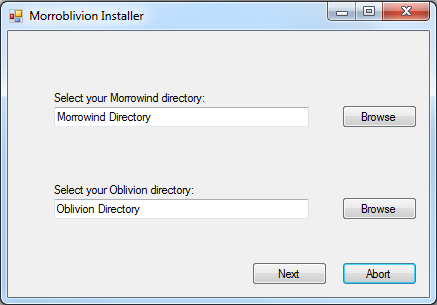
  3. [insert success image]

    When the installer reports Success, Morroblivion has been installed to your Oblivion Data folder. Verify that Morrowind_ob.esm is present in:

    Oblivion\Data\Morrowind_ob.esm

Installing Resources with Wrye Bash - Version 67 and Older

Expand

Download the resource archive for the version you are installing from the Project Release thread or its archive section.

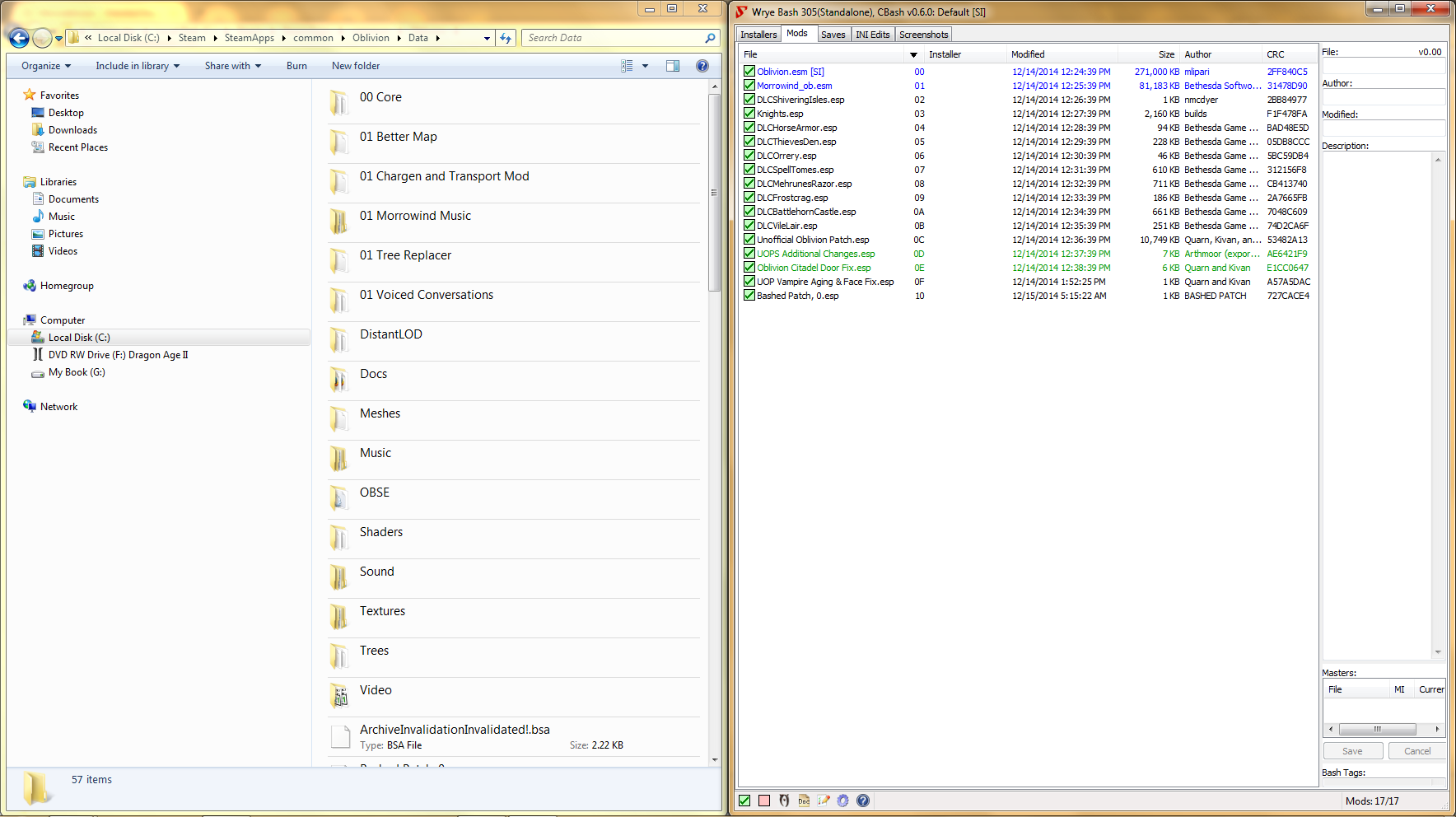
  1. Download and install Wrye Bash. Wrye Bash is a mod-management tool used to manage Oblivion installers, plugins, and load-order workflows.

  2. Launch Wrye Bash and open the Installers tab to initialize Bash Installers for the first time.

  3. Wrye Bash usually creates an Oblivion Mods folder at the same directory level as your Oblivion folder.

    Example: If Oblivion is installed at C:\Oblivion, Wrye Bash may create:

    C:\Oblivion Mods\Bash Installers

    Place the Morroblivion resource archive into the Bash Installers folder. Do not manually unpack it first unless your setup specifically requires that.

  4. Return to the Installers tab in Wrye Bash. If the archive was placed correctly, it should appear in the package list on the left.

    Select the Morroblivion archive. The sub-packages will appear in the center pane. Always install 00 Core. Optional packages are prefixed with 01.

    Detailed descriptions of optional packages are available in the Project Release thread.
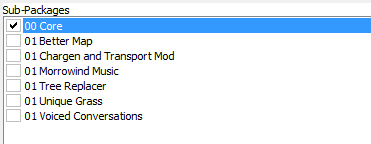
    Right-click the Morroblivion archive and select Install.

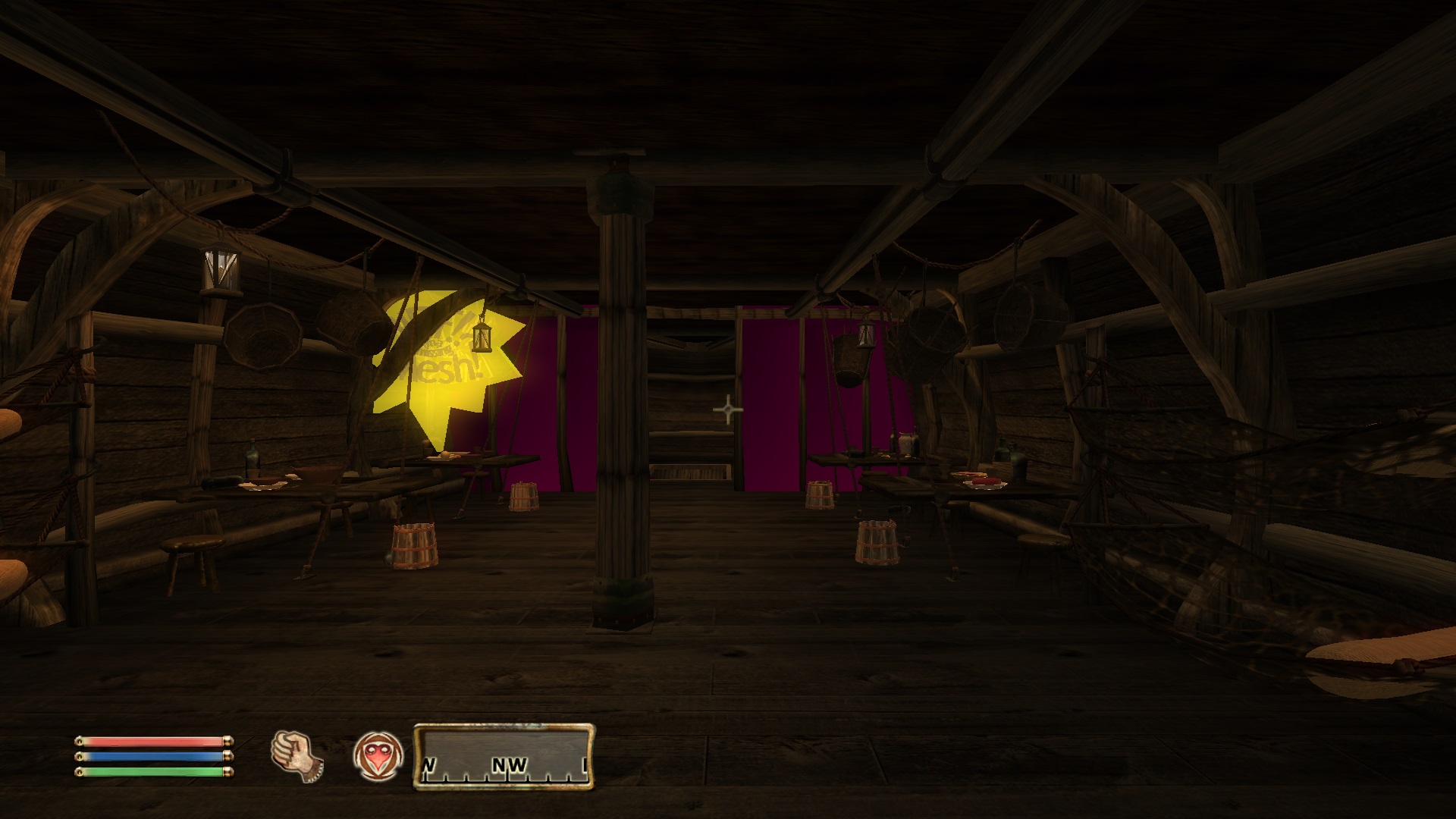
Troubleshooting: Missing textures, yellow placeholder objects, or falling through the starting ship usually means the 00 Core resources were not installed correctly or were not installed into the correct Oblivion Data path.

Installing Resources Manually - Version 67 and Older

Expand

Download the resource archive for the version you are installing from the Project Release thread or its archive section.

  1. Open or extract the Morroblivion resource archive. For legacy versions, you should see folders similar to the following:

    • 00 Core
    • 01 Chargen and Transport
    • 01 Morrowind Music
    • 01 Oblivion Trees - Morroblivion Tree Replacer
    • 01 Poster Map - Morroblivion Better Map
    • 01 Voiced Conversations
  2. Open the 00 Core folder and copy all of its contents into your Oblivion Data directory:

    Oblivion\Data

    Copy the contents of the folder, not the folder itself.

  3. Repeat the same process for any optional 01 folders you want to install. These folders are optional and should only be installed if you want the feature they provide.

Updating Morroblivion and Other Patches

Notice: This section applies to version 67 and older. For version 68 and newer, do not install v67 patch files over v68 unless a current release note specifically instructs you to do so.

Expand

Version 68 and Newer

Morroblivion version 68 currently does not have separate patch files. The v67 patches 1-3 are for version 67 only and are included in v68.

Version 67 and Older

  1. For Morroblivion v67, use the current patch guidance from the Project Release thread and the Dagger Galore a Patch for Morroblivion Nexus page.

  2. Dagger Galore is the accumulated Morroblivion patch package for v67. It includes worldspace improvements, quest fixes, object placement fixes, landscape fixes, and other corrections.

  3. Install the main file according to the Nexus page instructions. Only install optional files if the Nexus page indicates they are still required for your setup.

  4. Open or extract the archive into your Oblivion Data directory, or install it through Wrye Bash. This process follows the same general workflow described in the Installing Resources Manually and Installing Resources with Wrye Bash sections above.

Lighting Note: Dagger Galore v67 lists Morrowind Lighting Overhaul-related changes as merged. Check the Nexus Files tab for the latest main and optional file layout before installing additional lighting files.

Setting Up Load Order

Expand

Tip: Use Wrye Bash, LOOT, or another Oblivion-aware mod manager to manage your load order. The default Oblivion Launcher can enable plugins, but it should not be used as your primary load-order management tool.

Recommended: Use LOOT for automated sorting, then review Morroblivion-specific placement notes manually.

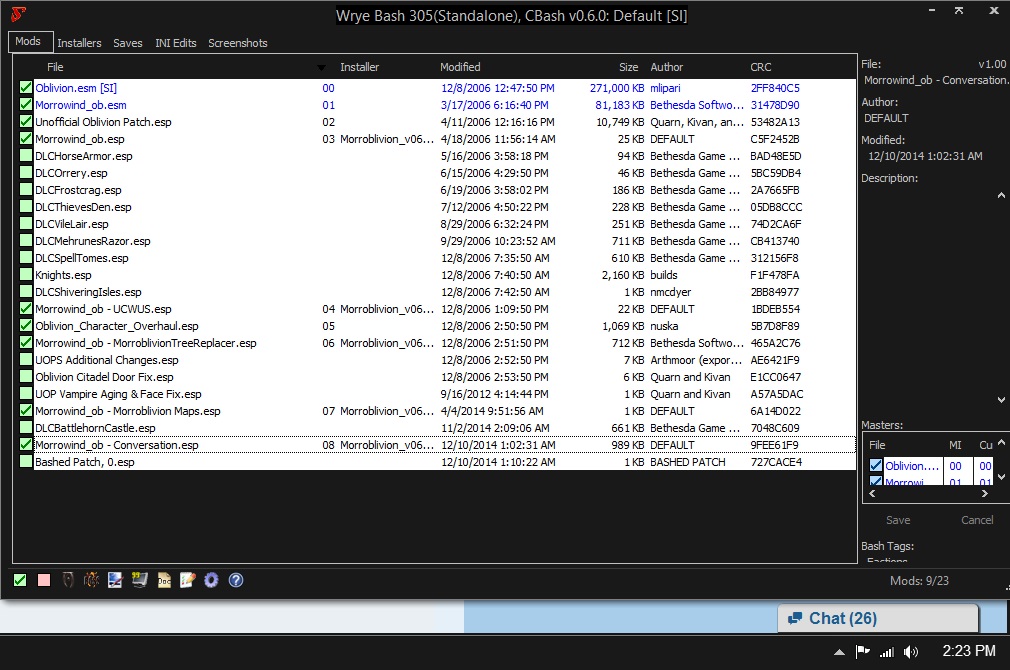
Important: If you are not using EngineBugFixes, Morrowind_ob.esm must load directly after Oblivion.esm. EngineBugFixes removes the strict technical requirement, but keeping Morrowind_ob.esm directly after Oblivion.esm remains a safe baseline.

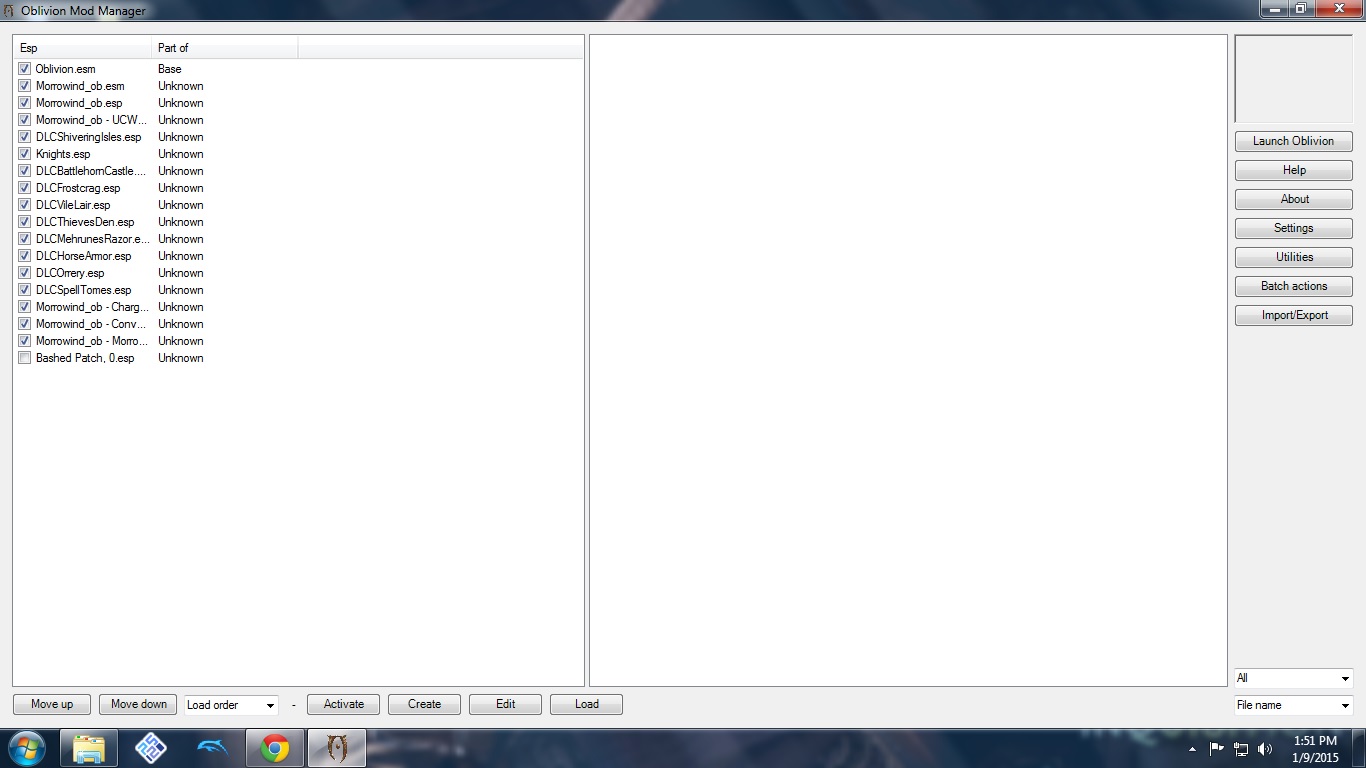
If you are not using EngineBugFixes, your load order should begin like this:

  • Oblivion.esm
  • Morrowind_ob.esm
  • ... any other ESM or ESP files

General Morroblivion plugin order:

  • Oblivion.esm
  • Morrowind_ob.esm
  • Other ESM files
  • Other gameplay, worldspace, and compatibility plugins
  • Morrowind_ob.esp
  • Morrowind_ob - UCWUS.esp if installed
  • Morrowind_ob - Conversation.esp if installed
  • Morrowind_ob - MorroblivionTreeReplacer.esp if installed
  • Any Morroblivion map replacers

The Project Release thread contains additional guidelines and explanations for all included files under Load Order and File Details.
Karma: 1 (1 votes)
Last edited by Daggers on 20 May 2026 - 10:30.Updates to the HTML code newer and better formatted. - Daggers :)

Problem they Need OBSE to Run, Mostly .dll Controlled by OBSE, OblivionLauncher Can Not Run a  ( .dll \.dlx \.lip ) file can only Run ( .esm,,.esp ) Also After a certain Amount of Mods OblivionLauncher can not Run the Mods.

The Directory Path is Not Written  Into  OblivionLauncher.exe to Read the (OBSE\ Plugins ) Directory.

Karma: 0 (0 votes)

Do you use the OBSE Launcher? If you use the normal Oblivion Launcher you are not using OBSE. Start your Game with a double click on "obse_loader.exe".

Karma: 0 (0 votes)

Hey I am having a problem in extracting the files with fusezip because around 30 files extracted it says that the archive is corrupt or incomplete. And I can't figure out how to ignore it or how to get an uncorrupted version. Help would be fantastic!

Karma: 0 (0 votes)

Have you tried the "official" 7-zip program? And why aren't you using Wrye Bash to install?

Karma: 0 (0 votes)

I use Nexus Mod Manager and I thought it may cause a bit of a problem. 

Karma: 0 (0 votes)

Morroblivion is wonderful, thanks to all those who helped with this project.

I followed the instructions, and all is going fine, except I forgot to install menuque.  I have pasted the data folder into my oblivion file, but it is still saying I don't have it installed.  I have never modded a game before.  Do i have to remove all the mods and just reinstall everything again, or should my simply pasting in the folder be enough?  What could I be doing wrong?  thanks!

Karma: 0 (0 votes)

I use Nexus Mod Manager and I thought it may cause a bit of a problem. 

It shouldn't.

I followed the instructions, and all is going fine, except I forgot to install menuque. I have pasted the data folder into my oblivion file, but it is still saying I don't have it installed. I have never modded a game before. Do i have to remove all the mods and just reinstall everything again, or should my simply pasting in the folder be enough? What could I be doing wrong? thanks!

You don't need to reinstall everything, just MenuQue - you probably put it in the wrong folder. You should have MenuQue.dll, OBSE_Kyoma_MenuQue.dll and "MenuQue" subfolder in Oblivion\Data\OBSE\Plugins\.

Karma: 0 (0 votes)

ah that is NOT where I have it.  I will try this.  Thank you so much for your help :)

Karma: 0 (0 votes)

It worked!  Thanks again!

Karma: 0 (0 votes)

Just a question does Lancer's Knights of the Nine Revelations mod conflict with Morroblivion? because I can't get one of the characters I have that has completed that questline with that armor over to Morrowind cause it just crashes. But if I start a new guy it works perfectly.

Karma: 0 (0 votes)

Alright I have downloaded the resource pack twice and installed using bash  install instructions. I have also used boss to configure my load order and manually placed morroblivion.esp to load right the unofficial patch (see below for load order. I am still getting purple and yellow items as seen in the screenshot. Where am I going wrong?

Karma: 0 (0 votes)

Also I want to add I am not new to Wrye Bash by any means. I have been using it to mod oblivion and skyrim for years.

Karma: 0 (0 votes)

Just a question does Lancer's Knights of the Nine Revelations mod conflict with Morroblivion? because I can't get one of the characters I have that has completed that questline with that armor over to Morrowind cause it just crashes. But if I start a new guy it works perfectly.

I haven't played that mod, but I don't see why it should conflict with Morroblivion.

Alright I have downloaded the resource pack twice and installed using bash install instructions. I have also used boss to configure my load order and manually placed morroblivion.esp to load right the unofficial patch (see below for load order. I am still getting purple and yellow items as seen in the screenshot. Where am I going wrong?

Activate DLCShiveringIsles.esp

Karma: 0 (0 votes)

qwertyasdfgh

Activate DLCShiveringIsles.esp

Thank you so much that did it.

Karma: 0 (0 votes)

Knight of the nine Revelation doesn't colfict with Morroblivion(tested)

The issues is to be searched in antoher mod probably or just a partially corrupted savegame. Or a bad mod interaction beetween multiple mods.

Karma: 0 (0 votes)

Greetings good people of the TES Renewal project.  First off, thanks for all the hard work done into making this dream come true.  Sadly, I've run into a bit of a snag that I can't work my way out of.  Whenever I try to boot up Oblivion, I get a CTD before the Bethesda logo can even finish.  Now I'm sure I've messed up something, I'm just not quite sure what.  I've tried both manually installing the files and using Wyrbash, but to no avail.  I've attached a collection of screen shots that I hope is comprehensive and can help with aiding me in this problem.  I've spent about 4 hours this morning working on this and I've achieved little success.
http://s1201.photobucket.com/user/Grothonefinger/library/Morroblivion%20Issues?sort=3&page=1

Here is the album, thanks for any help.

Karma: 0 (0 votes)

CTD at startup is a common sign of a missing master. Can you install manually the Resorucepack and reinstall the masterfile(post a screenshot of wrye bash)? Also are you sure that the file you have were not corrupted by donwload?

Karma: 0 (0 votes)

I've reinstalled the resource pack manually (sense Wyrebash crashes when I try to do it through it) and I've reinstalled the masterfile from a fresh download, as can be seen in the attached file.  No change though.

Attachment Size
try_2_screen_1.png 223.27 KB
Karma: 0 (0 votes)

It will not Run you will have to Activate  Morrowind_ob.esp, Also make  shore you installed Menuque and are Starting you Game With OBSE.

On Download Page. Under.

Load Order and File Details.

Karma: 0 (0 votes)

The problem you're having is that  installed the mod wrong. You need to go into each 00, 01, etc. folder and copy the contents into your data folder. So that the .esp files are in the data folder with the other esp files that are there already. Same goes for the meshes and textures folder and bsa files. They should all sit in the data folder. The structure should always be /data/meshes , /data/textures, /data/whatever file.esp/.bsa/.esm. If it asks you to overwrite anything click yes. After that tick all the esp files in Wrye Bash and the game should start.

Karma: 0 (0 votes)

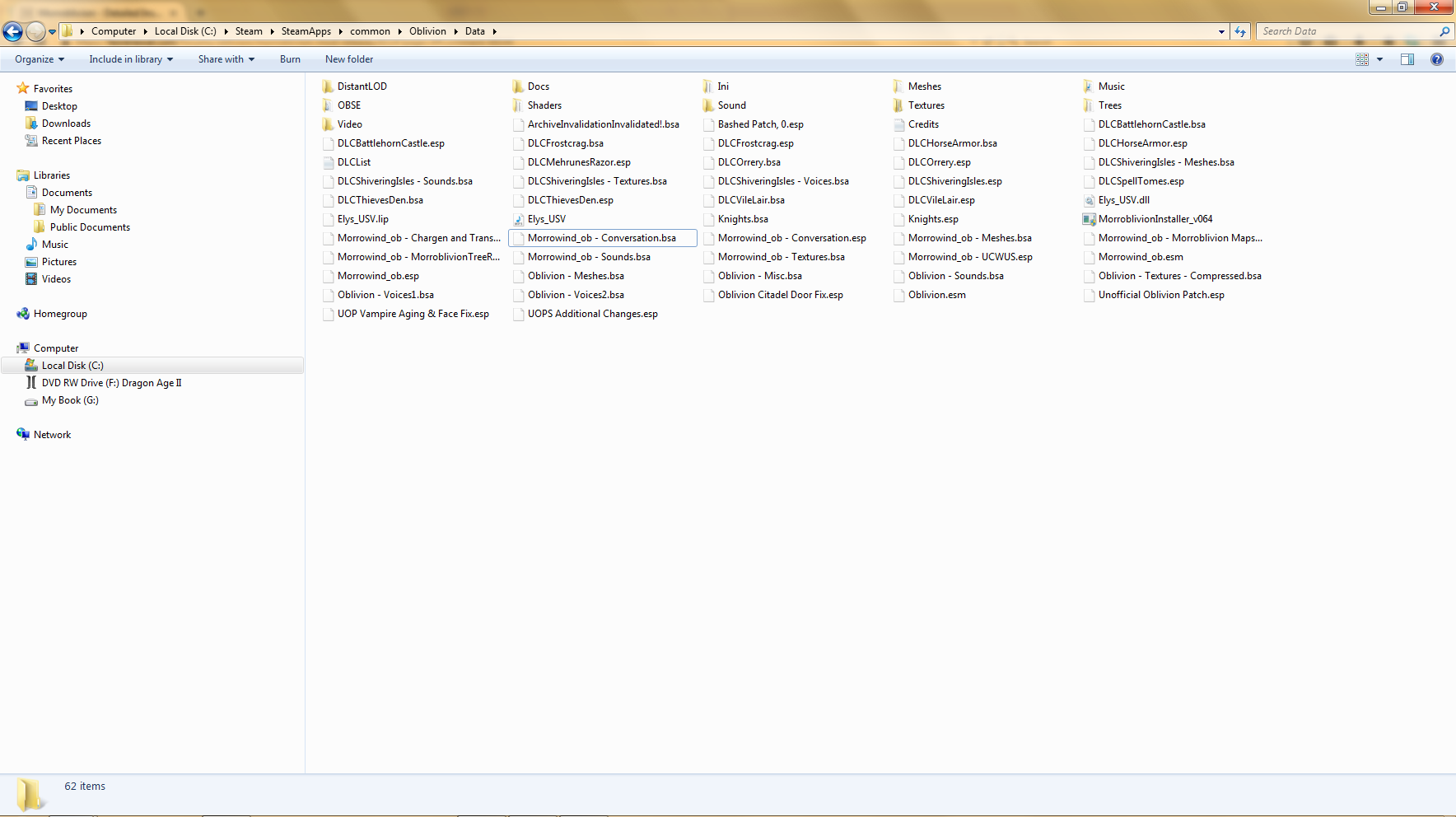
I did as you instructed and Copied everything out of the 00 and 01 folders into the data folder, over writing or merging as needed.  I also went through Wyrbash and activated the mods, but it went CDT after both instances of the screen shots.  I've also attached an image of my data folder, which should hopefully look right this time.

Attachment Size
try_3_screen_1.png 116 KB
try_3_screen_2.png 109.24 KB
try_3_screen_3.png 142.46 KB
Karma: 0 (0 votes)

Try De_Activate all files bar Oblivion.esm\DLC Shivering Isle.esp\ Unofficial oblivion Patch.esp and See if your Oblivion will Start Using OBSE.

If not go to User \( User Name)\My Documents\My Games\Oblivion\ Delete Oblivion.ini

Your Game will Create a New  (.ini) File. try this.

Karma: 0 (0 votes)

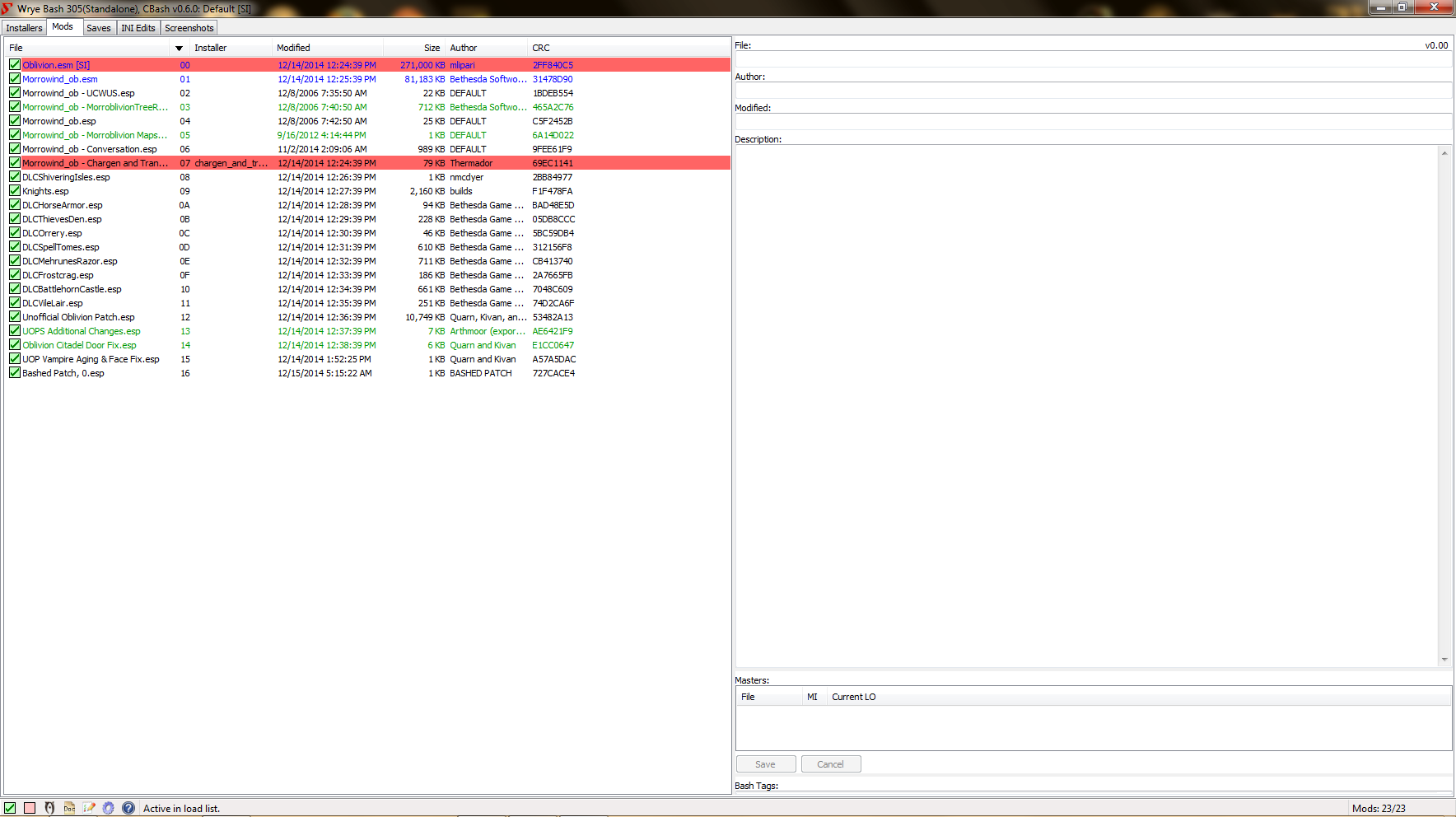
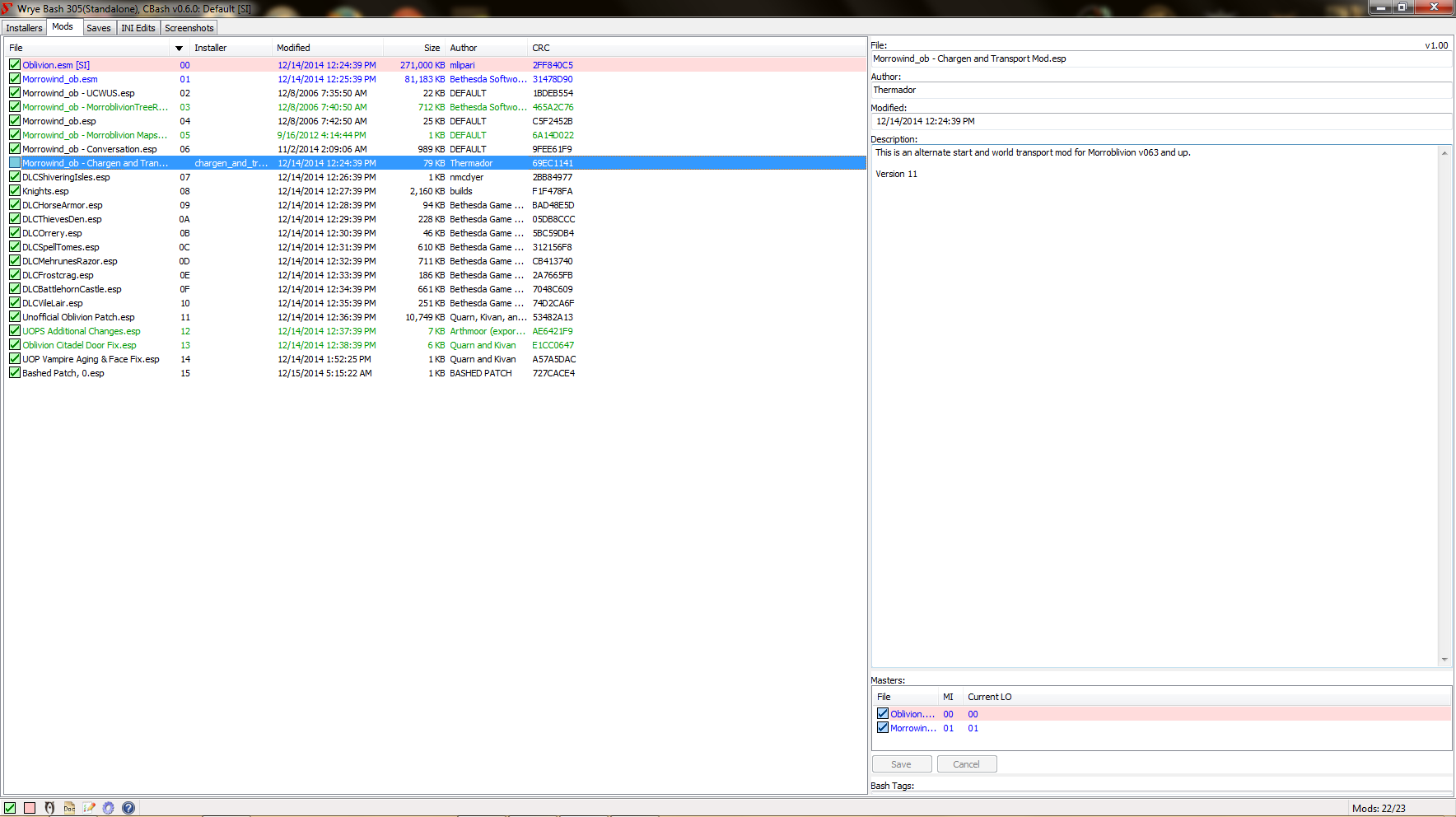
Did you install Oblivion Script Extender correctly? Does the game start with only Oblivion.esm activated?  You didn't install the silent voice mod correctly. Its files should be in data/Obse/plugins. Also your Oblivion.esm and Chargen.esp share the same time stamp, i.e. load time. This makes it load before the Morrowind_ob.esm which is not possible since it relies on its data. This is likely to cause a crash. To fix it right click on the Chargen.esp in Wrye Bash Go to File>Redate. Then pick any date that is after the current one and after the one in Morrowind_ob.esm. Adding two hours or a day should work.

Karma: 0 (0 votes)

First one didn't work, so I tried the second one and all I could find was an Oblivion settings files, but it was the only one in that folder named Oblivion so I said "Why not?" and deleted it.

Works like a charm now!  Thanks so much for all the help, couldn't have done it without you.

Karma: 0 (0 votes)

EDIT: (I have downloaded and managed to get Morroblivion running.)

NOTES:

*When i run the vanilla Oblivion launcher (and start a new game) it starts me in the oblivion prison cell. and when the autosave it finished after making a character, a message pops up and says "OBSE is not detected (and so on)" then i instantly die.

*When i launch via Oblivion Mod Manager and start a new game, it start in seyda neen on the boat and it lets me play without persistent problems. The only messages that pops up is that it says "MenuQue is not installed" but it still lets me run the game fine without any other problems as far as im concerned.

*But a really really weird thing is sometimes it doesnt let me launch via Oblivion Mod Manager and instead i can launch the game with the vanilla game launcher. also i sometimes use the "obse_loader" file to launch the game, (vice versa if i cant use that)

Attachment Size
imp_pic.png 53.16 KB
imp_pic2.png 55.17 KB
Karma: 0 (0 votes)

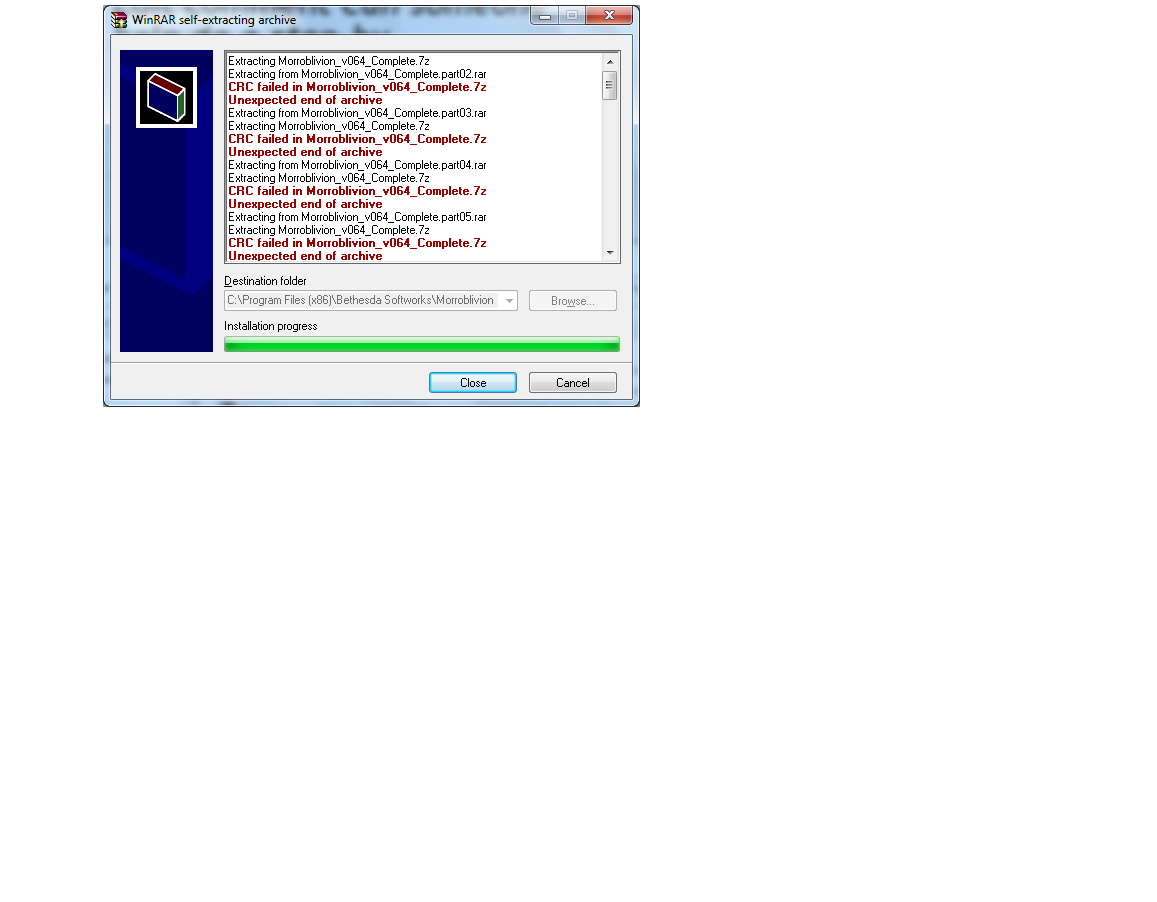
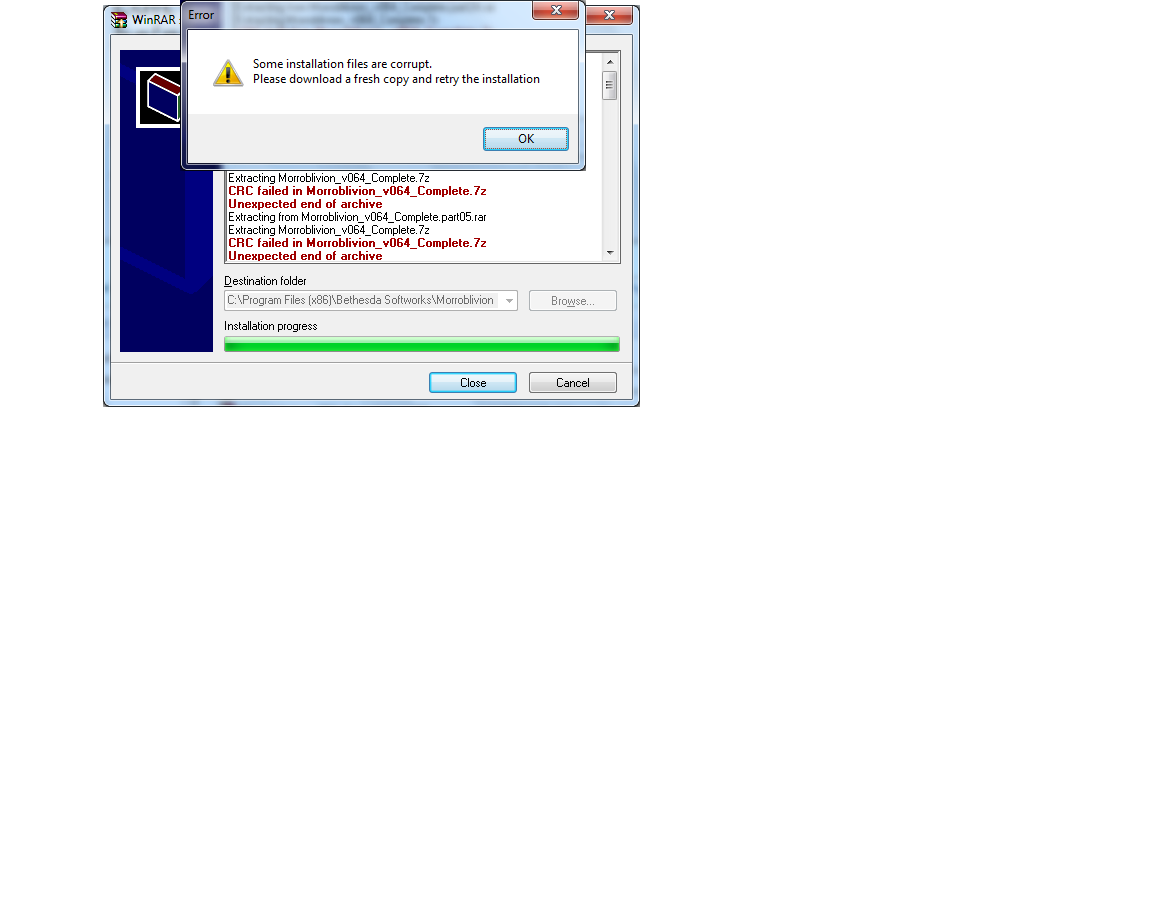
Shift the Morroblivion Files you Downloaded Out of (Program Files (x86) ) Directory,, to C:\Temp  Directory or any other Directory NOT in a Windows Controlled Directory, then Run ... Then if you Have the Same Problems. Delete what the File Created, Then Right Click   Morroblivion_V064_Complete.Part01.exe (Run as Administrator) the file shoud Extract   Morroblivion_V064_Complete 2,376,061 kb    THEN go to Start of this Posting and Follow instructions.                                                                                                                                   By Placing the Files in a Winds Controlled Directory you Have Put Protection  on the Files and they WILL Not  Extract Unless you are an Administrator.

Karma: 0 (0 votes)

Im a little confused. I have Morrowind GOTY installed and able to run but whenever I try to run the morroblivion installer it says that I do not have Morrowind GOTY in my directory. I've tried uninstalling and reinstalling but nothing seems to work.

Karma: 0 (0 votes)

Im a little confused. I have Morrowind GOTY installed and able to run but whenever I try to run the morroblivion installer it says that I do not have Morrowind GOTY in my directory. I've tried uninstalling and reinstalling but nothing seems to work.

You need to point the installer to the folder where Morrowind.exe is located.

If it doesn't work, check that you have Morrowind, Tribunal and Bloodmoon .esm and .bsa files in the Morrowind\Data Files folder.

Karma: 0 (0 votes)

i got the anthology set that doesnt come with the Morrowind GOTY disc (i think it's the vanilla disc that came with the expansion packs) and it still let me use the directory folder    :P

Karma: 0 (0 votes)

i got the anthology set that doesnt come with the Morrowind GOTY disc (i think it's the vanilla disc that came with the expansion packs) and it still let me use the directory folder :P

So, you fixed your problem, then?

It doen't need to be GOTY edition specifically, you just need to have Morrowind, Tribunal and Bloodmoon installed, from any source. I still have all 3 on original separate discs.

Karma: 0 (0 votes)

qwertyasdfgh

i got the anthology set that doesnt come with the Morrowind GOTY disc (i think it's the vanilla disc that came with the expansion packs) and it still let me use the directory folder :P

So, you fixed your problem, then?

It doen't need to be GOTY edition specifically, you just need to have Morrowind, Tribunal and Bloodmoon installed, from any source. I still have all 3 on original separate discs.


yeah, i continued through the installation and the directory. Im sure somewhere it said in the installation thread that i needed the GOTY editions, but turns out i didnt and i was pointing that the other guy to let him to know i did it with the vanilla disc

Karma: 0 (0 votes)

Oh, you're a different person *facepalm*

That's why I should really look at user names when people have no avatars.

Karma: 1 (1 votes)

Ok, so I have been trying to get this mod set up off and on for a while now with no success so far. I just don't get what is going wrong. I have installed all the prerequisites, (except the Unofficial patch, as it for some reason breaks my game) I have both games via steam, I follow the instructions in this post step by step. I have tried manual and wyre bash installation (I prefer manual, I don't like wyre bash very much) but when everything is said and done I cannot launch oblivion with morrowind_ob.esp checked. I get an oblivion has stopped working message. I will include my current load order and any advice on what I'm missing would be very appreciated. 

Attachment Size
Load Order 119.84 KB
Karma: 0 (0 votes)

have you tried to delete the Oblivion.ini?

What kind of trouble give you the Unofficial Oblivion patch?

Did you installed Shivering Isle correctly(That can be trnaslated as in a game with ONLY Oblivion.esm and DLCShiverningISles.esp activated you are able to interact with Shivering Isles content)?

Did you update to patch 1.2.416(The last patch) AFTER you installed SI(with SI specific patch)?

Karma: 0 (0 votes)

I haven't tried deleting the Oblivion.ini yet I will try that. Installing the Unofficial patch gives the same error I am getting now (Oblivion stopped working message when trying to launch). I have the Steam GOTY edition so it automatically installs and updates all the official DLCs.

Karma: 0 (0 votes)

Do you have Wrye Bash installed?

If so post a screenshot with the load order from WB.

If your game is crashing during or just after the load video the problem is a missing master. The trouble also happen when a plugin is loaded before one of its master. It may be that maybe the mod manager it's impossibilitated to  change the load order of the file(maybe becouse of missing privileges, do you installed steam(and/or Oblivion in Program files?) so that it try to use  a load order that is invalid.

Karma: 0 (0 votes)

I do have Steam/Oblivion in Program files (x86). But I have disabled UAC and have full admin privileges to everything. I am using Oblivion Mod Manager for load order, i don't like Wyre Bash (just a personal preference) and my load order is in an attachment on my first post. The game isn't even making it to loading. After i click play in the launcher it simply tells me that the program has stopped. I do have OBSE installed but I have never used it with steam before and may have done something wrong.

Update: Did a clean install and it's finally working. Thanks you for the advice. 

Karma: 0 (0 votes)

Is there a method to simply update the resources if we already have them installed from a previous Morroblivion version? I know there was a way to upgrade to v063, but I don't see anything similar for v064.

Thanks.


Karma: 0 (0 votes)

Go to the Last Page on the Download Page. back track to when v064 was Released all in Release Date there.

Karma: 0 (0 votes)

Is there a method to simply update the resources if we already have them installed from a previous Morroblivion version? I know there was a way to upgrade to v063, but I don't see anything similar for v064.

There isn't.

Karma: 0 (0 votes)

Anyone know why I might be getting Missing Mesh errors with the lights in Mournhold after updating? All I did was deactivate my previous versions of the Morroblivion Resources and installed v064. I made sure that my load order is correct. I feel like I'm missing something, but it's making me a bit crazy.

Karma: 0 (0 votes)

EDIT: ok, I fixed it, I have graphics now. I simply went through my mods and unchecked most of the Oblivion ones. Graphics fix yes, mods I really wanted to use, no. Although out of frustration I unchecked many instead of scientifically unchecking one at a time and trying. I suppose I will re-tick mods one at a time and see which I can re-incorporate into the game.

OFF TOPIC: I would love to see the Morrowind style of skills and leveling up in Oblivion and Skyrim while still using the better graphics of those games. Morrowind was a better RPG imo. Don't get me wrong, I love the work done here and I'm really looking forward to trying it out. Can't wait to try Skywind and Skyblivion as well once theyre finished.

OFF TOPIC 2: I'm trying an Orc hand-to-hand character now, preferably unarmored (but will prob go with heavy armor). I would love it if someone made a page where you decide the character you want to play and they supply a list of mods you should get for that type character. Would greatly shorten the time I spend trying out and searching all sorts of mods, which usually results in getting too many lol. For all Elder games.

Problem:

I have installed correctly and the game starts, I'm in Morrowind (alternate start) with the Oblivion engine.

Unfortunately, I have no graphics. While I can move around, I can't see anything. The room i start in is pitch black, my cursor still shows people/objects when I correctly line up with them. My character is essentially blind. When I made it outside the room to Gnarr Mok, instead of black screen I have a pure sky blue screen.

I use NMM, some Oblivion mods I had to install manually while others installed via NMM. Initially the game immediately CtD until I unchecked "Uneccessary Violence 3", then it started fine (but blind). Even my character creation, I couldn't see the character I was creating, just had to guess.

I installed Morroblivion correctly (obviosly I'm in Morrowind with the Oblivion engine), however the resources install was manually done, and I only chose "core" as I had already gotten many of the mods in the remaining source files.

Could it be that I need to copy/paste the remaining source files into my Oblivion data folder? Even if I'm not using some of those mods?

I will look further into it, but I'm hoping this is an issue brought up before with an easy answer, as it took all day yesterday to set this up and work through the CtD issue I initially had.

Any help or advice would be greatly appreciated - I am by no means a master modder, I'm above noob but less than intermediate I'd say.

So, easy red flag answer to it working but with no graphics?

Karma: 0 (0 votes)

This happened to me first as well.

I have other Oblivion mods installed as I would like them in Morrowind, and eventually i found out that disabling "Unnessary Violence III" (and associated mods) got me past the crash. Then i had to go into game options and change my screen size to 1366x768 and restart.

This worked for me, so it could be an Oblivion mod you have that is mudding up the gears. Unfortunately now though, the game works but I have no graphics (black screen indoors, skyblue screen outdoors) even though I can still move around and interact with things (I'm blind though so it's not easy).

Just a possibility, it was my problem (for the CtD on title screen)

Karma: 0 (0 votes)

Black screen? Do you have in case some graphical mod OBGE based?

Or Oblivion Reloaded?

Karma: 0 (0 votes)

Yeah, I have Oblivion Reloaded.

But I put that back in and it's still working.

I have another question, 2 really, how does chargen and transport mod work? I'd like to travel to the oblivion map to get something a mod added and then return to morrowind.

Next, is it better to mod Oblivion, then use Morroblivion with a vanilla Morrowind? Or the opposite? I'm doing the first now.

Karma: 0 (0 votes)

I have no idea why the torches or lamps in Mournhold are suddenly turning up missing mesh errors. The only differences between my load order now is that all of the old Morroblivion Resource files have now been deactivated in Oblivion Mod Manager and v064 is now installed via Wrye Bash. I can't figure out what I'm doing wrong.

Karma: 0 (0 votes)

After the 4 or 5 FCOM installations I've gone through over the years, the (ok a bit relative) ease of installing Morroblivion makes me cry tears of joy!

Karma: 0 (0 votes)

I have no idea why the torches or lamps in Mournhold are suddenly turning up missing mesh errors.

Post a screenshot of the problem and your load order.

Karma: 0 (0 votes)

EDIT: Lol, ok nevermind. It's definately a bug, but I like it. I went further along and found that ONLY quest related topics show up, or services. All the extra lore convo is gone, and having played Morrowind 1000 times, I'm liking this effect.

Ugh, I had this working but wasn't happy without the mods I wanted when I fixed my CtD issue. So I started from scratch (oblivion mods) and got the minimal amount of mods i wanted for this character (and to make Morrowind prettier).

First, it worked (loaded up), but every interaction the character just said "I have no greeting" or something similar. I googled and fixed that issue by re-installing the UOP (I don't know how that disappeared). BUT NOW, they greet me, but I have no dialogue options. AT ALL. I DO have the icons at the bottom (personalty game, trainer, exit) but the dialogue list is just blank, for everyone except the -Travel dialogue option at the boats.

Tried googling this issue, unfortunately nothing turned up like the "I have no greeting" fix did.

Maybe I just need to re-install the Morroblivion main installer?? I just don't damn know.

Karma: 0 (0 votes)

qwertyasdfgh

I have no idea why the torches or lamps in Mournhold are suddenly turning up missing mesh errors.

Post a screenshot of the problem and your load order.


Nevermind. I am an idiot who is too embarrassed to explain how he solved the problem.

Karma: 0 (0 votes)