
Morroblivion Project Release

Submitted by Daggers on

Morroblivion v68

Current Public Release

The Elder Scrolls Renewal: Morroblivion

Quest Notice: Morroblivion uses its own quest-line icons. You can find the corresponding icons here.

Download Morroblivion · Installation · Changelog
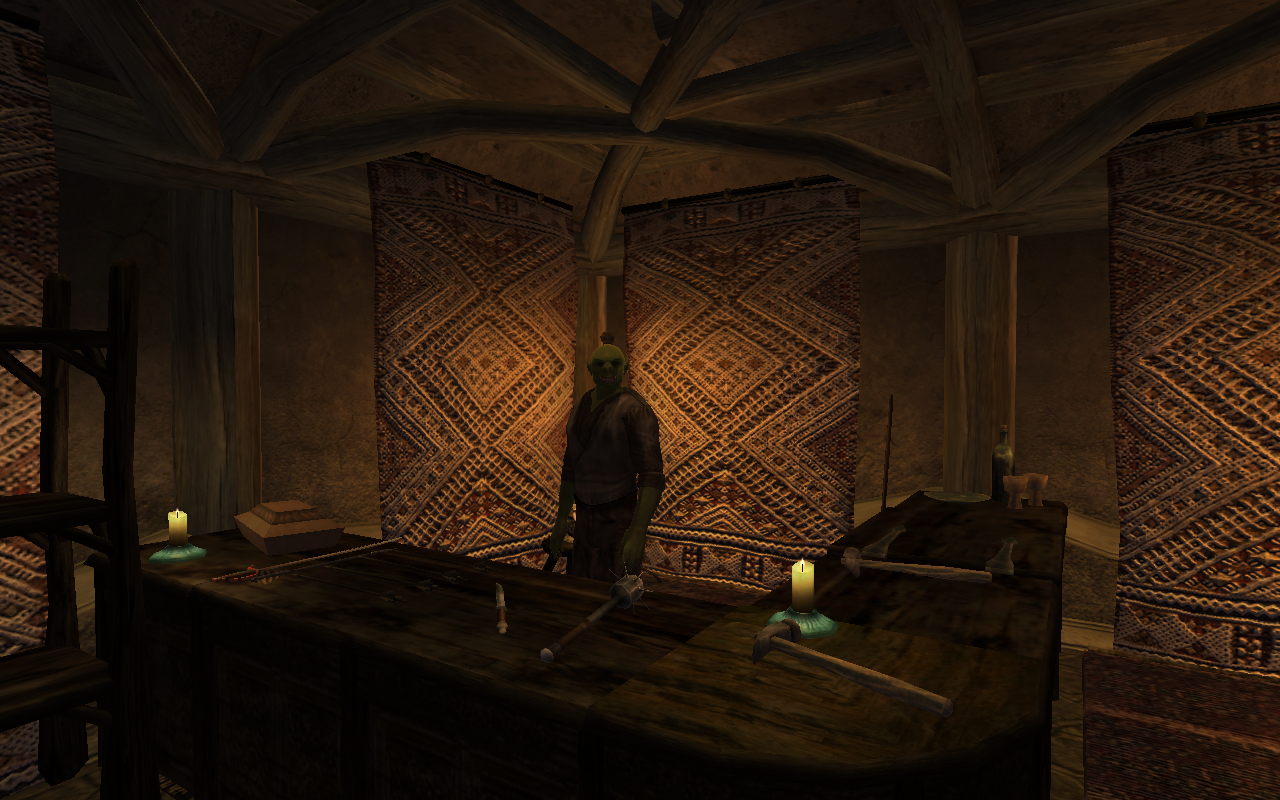
Morroblivion screenshot

Current Downloads

Notice: If Google Drive files are unavailable, it is usually due to download quota limits.

I. Complete Morroblivion Installer

Notice: The Fastest Server mirror provides a direct browser download. Please wait a few seconds after clicking and check your browser downloads before trying again.

II. Official Update

Notice: The v68 installer includes the current Morroblivion patch files. Version 68 currently has no separate patch downloads; the v67 patches 1-3 are for v67 only and are included in v68.

Start Here

Requirements → Setup → Download / installer → Configuration and load order

Requirements

Morroblivion requires legal installations of The Elder Scrolls III: Morrowind with the Tribunal and Bloodmoon expansions, and The Elder Scrolls IV: Oblivion with the Shivering Isles expansion. The installer verifies ownership before deploying the Morroblivion files.

Oblivion Script Extender is required. The actively maintained continuation is xOBSE.

Oblivion with the Shivering Isles expansion

Morrowind GOTY with the Tribunal and Bloodmoon expansions

CD/DVD, Steam, and GOG installations are supported. Steam users should follow the xOBSE installation notes for the Steam version.

Included Content

Morrowind, Tribunal and Bloodmoon content listed in this release:

View complete content list

Morrowind

  • House Hlaalu
  • House Redoran
  • House Telvanni
  • Fighters' Guild
  • Mages' Guild
  • Thieves' Guild
  • Tribunal Temple
  • Imperial Cult
  • Imperial Legion
  • Morag Tong, including the "Threads of the Webspinner" Sanguine items
  • Ashlander Clan Quests
  • Daedric Shrine Quests
  • Vampire Clan Quests
  • Wilderness Miscellaneous Quests
  • All City, Town, and Fort Quests

Tribunal

  • Tribunal Main Quest
  • Miscellaneous Quests

Bloodmoon

  • Bloodmoon Main Quest with Both Paths
  • Miscellaneous Quests
  • East Empire Company Quests

Supporting Plugins

Installation

The Morroblivion v68 installer automatically detects legal Morrowind and Oblivion installations before deploying the Morroblivion files. Install xOBSE separately, along with any OBSE / xOBSE plugins required by the Morroblivion options you enable.

As of Morroblivion version 68, the installer can automatically detect your installed Morrowind and Oblivion directories. When prompted for the Morroblivion installation directory, you may select your Oblivion directory or choose a different managed-mod directory if your setup requires one.

Please note that the official Installation Instructions topic and the PCGamingGoodies Video Installation are outdated for v68 and newer. They are still useful legacy references for load order, compatibility, and additional setup details not fully covered by the current installer.

Compatibility

Morroblivion Compatibility Patches

Morroblivion is located in a separate worldspace. It is generally compatible with mods that modify Oblivion's worldspace, including OOO, MMM, FCOM, Unique Landscapes, Better Cities, and similar Oblivion-focused mods, but those mods do not directly modify the Morroblivion worldspace.

Morroblivion is compatible with, and affected by, mods that modify Oblivion gameplay mechanics, including combat, magic, stealth, leveling, UI, and related systems.

The latest version is not compatible with most Morroblivion mods created before 2014, nor with original ESP Converter-based mods, unless the mod page specifically states that the mod has been updated or tested for the current release.

Potential incompatibility: Any mod that uses an older version of Morrowind_ob.esm as its master may be incompatible with the current release.

Starting the Game / World Transport

Alternate Start


Starting a new game with Morrowind_ob.esm active works as an alternate start. Instead of beginning in the Imperial City Prison, the game begins in the hold of the prison ship in Seyda Neen. As a result, the Oblivion Main Quest does not start automatically. A World Transport option can be used to start the Oblivion Main Quest.


World Transport


Being updated. The Oblivion Main Quest starts through a corpse outside the Imperial Prison Sewers.


Stability and Performance


If you experience seemingly random crashes, especially in wilderness areas, the cause is commonly related to cell-buffer overrun rather than a problem with a specific cell. Oblivion was not designed to load a project on the scale of Morrowind and all its denizens, but the following steps can reduce crashes.

  1. If you have 4 GB or more of RAM and are running a 64-bit version of Windows, apply the 4GB Patch to Oblivion.exe. This allows the 32-bit executable to use up to 4 GB of virtual memory instead of the usual 2 GB limit.
  2. Decrease graphical settings or install FastLOD with your preferred add-on.
  3. Install the recommended OBSE / xOBSE stability and performance plugins listed above.


Load Order and File Details


Morrowind_ob.esm

Main data file for Morroblivion. It contains the core landmass, dialogue, quests, and related records.

This file is required for Morroblivion to function.

Load order: Load directly after Oblivion.esm unless you are using EngineBugFixes. Even with EngineBugFixes, keeping this legacy order is still a safe baseline.

Morrowind_ob.esp

Loads the Morroblivion BSA archives and helps resolve possible conflicts with other mods.

This file is required for Morroblivion to function.

Load order: Load after any mod that changes vanilla idle animations, such as Personality Idles.

Note: This file contains one intentional ITM record. Do not clean it with xEdit.

Morrowind_ob - UCWUS.esp

Restores functionality for enchanted items with the "Cast When Used" enchantment.

This file is recommended for the full Morroblivion experience.

Load order: Load after Morrowind_ob.esp, with the other Morroblivion plugins. If you use Morroblivion clothing replacers with this plugin, create a Bashed Patch.

Morrowind_ob - Conversation.esp

Adds original Morrowind voiced lines to NPCs. Recommended for a more nostalgic Morrowind experience.

Load order: Load after Morrowind_ob.esp, with the other Morroblivion plugins.

Morrowind_ob - MorroblivionTreeReplacer.esp

Replaces default Morrowind trees with Oblivion-style trees.

Load order: Load after Morrowind_ob.esp, with the other Morroblivion plugins.

Any Morroblivion Map Replacers

Any plugin or replacer that alters the Morrowind map.

Load order: Load after all other Morroblivion mods.


Optional Add-ons / Resources


This list collects optional mods that have been used with recent Morroblivion releases and add meaningful experiences. Check each mod page for version-specific requirements. More mods are available in the [HUB] Mods for Morroblivion topic.


High-resolution texture resources

More than 1,024 high-resolution texture files, useful for powerful computers.

  • Mirror #1 (MEGA)
  • Mirror #2 (Fastest Server)

Legacy Releases & Archives

View legacy releases and archives

Experimental Builds: The previous v067 Experimental Release thread is now outdated. Use the Morroblivion Project Release v068 thread for current builds unless a newer experimental thread is posted.

Archive coverage is incomplete, and some older versions may no longer be available. The preserved builds below are provided as-is for historical reference and troubleshooting.

Morroblivion v064

Morroblivion v065 RC4

Morroblivion v066

Master File Installer

Resources

Morroblivion v067

Notice: If Google Drive files are unavailable, it is usually due to download quota limits.

I. Complete Morroblivion Installer

Notice: The Fastest Server mirror provides a direct browser download.

II. Official Update

Other

More than 512 low-resolution texture files, useful for less powerful computers.

Installation

Visit the official Installation Instructions topic for a detailed written guide, or check out the Video Installation. These legacy instructions are primarily useful for versions before v68.

Version

Current public release: Morroblivion v068.

  • Version 68 currently has no separate patch downloads.
  • The v67 patches 1-3 are for v67 only and are included in v68.
  • Use the Morroblivion Project Release v068 thread for current downloads and future release notes.

Karma: 5 (5 votes)
Last edited by Daggers on 2 Oct 2026 - 08:45.Owner-authorized automated edit: reorganize the official release post for readability and downloads; preserve technical guidance, links, archives and the existing discussion. Original author preserved; owner-authorized editing account Daggers, via controlled CLI revision API.

Community Discussion

This thread includes discussion of current and historical releases.

Thanks for another great release qwerty, sounds like a lot of good improvements! laugh

Karma: 0 (0 votes)

Thanks for your hard work!

Karma: 0 (0 votes)

Thank you so much!! :)

Karma: 0 (0 votes)

I want to thank you all as well. I've had more fun with this than with any other game since Skyrim came out. It's great that you're still working on this.

Karma: 0 (0 votes)

Thx for the update yes

Karma: 0 (0 votes)

thanks for all the work :)

Karma: 0 (0 votes)

Everytime go to start new game it all yellow everywhere

Karma: 0 (0 votes)

Did you Download and Install the Complete Installation,

extract All files in to your (Oblivion\Data  ) Directory and Say Yes to Overwrite All Files

Karma: 0 (0 votes)

Great work, when you plan make a final release?

Karma: 0 (0 votes)

Great work, when you plan make a final release?

I don't. There's still lots of room for improvement.

What do you expect 'final' release to be, anyway? Current version is fully playable.

Karma: 0 (0 votes)

I mean one ESP file bugfree release). I download this version, clean it, merge in one file.

Looks good. But it still be other... v60, 61. Why make release with a ton of files? One is much stable & compatible.

So I think you understand what I expect. Sorry for my English.


P.S. I can help with oblivion scrips.


Karma: 0 (0 votes)

I mean one ESP file bugfree release). I download this version, clean it, merge in one file.

Looks good. But it still be other... v60, 61. Why make release with a ton of files? One is much stable & compatible.

Bugfree? The fastest way to achieve that is to report bugs. Or, if you know your way around the CS - help fix them.

Optional files are there either for customization or because they aren't in finished state yet. And Morroblivion has very few compatibility issues. Can you name a mod it's incompatible with?

P.S. I can help with oblivion scrips.

We appreciate any kind of help. If you have something to contribute for the master, send me a PM.

Karma: 0 (0 votes)

Hi guys - Great work on this game - I love it!

I've been playing v59 for awhile now, and have a quick question for you.

I noticed that it had a tendency of quitting when there is a lot going on or when you first enter or leave an area. I do have the wyre bash patches that are to help with this, and I realize that it's due to oblivion game engine being much smaller than morrowind, but I was wondering if there have been any patches or recent improvements to help with this?

Also, I'd love to help work, I'm not sure which thread to go to for volunteering?

Have a good one!

anathemastudio

Karma: 0 (0 votes)

I noticed that it had a tendency of quitting when there is a lot going on or when you first enter or leave an area. I do have the wyre bash patches that are to help with this, and I realize that it's due to oblivion game engine being much smaller than morrowind, but I was wondering if there have been any patches or recent improvements to help with this?

You mean crashes? There could be various causes for that, so there's no universal solution. Opening post has some general advices.

Also, I'd love to help work, I'm not sure which thread to go to for volunteering?

This one.

Karma: 0 (0 votes)

Right - crashes, quits.

I'm going to try changing the wyre bash patch for pcb up some so it helps the crashing more, and editing that "Silent..." dialog mod to have more time to read the dialog - it runs through the dialog still a little to fast.

Thanks - I'll check out that thread.

Karma: 0 (0 votes)

Crashing try Re_naming your DistantLOD (Oblivion\Data\DistantLOD) to Some other Name so Oblivion will not use it.

Under (Options\Gameplay) turn OFF  All Autosave (Except) autosave on Wait.

There is a Longer Silent Yoice File on www.tesnexus.com (Ely_Silent_Voice) file is normally long enough.

http://oblivion.nexusmods.com/mods/28264/?

Karma: 0 (0 votes)

It's release time!
 yes

Morrowind_ob v060 is now available!

Changelog:

Bugfixes:
- Corrected biped slots on Boiled Netch Leather Helm.
- Fixed inability to continue Main Quest if player initially refused to start Ilunibi quest.
- Fixed multiple instances of NPCs sleeping on the same spot in one bed.
- Restored Magicka drain enchantment to Slave Irons.
- Satyana will not follow player outside of Arenim Ancestral Tomb in "Finding Her Father's Amulet" quest.
- Tenyeminwe will no longer go back to Dirty Muriel's Cornerclub in "Mages Guild: Escort Tenyeminwe" quest.
- Fixed Archimagister Gothren's Dremora bodyguards having no greeting. Player can no longer talk to them.
- Restored the possibility to falsely accuse Ranis Athrys in "Mages Guild: Catch a Spy" quest.
- In "House Telvanni: Slaves Rebellion" quest player is now properly attacked by all slaves and not just the leader.
- Fixed inability to complete "Ienas Sarandas" quest if player threatened him or took no action the first time.
- Fixed bows with reach values 0 (can cause crashes due to Oblivion bug).
- Corrected weight of several scrolls to 0.2 instead of 1.0
- Fixed the Dark Brotherhood attack happening too early.
- Fixed some of the dialogue not appearing in "Rabinna's Inner Beauty" quest.
- Drarayne Thelas in Balmora will now unlock her house during the day.
- Corrected position of various misplaced items.
- Fixed multiple typos in quests and dialogue.
- Some general cleanup of dialogue topics\conditions.
- Brainslasher has restored functionality of the Scroll of the Wolf Ender in Bloodmoon.
- roxon_55 has corrected position of thousands misplaced items, both on Vvardenfell and Solstheim.
- roxon_55 has also put a new pillows on all beds that were lacking them, for your sleeping comfort.

Enhancements:
- "House Telvanni: Wizard Spells" quest no longer forces you to go to specific spell merchant.
- It is now possible to rent a room in Dagon Fel, End of the World tavern and Molag Mar, Pilgrim's Rest.
- Restored all stages of construction for Telvanni Stronghold - Tel Uvirith. This also means that you'll no longer be able to access all areas of the tower from the beginning.
- Moved destination sorter script from being attached to NPCs to quest.
- You can now see the Mournhold Temple (mostly it's spikes) from all city districts.
- New LOD for Vivec City.
- Map for Mournhold integrated into master.
- Introduced Morroblivion.ini file, where you can configure some aspects of the mod. Currently this includes:
     *Toggle display of quest markers for Morrowind quests (enabled by default).
     *Toggle fast travel with map in Morrowind (enabled by default).
     *Toggle "Hardcore harvest", which requires you have certain items in your inventory in order to harvest some ingredients. (disabled by default).
     *Toggle Morroblivion "Taunt" topic for NPCs (enabled by default).


Merged:
- 'Helm of Tohan' official plugin.
- Flora Overhaul mod (updated) - new models for some plants, proper harvest chances and visual indication of harvesting.
If you used any of the above as separate esps - deactivate them.


Packaging and resource changes:
- Morroblivion assets are now distributed in 3 BSA archives.
- New file - Morrowind_ob.esp is required for loading BSAs. It should always be active in your load order.
- Only assets which are actually used in Morroblivion are packed in BSA files - no more leftovers from previous versions and other unnecessary files.
- All textures have been optimized, compressed in optimal format and mip-mapped. This means that Morroblivion no longer requires setting texture size to "Large" in Oblivion settings.
- Bottles models replaced with original - current replacements were too high poly and caused performance issues.
- Potion bottles meshes replaced with the ones much closer to originals (created by InsanitySorrow).
- Tweaked Havok collision on books in attempt to reduce the chances of them spontaneously falling from shelves.
- Folder structure for weapons is completely redone for ease of replacement.

Updated Mods:
UCWUS, Tree Replacer and Voiced Conversation mods were updated to work with current master.
(All are included with download)


Update instructions:
1.) Download the entire Morroblivion installation. No update file is available this time -there's simply too many changes.
2.) Uninstall ALL assets from any previous Morroblivion installations. If you used Wrye Bash, this won't be a problem. (It is not necessary to uninstall optional mods and esps, only main resources)
3.) Install v060 anew and continue playing.


Have fun!
smiley

Karma: 0 (0 votes)

Thanks qwertyasdfgh you have Been creating yourself Headaches downloading

Not Compatible  with anyother master

Working to The Next

Thanks

Do we need a Google Account to Download Asking for Password and User

Karma: 0 (0 votes)

Do we need a Google Account to Download Asking for Password and User

Not sure. If you have one - sign in.

I haven't used Google Drive before, so I might have given wrong link or something.

I'll upload a mirror if you know a free and reliable file hosting, which allows 2Gb files.

Karma: 0 (0 votes)

Great new update, looks like I'll have to completely reinstall Oblivion then because I have no idea what's what in my game. Not too bad though because I only installed Morroblivion for this install and a few other minor mods that can be added in no time. Gonna do it over the weekend though I think.

Karma: 0 (0 votes)

Setup a Google Account still will not let me Access file with out Permission.

Oops, my bad. 

I've edited file permissions - should be public now.

Karma: 0 (0 votes)

Oop's You BAD, Thanks Downloaded  no Problems good suggestion would be Any 1 Downloading on a Slow Connection Use a Download Manager, most of the have Built in Resume

Thanks.

Karma: 0 (0 votes)

Just so I can be absolutely sure about this: Does the 0.60 complete file contain everything that was also present in the previous complete installation or should I download the listed mods there seperately. How about compatability with Morroblivon mods created with older versions, a lot seems to have changed with this version.

Karma: 0 (0 votes)

Just so I can be absolutely sure about this: Does the 0.60 complete file contain everything that was also present in the previous complete installation or should I download the listed mods there seperately.

It includes everything except clothing replacer (pick the one you like from our mod list) and my Silt Strider mod (if you like it, it's available separately).

How about compatability with Morroblivon mods created with older versions, a lot seems to have changed with this version.

Most mods should work with new master (if not, I'll update them).
Which ones are you interested in?

Karma: 0 (0 votes)

The only mods I could see conflicting with major changes are the oblivionized enchants and the faction relation mods.

Karma: 0 (0 votes)

Faction relations mod was merged in master 2 versions ago.

Oblivionized enchants conflicts with UCWUS (and always have been) - you can use one or another.

Karma: 0 (0 votes)

I'm updating from version 59...do I need to download anything other than the v60 plugin?

Karma: 0 (0 votes)

Hmm, just updated to 60, and when I load up I get a blue screen with loads of yellow 'no mesh' stars flying about, and nothing else. What schoolboy error have I made?

Karma: 0 (0 votes)

Have you activated the morrowind_ob.esp(note the extension) with the morrowind_ob.esm??

Karma: 0 (0 votes)

I use Wrye Bash, which has merged the .esp file into the bashed patch. Should I undo that?

Just haven't been able to get the auto processes going at all, ended copying everything (core and various .esps / file contents) into the data folder by hand, and still no joy.

Fail.

I hate technology, and technology throws it right back at me....

Karma: 0 (0 votes)

Been through that if  you Extracted Morrowind_ob  and all other files into your Oblivion\Data Directory to get V059 to Work, you will Have to Un_Install your Oblivion, Re_Install  Oblivion\Shivering Isles\Service Packs .Them Use Weye and try Again.

Karma: 0 (0 votes)

It's not necessarty to unistall and reinstall oblivion. the only thingh is that seem that for the game to read the morrowind_ob.bsa morrowind_ob.esp should BE activated and not merged in a bashed patch.

To delete prevoious version you can use oblivion mod remover(search it on oblivion.nexusmods.com)

Edit: I forget you may try to rename the morrowind_ob.bsa to Bashed Patch,0.bsa(exactly the name of the bashed patch if I wrote wrong you should use the one of your file)

Karma: 0 (0 votes)

Hi there

What a fantastic mod. I cannot believe you have created an entire game... 

I have everything working for v60 except the clothing replacer and I was hoping someone might be able to help me. 

I downloaded clothing galore 1.3 and tried copying manually into my data folder and then activating but when I am in game everyone I am seeing is wearing the original blocky clothes. I then tried with wyre bash and the same happened. I am not sure what I am doing wrong and it is the last piece of the puzzle for me!

Could anyone explain what I need to do exactly to get the great new meshes and textures showing?

thanks so much for you help

Karma: 0 (0 votes)

Clothing Galore only replaces some clothes with higher quality clothes. I still prefer it over the other options simply because even the blocky meshes look more original than just replacing them with Oblivon's clothes. After some time you don't even notice.

Karma: 0 (0 votes)

ah ok understood, just wanted to make sure I wasn't doing something wrong. Thanks for the quick response. I would rather go for the more original look so will definitely stick with it. 

Karma: 0 (0 votes)

One other question, I hope this is in the section. Is there any method for making the weather and lighting a bit more morrowind like, I.e. not quite so nice! I remember getting off the boat to rain and thunderstorms and it was friggin sweet getting that drama.
Karma: 0 (0 votes)

So, I have a bit of a bug myself. I just completely reinstalled everything and put the 0.6 files and the mods I'm using back in the game. The thing is that the weapon that I enchanted is now displayed as a missing mesh. I used the daedric katana for it. Could there be the possibility that since you completely rearranged the way weapon meshes and textures work in the game that weapons created within the game via enchantment using the older versions don't work anymore?

Edit: regarding your weather question: Try using one of the various weather mods out there, it will probably work in the Morrowind worldspace as well. And believe me, there is lots of rain in the Balmora and Seyda Neen area, at least when I play there, there's rain 95% of the time.

Karma: 0 (0 votes)

Delete V060 Master File. Re_Install v059 Master File  use TES4Edit Look up Your Katana will have Directory  File Path.. When Finished Delete V059 Master ,,Re_Install V060 Check Directory Path to See What has Been Altered.

Karma: 0 (0 votes)

I managed to find the old mesh file (I luckily didnt delete the old folder, I backed it up before uninstalling, I'm cautious like that) and put it into the new folder. Now the sword looks good again.

Karma: 0 (0 votes)

Any chance of Throwing it on The Ground and  then go to Consel  Click on Sword to give us the Number. Thanks

Karma: 0 (0 votes)

Not sure what information the refId will give you but it's ff056dbb

Karma: 0 (0 votes)

It a False Number unless you Have 250 in your load Order.Shouldn't be FF More Like 01 at begining could be from Old Save in New Master.

Karma: 0 (0 votes)

I'm not sure you understand what I meant. Clicking with console open on an object that was created via ingame enchantment will always result in a refID that starts with ff. That's the indictaor that the object has been stored in the savegame and doesn't have a reference in an esp or esm like all the static objects. The same happens with creatures or items placed through the leveled lists. Anyway, the problem was resolved and the solution works for me. That's just what happens when you update a mod like this I guess.

Karma: 0 (0 votes)

just new to here, stumbled across this the other day, spent all that day reading up about it, finally decided to "Bite the bullet" and give it a try, downloading now, which so far seems to be the most painful part, have you ever thought about putting the 2GB file up as a torrent on somewhere like TPB (the pirate Bay), cause files like this i never stop torrenting amazing stuff like this!, anywho, can't wait for it to download, but i do have 1 question, cause i have never modded my games, for someone totally braindead to modding TES games which do you recommend for V060, Wrye Bash or OMM, or do you even need these with recent version, eg can you just drop them into files and fire away?

Karma: 0 (0 votes)

Thanks Brainslasher your answered solved a Problem I thought i had. i wont delete a ring i have after all. 

Karma: 0 (0 votes)

Welcome Lord Xantosh! I would recommend using OMM because it's a lot simpler and faster to grasp for a novice. Wrye Bash's special functions aren't really needed for running this mod only. And if you do need to merge your mods for whatever reason you can still install it later. All you really need is to set up the load order correctly and OMM is quite sufficient for doing that.

Karma: 0 (0 votes)

gotta say props to the people that have worked on this.
had morroblivion for two days now, and it's great.
few minor bugs here and there but nothing to hinder my enjoyment of this project.
i started via the morrowind main quest.
travelled to oblivion started the main quest there via the body outside the sewers, and i gotta say both main quests are playing quite good so far.

no complaints 'cept for, where's the ninja stars and crossbows haha :p
all good though

so props to the morroblivion team 
 

Karma: 0 (0 votes)

The thing is that the weapon that I enchanted is now displayed as a missing mesh.

Ugh... well, yeah, with custom enchanted items this could happen. Sorry, I didn't account for this, but I'm not going back to old folder structure - it was horrific.

I use Wrye Bash, which has merged the .esp file into the bashed patch. Should I undo that?

This sort of was answered already, but I'll repeat - Morrowind_ob.esp needs to be active - not merged.

have you ever thought about putting the 2GB file up as a torrent on somewhere like TPB

The problem with torrent is that it needs constant seeding, otherwise it becomes useless. Do you have issues downloading from Google?

which do you recommend for V060, Wrye Bash or OMM, or do you even need these with recent version, eg can you just drop them into files and fire away?

Wrye Bash.
v060 archive is packed for ease of installation with it. You can, of course, install it manually, but compatibility with OBMM is not guaranteed. It was never a good mod manager anyway, and now it's largely deprecated.

Karma: 0 (0 votes)