
Morroblivion Project Release

Submitted by Daggers on

Morroblivion v68

Current Public Release

The Elder Scrolls Renewal: Morroblivion

Quest Notice: Morroblivion uses its own quest-line icons. You can find the corresponding icons here.

Download Morroblivion · Installation · Changelog
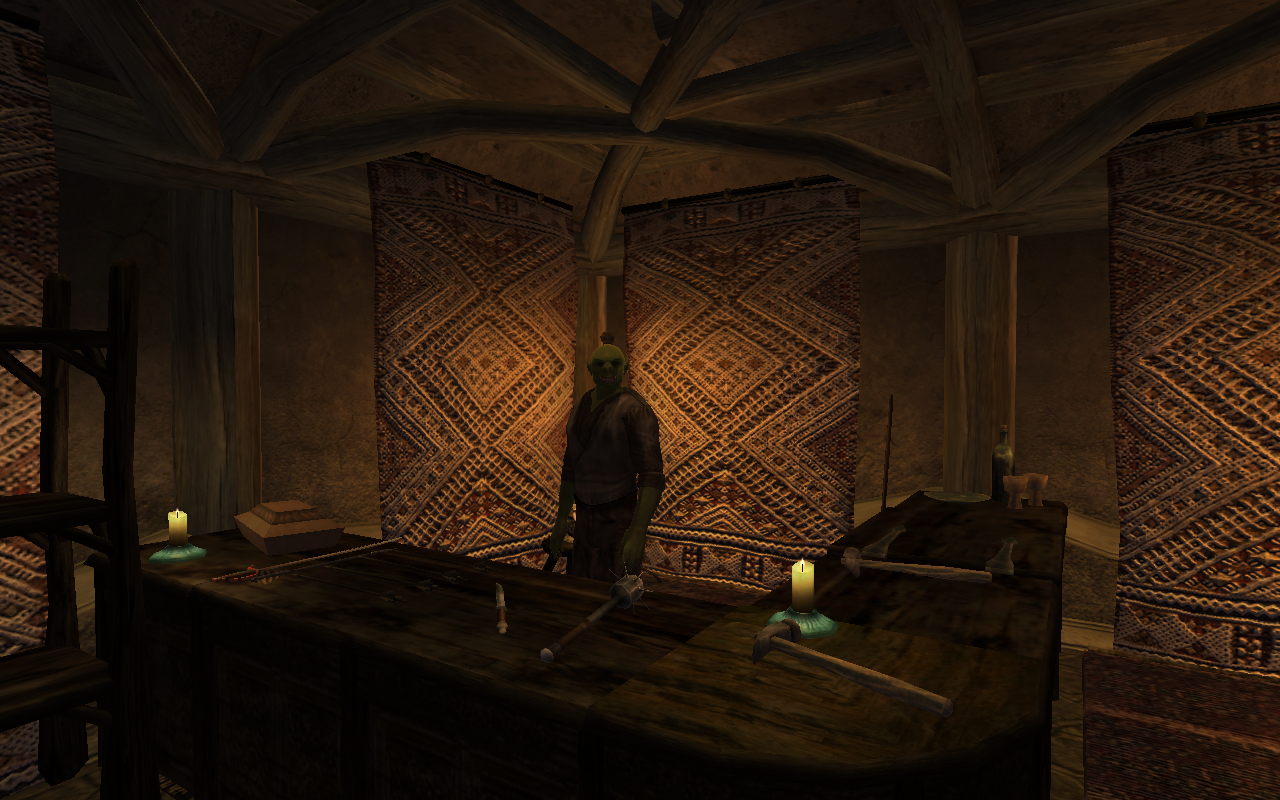
Morroblivion screenshot

Current Downloads

Notice: If Google Drive files are unavailable, it is usually due to download quota limits.

I. Complete Morroblivion Installer

Notice: The Fastest Server mirror provides a direct browser download. Please wait a few seconds after clicking and check your browser downloads before trying again.

II. Official Update

Notice: The v68 installer includes the current Morroblivion patch files. Version 68 currently has no separate patch downloads; the v67 patches 1-3 are for v67 only and are included in v68.

Start Here

Requirements → Setup → Download / installer → Configuration and load order

Requirements

Morroblivion requires legal installations of The Elder Scrolls III: Morrowind with the Tribunal and Bloodmoon expansions, and The Elder Scrolls IV: Oblivion with the Shivering Isles expansion. The installer verifies ownership before deploying the Morroblivion files.

Oblivion Script Extender is required. The actively maintained continuation is xOBSE.

Oblivion with the Shivering Isles expansion

Morrowind GOTY with the Tribunal and Bloodmoon expansions

CD/DVD, Steam, and GOG installations are supported. Steam users should follow the xOBSE installation notes for the Steam version.

Included Content

Morrowind, Tribunal and Bloodmoon content listed in this release:

View complete content list

Morrowind

  • House Hlaalu
  • House Redoran
  • House Telvanni
  • Fighters' Guild
  • Mages' Guild
  • Thieves' Guild
  • Tribunal Temple
  • Imperial Cult
  • Imperial Legion
  • Morag Tong, including the "Threads of the Webspinner" Sanguine items
  • Ashlander Clan Quests
  • Daedric Shrine Quests
  • Vampire Clan Quests
  • Wilderness Miscellaneous Quests
  • All City, Town, and Fort Quests

Tribunal

  • Tribunal Main Quest
  • Miscellaneous Quests

Bloodmoon

  • Bloodmoon Main Quest with Both Paths
  • Miscellaneous Quests
  • East Empire Company Quests

Supporting Plugins

Installation

The Morroblivion v68 installer automatically detects legal Morrowind and Oblivion installations before deploying the Morroblivion files. Install xOBSE separately, along with any OBSE / xOBSE plugins required by the Morroblivion options you enable.

As of Morroblivion version 68, the installer can automatically detect your installed Morrowind and Oblivion directories. When prompted for the Morroblivion installation directory, you may select your Oblivion directory or choose a different managed-mod directory if your setup requires one.

Please note that the official Installation Instructions topic and the PCGamingGoodies Video Installation are outdated for v68 and newer. They are still useful legacy references for load order, compatibility, and additional setup details not fully covered by the current installer.

Compatibility

Morroblivion Compatibility Patches

Morroblivion is located in a separate worldspace. It is generally compatible with mods that modify Oblivion's worldspace, including OOO, MMM, FCOM, Unique Landscapes, Better Cities, and similar Oblivion-focused mods, but those mods do not directly modify the Morroblivion worldspace.

Morroblivion is compatible with, and affected by, mods that modify Oblivion gameplay mechanics, including combat, magic, stealth, leveling, UI, and related systems.

The latest version is not compatible with most Morroblivion mods created before 2014, nor with original ESP Converter-based mods, unless the mod page specifically states that the mod has been updated or tested for the current release.

Potential incompatibility: Any mod that uses an older version of Morrowind_ob.esm as its master may be incompatible with the current release.

Starting the Game / World Transport

Alternate Start


Starting a new game with Morrowind_ob.esm active works as an alternate start. Instead of beginning in the Imperial City Prison, the game begins in the hold of the prison ship in Seyda Neen. As a result, the Oblivion Main Quest does not start automatically. A World Transport option can be used to start the Oblivion Main Quest.


World Transport


Being updated. The Oblivion Main Quest starts through a corpse outside the Imperial Prison Sewers.


Stability and Performance


If you experience seemingly random crashes, especially in wilderness areas, the cause is commonly related to cell-buffer overrun rather than a problem with a specific cell. Oblivion was not designed to load a project on the scale of Morrowind and all its denizens, but the following steps can reduce crashes.

  1. If you have 4 GB or more of RAM and are running a 64-bit version of Windows, apply the 4GB Patch to Oblivion.exe. This allows the 32-bit executable to use up to 4 GB of virtual memory instead of the usual 2 GB limit.
  2. Decrease graphical settings or install FastLOD with your preferred add-on.
  3. Install the recommended OBSE / xOBSE stability and performance plugins listed above.


Load Order and File Details


Morrowind_ob.esm

Main data file for Morroblivion. It contains the core landmass, dialogue, quests, and related records.

This file is required for Morroblivion to function.

Load order: Load directly after Oblivion.esm unless you are using EngineBugFixes. Even with EngineBugFixes, keeping this legacy order is still a safe baseline.

Morrowind_ob.esp

Loads the Morroblivion BSA archives and helps resolve possible conflicts with other mods.

This file is required for Morroblivion to function.

Load order: Load after any mod that changes vanilla idle animations, such as Personality Idles.

Note: This file contains one intentional ITM record. Do not clean it with xEdit.

Morrowind_ob - UCWUS.esp

Restores functionality for enchanted items with the "Cast When Used" enchantment.

This file is recommended for the full Morroblivion experience.

Load order: Load after Morrowind_ob.esp, with the other Morroblivion plugins. If you use Morroblivion clothing replacers with this plugin, create a Bashed Patch.

Morrowind_ob - Conversation.esp

Adds original Morrowind voiced lines to NPCs. Recommended for a more nostalgic Morrowind experience.

Load order: Load after Morrowind_ob.esp, with the other Morroblivion plugins.

Morrowind_ob - MorroblivionTreeReplacer.esp

Replaces default Morrowind trees with Oblivion-style trees.

Load order: Load after Morrowind_ob.esp, with the other Morroblivion plugins.

Any Morroblivion Map Replacers

Any plugin or replacer that alters the Morrowind map.

Load order: Load after all other Morroblivion mods.


Optional Add-ons / Resources


This list collects optional mods that have been used with recent Morroblivion releases and add meaningful experiences. Check each mod page for version-specific requirements. More mods are available in the [HUB] Mods for Morroblivion topic.


High-resolution texture resources

More than 1,024 high-resolution texture files, useful for powerful computers.

  • Mirror #1 (MEGA)
  • Mirror #2 (Fastest Server)

Legacy Releases & Archives

View legacy releases and archives

Experimental Builds: The previous v067 Experimental Release thread is now outdated. Use the Morroblivion Project Release v068 thread for current builds unless a newer experimental thread is posted.

Archive coverage is incomplete, and some older versions may no longer be available. The preserved builds below are provided as-is for historical reference and troubleshooting.

Morroblivion v064

Morroblivion v065 RC4

Morroblivion v066

Master File Installer

Resources

Morroblivion v067

Notice: If Google Drive files are unavailable, it is usually due to download quota limits.

I. Complete Morroblivion Installer

Notice: The Fastest Server mirror provides a direct browser download.

II. Official Update

Other

More than 512 low-resolution texture files, useful for less powerful computers.

Installation

Visit the official Installation Instructions topic for a detailed written guide, or check out the Video Installation. These legacy instructions are primarily useful for versions before v68.

Version

Current public release: Morroblivion v068.

  • Version 68 currently has no separate patch downloads.
  • The v67 patches 1-3 are for v67 only and are included in v68.
  • Use the Morroblivion Project Release v068 thread for current downloads and future release notes.

Karma: 5 (5 votes)
Last edited by Daggers on 2 Oct 2026 - 08:45.Owner-authorized automated edit: reorganize the official release post for readability and downloads; preserve technical guidance, links, archives and the existing discussion. Original author preserved; owner-authorized editing account Daggers, via controlled CLI revision API.

Community Discussion

This thread includes discussion of current and historical releases.

Well I think that wyre bash can be confusing for new people. However some of the bugs of the Obmm are fixed in the tesmodmanager(you can find it on oblivion and skyrim nexus).

And if you really want to merge the morrowind_ob.esp into the bashed patch you can try rename the morrowind_ob.bsa into the bashed patch name.

Karma: 0 (0 votes)

Wow, big changes!

Sorry I haven't been active lately, but I have been stalking the boards. I'm still working on collision, however it's taking longer than expected and I figured repeatedly updating the topic I created with "I'm still doing it!" posts wouldn't exactly please anyone. So far I've had to restart twice, once due to personal mistakes in the process, and once because I lost my files. I'm looking to see how much the .bsa's have changed the file structure so that I can see how much of the current work is valid now. The job isn't necessarily hard, just tedious and time consuming. I hope to be done soon.

Karma: 0 (0 votes)

I'm looking to see how much the .bsa's have changed the file structure

Not much, really :)
Except for weapons and some clutter.

Karma: 0 (0 votes)

qwertyasdfgh

Not much, really :)
Except for weapons and some clutter.

Well, that's a relief. I'm trying very hard to keep the work I'm doing quality enough that it doesn't have to be re-done later. The most tedious piece of the job is being sure the havok materials are properly dealt with. I find it incredibly  annoying when arrows clank and bounce off of wood. I'm looking forward to getting back to working on this on the weekend. I'll start with a fresh install of Morroblivion. From there I'll see what's still valid and what's not.

Karma: 0 (0 votes)

So I noticed under the "Load Order" heading that you mentioned that the OB esp needs to load after anything which alters vanilla animations...which leads me to ask...is it Morroblivion that has made my character look like he's having some kind of drunken seizure (eyes rolling around/half lidding, body shifting and head turning in the character creation screen etc) or is it a conflict that is causing this unseemly behavior? And...can I just delete the altered animations that came with this update or are they necessary?


Karma: 0 (0 votes)

Morroblivion doesn't alter the existing animations, it only adds new ones.

Did the problem occur only after you installed Morroblivion? What other mods do you have installed?

Karma: 0 (0 votes)

Hi, I have another bug related to the restructuring and bsa packaging. The crash is related to entering any cell whith an object that uses the Data\meshes\morro\EditorMarker.nif file. Heavy use of this object is made on Solstheim but not anywhere else as far as I know, it's a completely red object apparently for debugging and it can be seen around the countryside of Solstheim. Anyway, it doesn't apparently exist in the bsa file and it causes an immediate crash when entering any cell without the mesh. Putting it back in resolves the crash.

Karma: 0 (0 votes)

It is in the BSA Meshes\morro\editormarker.nif  2kb the 1 out of Morroblivion same File 4kb Could be somthing wrong with it,have BSA's unpacked on Drive

Karma: 0 (0 votes)

Data\meshes\morro\EditorMarker.nif

This file is present in Morrowind_ob - Meshes.bsa.
However, I was able to reproduce the crash you described and it was indeed caused by this mesh - not it's absence, but it's BSX flags.

I've uploaded a hotfix in the first post, fixing this and a couple of other packaging errors in v060.

Karma: 0 (0 votes)

Great work qwerty! smiley

Karma: 1 (1 votes)

is the Hotfix installed after the v60 Installer or after the v60 Resources?


Karma: 0 (0 votes)

Install Fix After All other Files

Karma: 0 (0 votes)

roxon_55

Install Fix After All other Files

Thanks!

Karma: 0 (0 votes)

Just came late to this update!

Thanks for all your extraordinary work!

Karma: 0 (0 votes)

I did a fresh install and the strange animation issue went away...to be replaced by a steam in-game community not loading issue...which I eventually also squashed...to be replaced  by a WTF-missing-yellow-stars and deep oceans are the sole composition of Vvardenfell issue - which I am presently engaged with squashing...none of which, I feel sure, has anything to do with this iteration of Morroblivion but was just a matter of my TES-modding-karmic payment having come due...too long a period of game stability and well...the price must be paid.

Karma: 0 (0 votes)

Hello.

I would like to know if there is an aproximate release date for the full, debugged, bloodmoon and tribunal questlines. I am eagerly waiting for them to play my elder scrolls marathon xD

Good work with the mod. Cheers!

Karma: 0 (0 votes)

I did a fresh install and the strange animation issue went away...to be replaced by a steam in-game community not loading issue...which I eventually also squashed...to be replaced by a WTF-missing-yellow-stars and deep oceans are the sole composition of Vvardenfell issue - which I am presently engaged with squashing...none of which, I feel sure, has anything to do with this iteration of Morroblivion but was just a matter of my TES-modding-karmic payment having come due...too long a period of game stability and well...the price must be paid.

Your description is rather vague, but it sounds to me like you have a load order isuue.

I would like to know if there is an aproximate release date for the full, debugged, bloodmoon and tribunal questlines. I am eagerly waiting for them to play my elder scrolls marathon

There is none.

Karma: 0 (0 votes)

The download link does not appear to be there/working??

edit- nevermind it just popped in. had some kind of delay.

Karma: 0 (0 votes)

Dear anyone,
I downloaded everything listed in the "Morroblivion" section (i.e., master file installer, complete resources v. 060 and the hotfix). I launched the master file installer, verified Morrowind and Oblivion folders and clicked the "Install". I was rewarded with a "SUCCESS!" dialogue window... and that was about it. Somehow the installer didn't seem to work. I have Windows 7.

Karma: 0 (0 votes)

Did you Mount the 2gig Resource file with Weye, Or Extract the 2gig and Cut & Paste All Files and Directorys out of Core Files  directory , into your Oblivion\Data Directory and say YES to Overwrite All

Karma: 0 (0 votes)

I was rewarded with a "SUCCESS!" dialogue window... and that was about it. Somehow the installer didn't seem to work.

What makes you think it didn't work? Don't you have Morrowind_ob.esm in "Oblivion\Data" folder?

Karma: 0 (0 votes)

Yes, I took everything from the "00-core" folder (and some others) and pasted it manually. Yes, I had Morrowind_ob.esm file appeared. Another problem is that whenever I travel to starting town or start a new game the ground pretty much falls apart and ships and houses have only doors left (i.e., no deck, no walls, no roof, nothing)

Karma: 0 (0 votes)

Another problem is that whenever I travel to starting town or start a new game the ground pretty much falls apart and ships and houses have only doors left

Morrowind_ob.esm must be loaded immediately after Oblivion.esm

Karma: 0 (0 votes)

Did you do your Load Order with

Oblivion.esm

Morrowind_ob.esm

Right Below Oblivion

Karma: 0 (0 votes)

Yes, in OBMM I have Morrowind_ob.esm right after Oblivion.esm. Just right now I made Oblivion.esm the first file and Morrowind_ob.esm the second. Unfortunately, that didn't do a thing.

Karma: 0 (0 votes)

Please, post a screenshot of OBMM with your load order.

Karma: 0 (0 votes)

Oh, it turned out I did miss a couple of esp's . After setting Oblivion.esm on the first place and Morroblivion-ob.esm on the second the world finally stopped falling apart (Looks like Mehrunes Dagon will not win the day). Initially I did have Morrowind_ob.esm loaded exactly after Oblivion.esm, the weren't the very first esms. Looks like it was the problem, after all.
So thank you very much everyone.

Karma: 0 (0 votes)

Do you think it's possible to do Move Worldspaces for Morroblivion so it doesn't have to load directly after Oblivion? Or will it just break everything?

Karma: 0 (0 votes)

Or will it just break everything?

Pretty much :)

Karma: 0 (0 votes)

Damn why Morrowind_Ob crashes my Oblivion? I got 0.60

I tried OBBM, OBSE, Removing all esp, re-install it. Nothing 

I run windows 8

Karma: 0 (0 votes)

Please, specify when exactly does the game crash and post your load order.

Karma: 0 (0 votes)

So I tried installing this. I am not the best at installing mods but i figured i'd look up as much as i can before i did. I have OBMM and i can see that Morrowind_ob.esm is the second thing in the load order, right after Oblivion.esm. However, whenever I start up the game i get "Morroblivion ini file is missing from data ini, all settings reset to default" or something to that effect. I know i probably did something stupid and catastrophically wrong, any ideas?

Karma: 0 (0 votes)

Did you Cut ALL Files and Directorys out of The Core Directory  in the 2gig Downloaded File and Paste them into Your Oblivion\Data-- Directory and say YES to Ovewrite ALL

Karma: 0 (0 votes)

I have OBMM

It's better to use Wrye Bash. I can't guarantee that OBMM will install Morroblivion correctly.

whenever I start up the game i get "Morroblivion ini file is missing

Morroblivion.ini comes in resourse archive (the 2Gb one), in the '00 Core\Ini' folder.

However, if you're missing that file, there's a good chance you'll be missing something else too. I recommend checking your Oblivion\Data folder to see if all Morroblivion esm\esp\bsa files are in correct place.

Karma: 0 (0 votes)

Obmm can be used if you install all resource manually.

Karma: 0 (0 votes)

I have all the folders, including 00 Core in Program Files (x86)>Steam>Steamapps>Common>Oblivion>Data

Karma: 0 (0 votes)

Folders prefixed with numbers are there just for convenience during installation. It's the content of these folders that needs to be put in Oblivion\Data.

Karma: 0 (0 votes)

oh... so am i supposed to go in to each folder and extract the contents of said folders  to the Data folder? And what about the sub-folders in the folders?

Karma: 0 (0 votes)

so am i supposed to go in to each folder and extract the contents of said folders to the Data folder?

Yep. Or, alternatively, install with Wrye Bash and just tick the checkboxes.

And what about the sub-folders in the folders?

They go into 'Data' too.

Karma: 0 (0 votes)

Extract the 2gig to a Temp Directory go to Morroblivion_v60_Complete\00 Core -- Directory  Use Edit \Select All  - All in this Direcrory will go Blue, Go over to Blue Right Click CUT,,,, Go to Your Oblivion\Data --Directory and Paste there and Say Yes to Overwrite All.

Karma: 0 (0 votes)

I think I got it working. I didn't get the message and the npc to take me there in the prison area is there. I'll actually go over later and let you know if i have any problems, but it seems to be all good! Thanks a lot!

Karma: 0 (0 votes)

Does anyone have a mirror for the resources file? I have a 100mbps connection, but I still get download errors when I try to download across all browsers and multiple computers.

Karma: 0 (0 votes)

Try it with a download manager like JDownloader

Karma: 0 (0 votes)

Is there a icon that I can use for my desktop pc.  I want to replace the oblivion one with morrowoblivion since I am playing both for the first time.  Guess I want it unique.  

Karma: 0 (0 votes)

Yes, I personally use this one.

Karma: 0 (0 votes)

Is there a  extention for vilja?  

Karma: 0 (0 votes)

Hi I started playing Morrowoblivion and I have started to experience CTDs.  So I am looking for some work arounds or fixes.  My first was the dwemer structure behind Fort Monmirth.  I looked at the horzen over the ashelands and it rendered and CTD.  

My second was when I was doing a quest about a hour or so later and I was heading to a lake near sydanean.  


At the Mouse point.  I tried unckeking all my esp's and that did not work.  

Here is my load order: 

GameMode=Oblivion
 
Oblivion.esm=1
Morrowind_ob.esm=1
Morrowind_ob.esp=1
Morrowind_ob - Unique Grass.esp=0
Unofficial Oblivion Patch.esp=1
UOPS Additional Changes.esp=1
UOP Vampire Aging & Face Fix.esp=1
Oblivion Citadel Door Fix.esp=1
DLCShiveringIsles.esp=1
Unofficial Shivering Isles Patch.esp=1
DLCHorseArmor.esp=1
DLCHorseArmor - Unofficial Patch.esp=1
DLCOrrery.esp=1
DLCOrrery - Unofficial Patch.esp=1
DLCVileLair.esp=1
DLCVileLair - Unofficial Patch.esp=1
DLCMehrunesRazor.esp=1
DLCMehrunesRazor - Unofficial Patch.esp=1
DLCSpellTomes.esp=1
DLCSpellTomes - Unofficial Patch.esp=1
HGEC_special_armor_repl.esp=1
MaleBodyReplacerV5.esp=1
DLCThievesDen.esp=1
DLCThievesDen - Unofficial Patch.esp=1
DLCThievesDen - Unofficial Patch - SSSB.esp=1
Morrowind_ob - MorroblivionTreeReplacer.esp=1
Morrowind_ob - Morroblivion Maps.esp=1
Morrowind_ob - Conversation.esp=1
Voice Overs V002.esp=1
MorroblivionLoadingScreens.esp=1
DLCBattlehornCastle.esp=1
DLCBattlehornCastle - Unofficial Patch.esp=1
DLCFrostcrag.esp=1
DLCFrostcrag - Unofficial Patch.esp=1
Knights.esp=1
Knights - Unofficial Patch.esp=1
Oblivion_Character_Overhaul.esp=1
Bashed Patch, 0.esp=1
Morrowind_ob - UCWUS.esp=1
Morroblivion_Chargen_And_Transport_Mod_v10.esp=1
 

So ya I need some help.  

Also I have this:  

It is at that fishing village next to the bitter coast.  


Karma: 0 (0 votes)

Try Extracting the 2 gig Cut all Files\Directorys out of the 00Core Directory and Paste them into your Oblivion\Data --Directory. Yes to Overwrite ALL

Same with the Other Directory to Suit Files in your Load Order.. Change Load Order to

Oblivion.esm

Morrowind_ob.esm

DLCShivering Isles.esp

Unofficial Oblivion Patch.esp

Unique_Grass

Tree_Replacer

Conversations

LoadScreens

UCWUS

Transport Mod

Maps

Morrowind_ob.esp..

Get your Game working then worry about the Rest

Karma: 0 (0 votes)

Hi I started playing Morrowoblivion and I have started to experience CTDs.

If CTDs are random, try advices from the first post (under 'Stability and Performance')

I don't see anything wrong in your load order, except that 'Voice Overs V002.esp' is redundant.


Karma: 0 (0 votes)

I tried both suggestions no success.   I am going to try a fresh install.  

Karma: 0 (0 votes)