Morroblivion Installation Instructions

Submitted by Daggers on

[insert image here]

A video installation guide for Morroblivion version 68 and newer is available here.

Welcome to the Morroblivion installation section. The written instructions below are primarily for setting up Morroblivion version 67 and older. For Morroblivion version 68 and newer, use the current Morroblivion Project Release page and the video guide linked above.

If you are experienced with TES modding, much of this will be familiar. If you are new to Oblivion modding, read the instructions carefully before installing.

Requirements

Notice: These requirements are also listed on the Morroblivion Project Release page.

Expand

What do I need to own?

You must own legitimate installations of The Elder Scrolls III: Morrowind Game of the Year Edition, including the Tribunal and Bloodmoon expansions, and The Elder Scrolls IV: Oblivion version 1.2.0416 with the Shivering Isles expansion. CD/DVD, Steam, and GOG versions are supported.

Important: These instructions are for the original The Elder Scrolls IV: Oblivion, not Oblivion Remastered.

xOBSE and Plugins
Install xOBSE separately. Installation instructions for xOBSE and most OBSE / xOBSE plugins are included in their archive folders or readme files. Follow those instructions carefully.

Recommended Tools

  • Wrye Bash - Recommended for installing legacy resource archives, managing installers, and creating a Bashed Patch when needed.
  • Wrye Bash Releases - Current release downloads.
  • LOOT - Recommended for automated load-order sorting and load-order warnings.

Installing Morroblivion Version 68 and Newer

Expand

Notice: Version 68 and newer use the current Morroblivion installer workflow. The legacy screenshot-based instructions below are useful for context, but they are outdated for v68 and newer.

  1. Download the current Morroblivion installer from the Morroblivion Project Release page.
  2. Extract the installer archive, then run the installer.
  3. The installer will detect your legal Morrowind and Oblivion installations before deployment.
  4. When prompted, select your Morrowind and Oblivion installation directories. Select the main game folders, not the Data folders.
  5. When prompted for the Morroblivion installation directory, select your Oblivion directory for a direct install, unless you are using a managed mod setup that requires a different staging directory.
  6. Install xOBSE separately, then install any OBSE / xOBSE plugins required by the Morroblivion options or add-ons you enable.
  7. Use Wrye Bash, LOOT, or another Oblivion-aware mod manager to review your plugin list and load order.
  8. Launch Oblivion through xOBSE after installation.

Patch Notice: Morroblivion version 68 currently does not use separate patch files. The associated v67 patches 1-3 are for version 67 only and are already included in v68.

Installing the Morroblivion Master - Version 67 and Older

Notice: This section is for Morroblivion version 67 and older. The installer text may differ slightly from the screenshots because the images are legacy examples.

Expand
  1. Download the master file installer for the version you are installing from the Project Release thread or its archive section. Extract the executable, launch it, and follow the on-screen prompts.
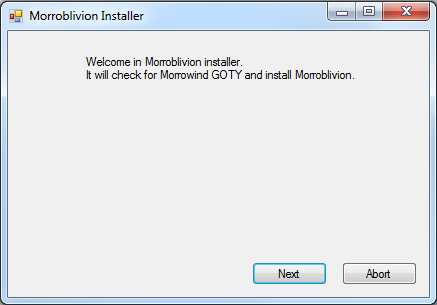
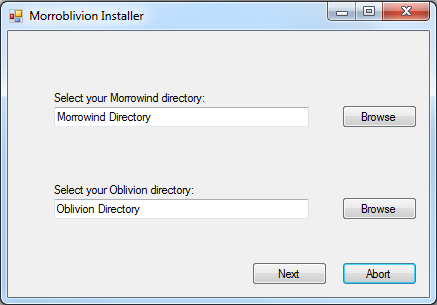
  2. Select your Morrowind and Oblivion directories. Use Browse if needed. Select the main game folders, not the Data folders.

    Example: Select C:\Oblivion, not C:\Oblivion\Data.

    Once the installer detects both games, select Next.
  3. [insert success image]

    When the installer reports Success, Morroblivion has been installed to your Oblivion Data folder. Verify that Morrowind_ob.esm is present in:

    Oblivion\Data\Morrowind_ob.esm

Installing Resources with Wrye Bash - Version 67 and Older

Expand

Download the resource archive for the version you are installing from the Project Release thread or its archive section.

  1. Download and install Wrye Bash. Wrye Bash is a mod-management tool used to manage Oblivion installers, plugins, and load-order workflows.

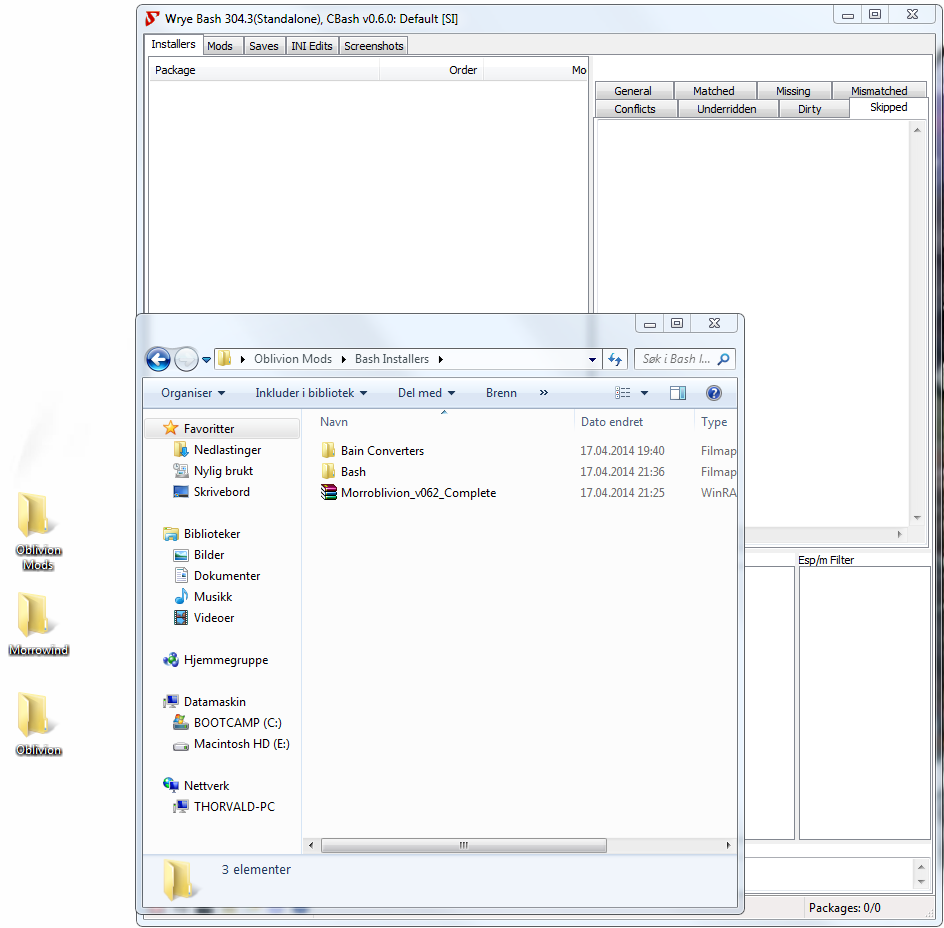
  2. Launch Wrye Bash and open the Installers tab to initialize Bash Installers for the first time.

  3. Wrye Bash usually creates an Oblivion Mods folder at the same directory level as your Oblivion folder.

    Example: If Oblivion is installed at C:\Oblivion, Wrye Bash may create:

    C:\Oblivion Mods\Bash Installers

    Place the Morroblivion resource archive into the Bash Installers folder. Do not manually unpack it first unless your setup specifically requires that.

  4. Return to the Installers tab in Wrye Bash. If the archive was placed correctly, it should appear in the package list on the left.

    Select the Morroblivion archive. The sub-packages will appear in the center pane. Always install 00 Core. Optional packages are prefixed with 01.

    Detailed descriptions of optional packages are available in the Project Release thread.
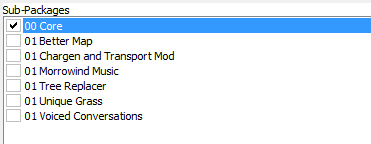
    Right-click the Morroblivion archive and select Install.

Troubleshooting: Missing textures, yellow placeholder objects, or falling through the starting ship usually means the 00 Core resources were not installed correctly or were not installed into the correct Oblivion Data path.

Installing Resources Manually - Version 67 and Older

Expand

Download the resource archive for the version you are installing from the Project Release thread or its archive section.

  1. Open or extract the Morroblivion resource archive. For legacy versions, you should see folders similar to the following:

    • 00 Core
    • 01 Chargen and Transport
    • 01 Morrowind Music
    • 01 Oblivion Trees - Morroblivion Tree Replacer
    • 01 Poster Map - Morroblivion Better Map
    • 01 Voiced Conversations
  2. Open the 00 Core folder and copy all of its contents into your Oblivion Data directory:

    Oblivion\Data

    Copy the contents of the folder, not the folder itself.

  3. Repeat the same process for any optional 01 folders you want to install. These folders are optional and should only be installed if you want the feature they provide.

Updating Morroblivion and Other Patches

Notice: This section applies to version 67 and older. For version 68 and newer, do not install v67 patch files over v68 unless a current release note specifically instructs you to do so.

Expand

Version 68 and Newer

Morroblivion version 68 currently does not have separate patch files. The v67 patches 1-3 are for version 67 only and are included in v68.

Version 67 and Older

  1. For Morroblivion v67, use the current patch guidance from the Project Release thread and the Dagger Galore a Patch for Morroblivion Nexus page.

  2. Dagger Galore is the accumulated Morroblivion patch package for v67. It includes worldspace improvements, quest fixes, object placement fixes, landscape fixes, and other corrections.

  3. Install the main file according to the Nexus page instructions. Only install optional files if the Nexus page indicates they are still required for your setup.

  4. Open or extract the archive into your Oblivion Data directory, or install it through Wrye Bash. This process follows the same general workflow described in the Installing Resources Manually and Installing Resources with Wrye Bash sections above.

Lighting Note: Dagger Galore v67 lists Morrowind Lighting Overhaul-related changes as merged. Check the Nexus Files tab for the latest main and optional file layout before installing additional lighting files.

Setting Up Load Order

Expand

Tip: Use Wrye Bash, LOOT, or another Oblivion-aware mod manager to manage your load order. The default Oblivion Launcher can enable plugins, but it should not be used as your primary load-order management tool.

Recommended: Use LOOT for automated sorting, then review Morroblivion-specific placement notes manually.

Important: If you are not using EngineBugFixes, Morrowind_ob.esm must load directly after Oblivion.esm. EngineBugFixes removes the strict technical requirement, but keeping Morrowind_ob.esm directly after Oblivion.esm remains a safe baseline.

If you are not using EngineBugFixes, your load order should begin like this:

  • Oblivion.esm
  • Morrowind_ob.esm
  • ... any other ESM or ESP files

General Morroblivion plugin order:

  • Oblivion.esm
  • Morrowind_ob.esm
  • Other ESM files
  • Other gameplay, worldspace, and compatibility plugins
  • Morrowind_ob.esp
  • Morrowind_ob - UCWUS.esp if installed
  • Morrowind_ob - Conversation.esp if installed
  • Morrowind_ob - MorroblivionTreeReplacer.esp if installed
  • Any Morroblivion map replacers

The Project Release thread contains additional guidelines and explanations for all included files under Load Order and File Details.
Karma: 1 (1 votes)
Last edited by Daggers on 20 May 2026 - 10:30.Updates to the HTML code newer and better formatted. - Daggers :)

I downloaded the resource archive from the project release thread and I have not unpacked/repacked it. 

Karma: 0 (0 votes)

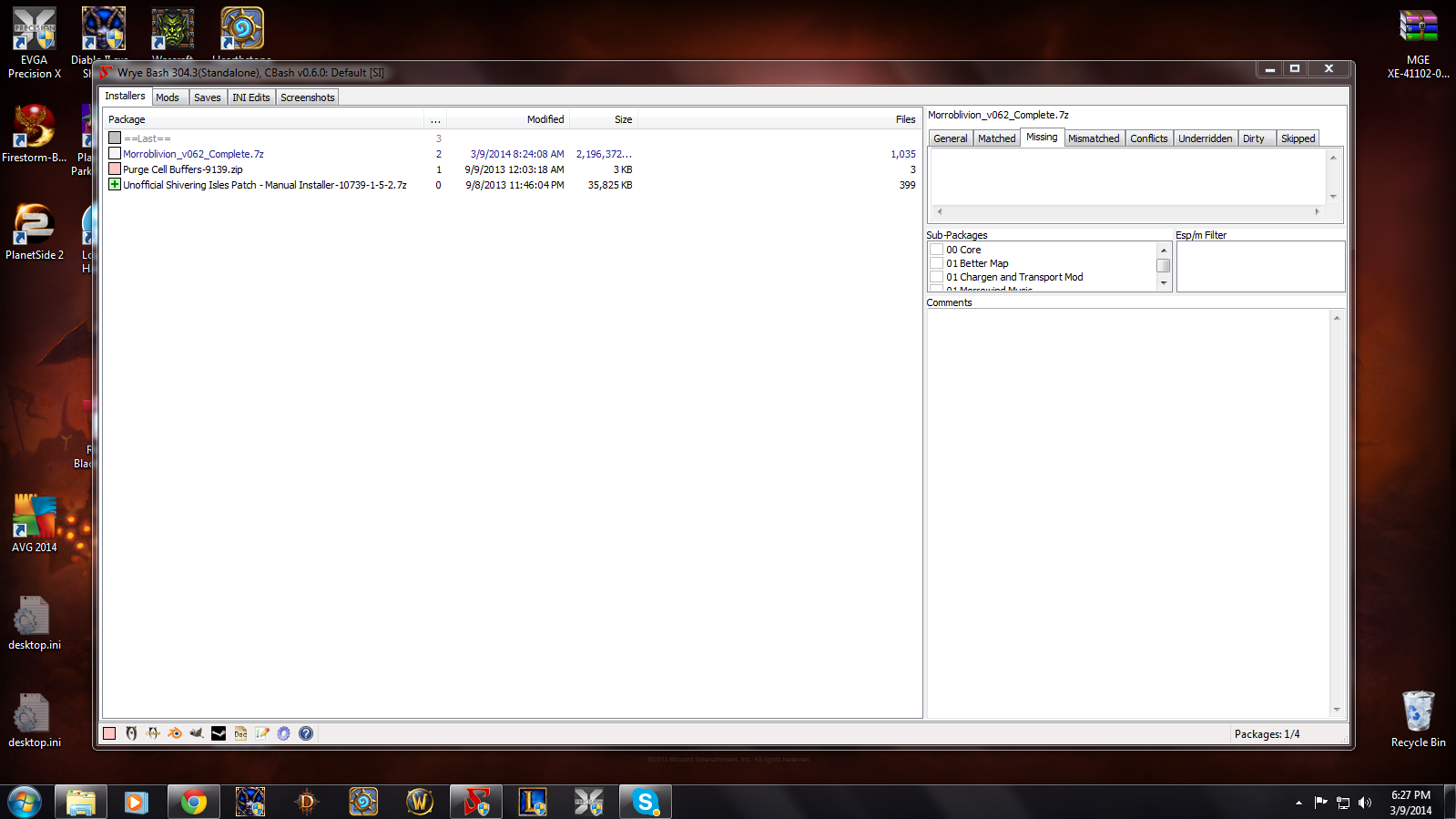
Can you post a screenshot of Wrye Bash's Installers tab?

Karma: 0 (0 votes)

I've never done a screenshot of my desktop before..what exactly is the command for that?

Karma: 0 (0 votes)

Press PrintScreen button on keyboard, then open any image-editing program (MS Paint will do) and paste image with Ctrl+V. Save the image as jpg or png.

Karma: 0 (0 votes)

Here it is.

Attachment Size
screenshot.jpg 498.47 KB
Karma: 0 (0 votes)

Sub-packages menu is right there, in the right part if WB window in your case. You can resize various parts of WB window to make it fully visible.

Karma: 0 (0 votes)

That's odd. It wasn't there before. Ha! I guess restarting the computer is a grand fix-all! Thanks for your help. 

Karma: 0 (0 votes)

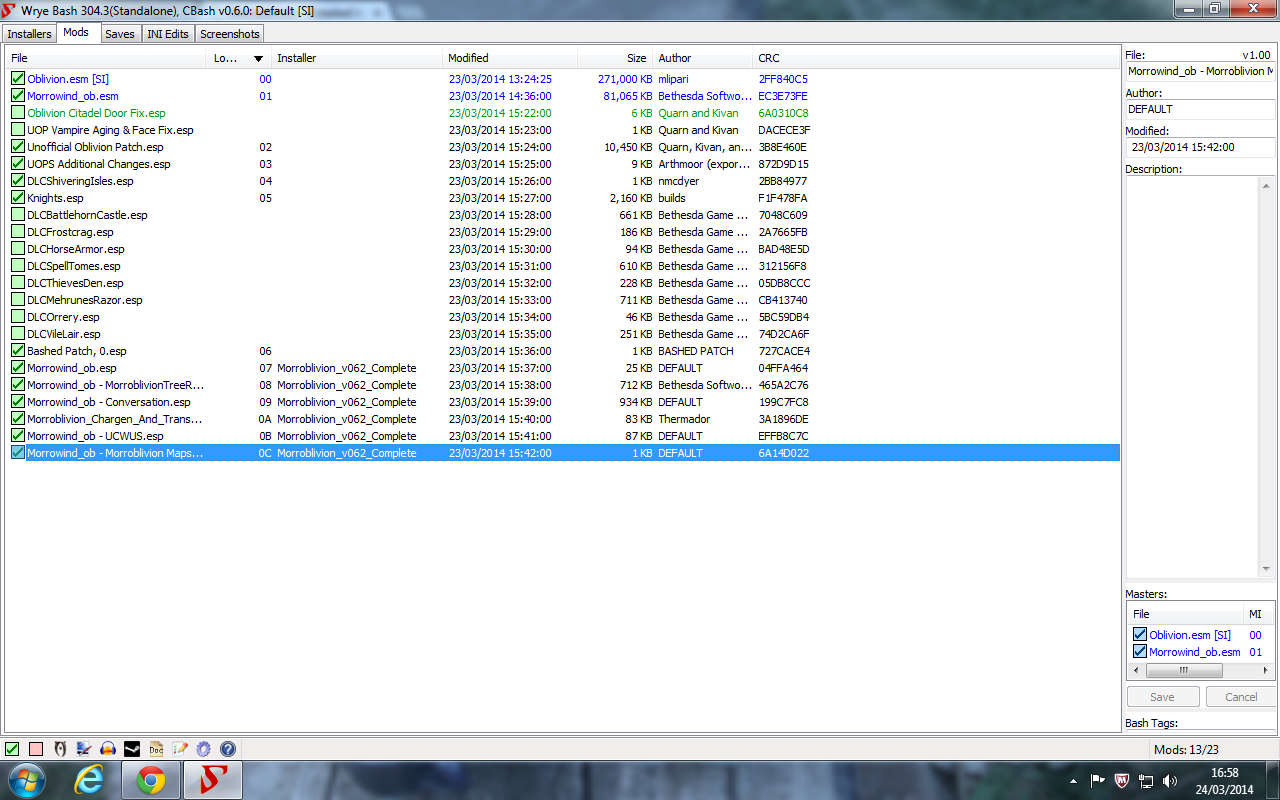
HELP!  I've followed the directions - down to the point where you start to talk about "load order".  Everything seems to be properly installed, but when I launch the game, Oblivion starts like it normally would.  As for the "load order" - I've never dealt with that before - how do I use Wrye Bash to manage it?  You say it can be done, but don't say how to do it, and Wrye Bash isn't making it very obvious.  Thanks for any help you can give!

Karma: 0 (0 votes)

Good day, everyone!

Thank you for detailed installation guide. After completing all steps, I can load the game, get to initial cavern, choose my character, travel to Vvanderfell and... that's it. 

I see only Jiub model and no textures, only yellow alarm signes.

What might be the reason?

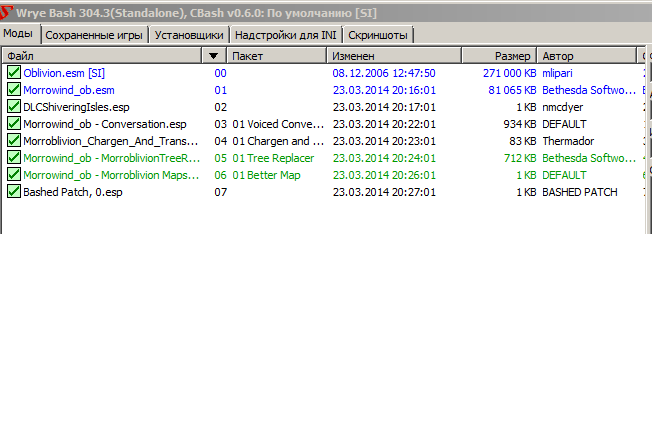
My load order is attached.

Attachment Size
snapshot.png 21.78 KB
Karma: 0 (0 votes)

You didn't install the Core package.

Karma: 0 (0 votes)

Hello

Forgive me if I have made a stupid mistake, but believe I have followed the instructions well and am unable to start oblivion. It starts to load and when it gets to the first load-screen hint the game crashes.

The order I put in Wryebash seems to be right but here it is. Please help because I'm desperate to try this incredible looking mod out.

Attachment Size
wrye_bash_load_order.png 190.57 KB
Karma: 0 (0 votes)

Bashed Patch should be loaded last.

Karma: 0 (0 votes)

Didn't seem to work and it closes the same way. Any other suggestions?

Karma: 0 (0 votes)

Not really. Crashes at startup are usually the result of a missing master, but yours seem to be fine. Do you have any UI mods installed?

If not, try deactivating mods one at a time and see if it fixes your problem.

Karma: 0 (0 votes)

Does your Oblivion Work, if it is the only Mod Activated when Starting your Game OBSE

Karma: 0 (0 votes)

Never mind, turns out it was indeed a stupid mistake on my part. My oblivion is mod free and it crashed anyway, due to faulty previous save games I believe, I deleted them and now it launches fine. Thank you for answering my post anyway.

Karma: 0 (0 votes)

This is my first time modding anything and im having a bit of trouble,is there a desktop icon im supposed to load morroblivion from or it one of the prerequisite games?


Karma: 0 (0 votes)

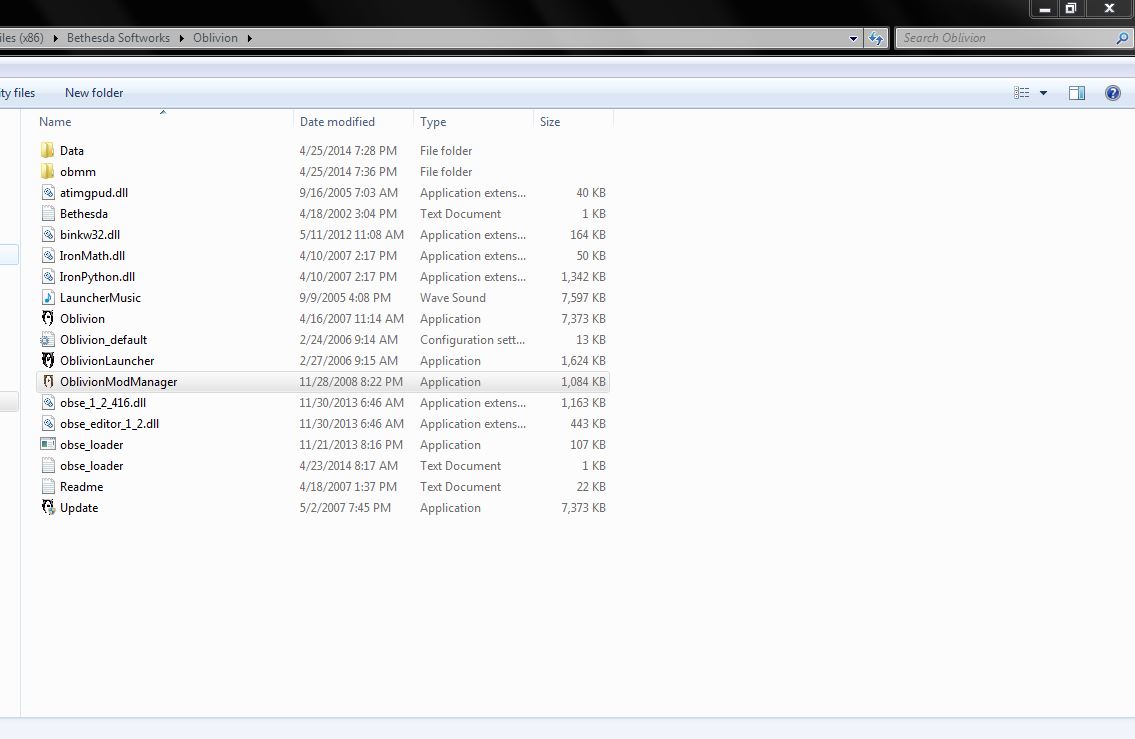
After you install OBSE Create a Shortcut to obse_loader.exe should be in Your Oblivion Directory run your Game From Here.

Karma: 0 (0 votes)

This is my first time modding anything and im having a bit of trouble,is there a desktop icon im supposed to load morroblivion from or it one of the prerequisite games?

It's a mod for Oblivion, and not a separate game - to play it you need to run Oblivion.

Karma: 0 (0 votes)

can i just stop conversation for i read it? 

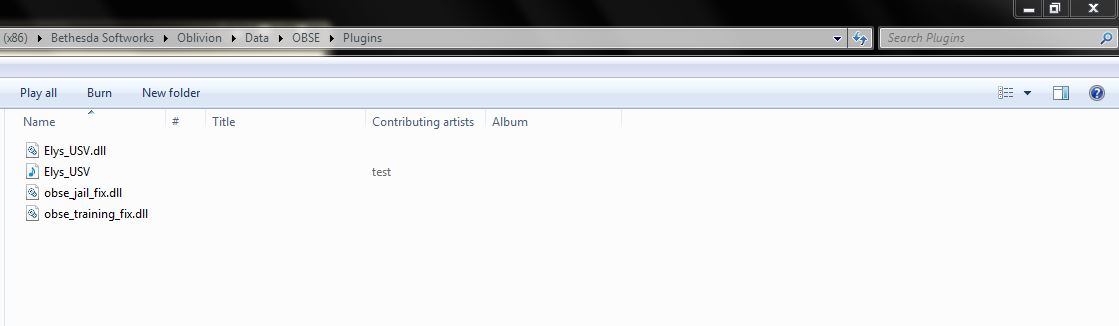
Ely's Universal Silent Voice i'm has installed this mod but i need time for 

read NPC's word. 

Sorry, does not fit the grammar.

Karma: 0 (0 votes)

thanks for your help double times 

it's work! thank you so much your very kind

Karma: 0 (0 votes)

both mod is work! thank you 

i can't smooth Interpretation but this mod will help

thank you

Karma: 0 (0 votes)

i'm installed two mods but suddenly have a error

CrshRpt1400.dll 

i've tried find this dll file i can't find this dll file any website

Karma: 0 (0 votes)

I have the Same Problem ( CrashRpt1400.dll ) did a Search on the Net only thing i can find it Has to do With ( Net Frame work Client ) or ( Microsoft Visual C++ )  or a Service Pack for Windows. After Installing CSE, It has a File in for Sending Errors ( CrashSender1300.exe ) which as been known to Conflict with Other ( .dll ),, i just Agree say ( OK ) and Keep going has not Caused any Problems. Been like in Since  May 2013.

Karma: 0 (0 votes)

This dll is part of the CSE. The reason tjsrjf12 was getting an error is that the "updated" Silent Voice mod was distributing CSE dll with it for no reason. I've reuploaded the archive without it now.

Karma: 0 (0 votes)

Hi. I'm having trouble with part 3 step 2. How do I initialize installers for the first time. The Installers tab is empty[External image] 


Karma: 0 (0 votes)

You just need to open Installer tab at least once - this is 'initializing' and should create necessary folders.

Karma: 0 (0 votes)

No, it shouldn't. Do you have Installers enabled in Wrye Bash? Right-click on the header (where it says Package, Order etc.) and see if 'Enabled' checkbox is activated.

Karma: 0 (0 votes)

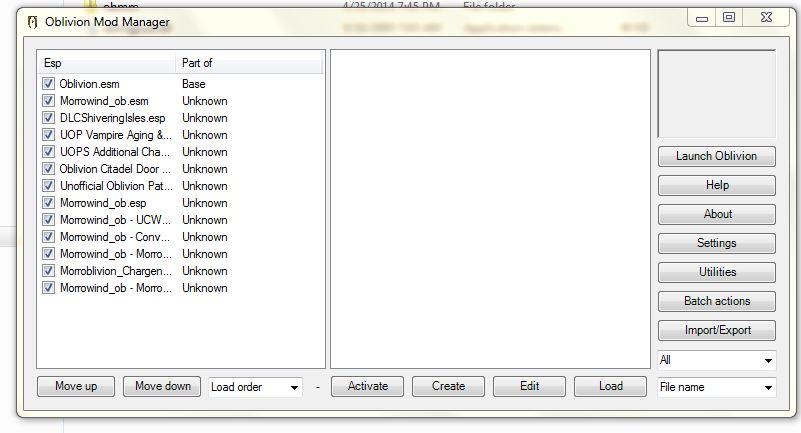
okay, just installed v062, put in the resource.rar into the data folder, installed the master file, and it said 'Successful" when it was done, but when I run oblivion, it shows the betheseda logo, then it says the program has stopped working. I made sure I had the proper load order, here's a screenshot for you, I have shivering isle's, I updated Oblivion to 1.2.046, although, it says its an official update, what have I done wrong?

I'm using Oblivion Mod Manager by the way.

Karma: 0 (0 votes)

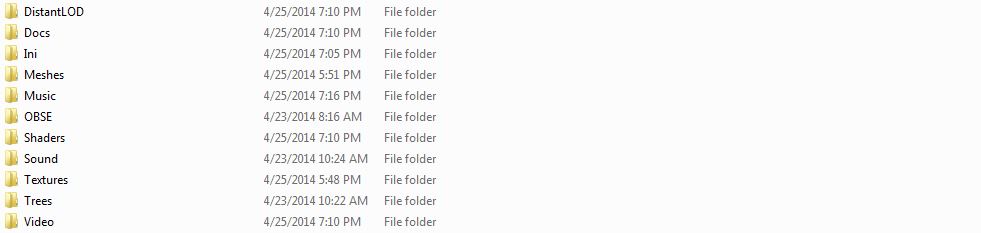
Could you also please post a screenshot of your data folder? Are you sure you put the contents of the 01, 02 folders into your data folder?

Karma: 0 (0 votes)

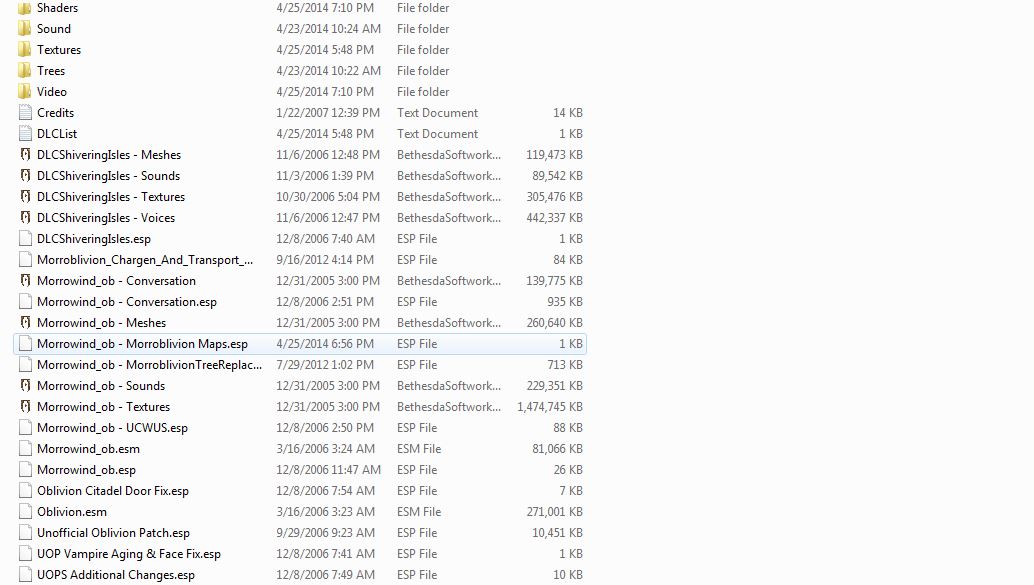
yeah here they are, could my morrowind have anything to do with it? Becuase when I load up Morrowind (Before/After Installation of Morroblivion) it says its missing some textures, as its loading, and as it loads it shuts off. I do have Bloodmoon and Tribunal on though.

Attachment Size
One Half 93.85 KB
Second Half 27.97 KB
Karma: 0 (0 votes)

Do you have any other mods besides Morroblivion? 

Try deleting your Oblivion.ini and launch the game.

Karma: 0 (0 votes)

No, Morrowind can't even affect Oblivion in any way, the esm installer only checks if you own it. 

Very strange, everything seems to be in the right places. One thing I could think of is to load the UOP right after Morrowind_ob.esm. Alternatively try running the game without any mods enabled to see if there's a problem. Are you running the game through the  Obse_loader?

Karma: 0 (0 votes)

Try installing Arhiveinvaladition when open up OBMM, under Utilities on Right hand Side Update Archive Invalidation

Agree with what it want's to do see it it helps. this will redirect  the Paths to the  ( .bsa)"s

Karma: 0 (0 votes)

even without mods, MY OBLIVION isn't working, WTF!!!!!!!!!!!!!!!!!!

Do I need to reinstall Oblivion, I've already done this 2 times, and I'm starting to think its not worth it. Who ever makes Morrowblivion Installer, should make it, so it installs all files for you to prevent this from happening. 

Anyway, Brainslasher, the UOP files, are optional, and the file that is right below Morroblivion in my screenshot has to go first, before all other mods, I can't find my Oblivion.ini,

Karma: 0 (0 votes)

nevermind I got it to work, just needed to reinstall Oblivion. My PC is really glitchy because of virus. so its not a awesome experience, just a good one thx for the help.

Karma: 0 (0 votes)

excuse me but can i have a little help. in step 4  i don't have any sub packages please help

Karma: 0 (0 votes)

excuse me but can i have a little help. in step 4 i don't have any sub packages please help

Please post a screenshot of WB's Installers tab.

Karma: 0 (0 votes)

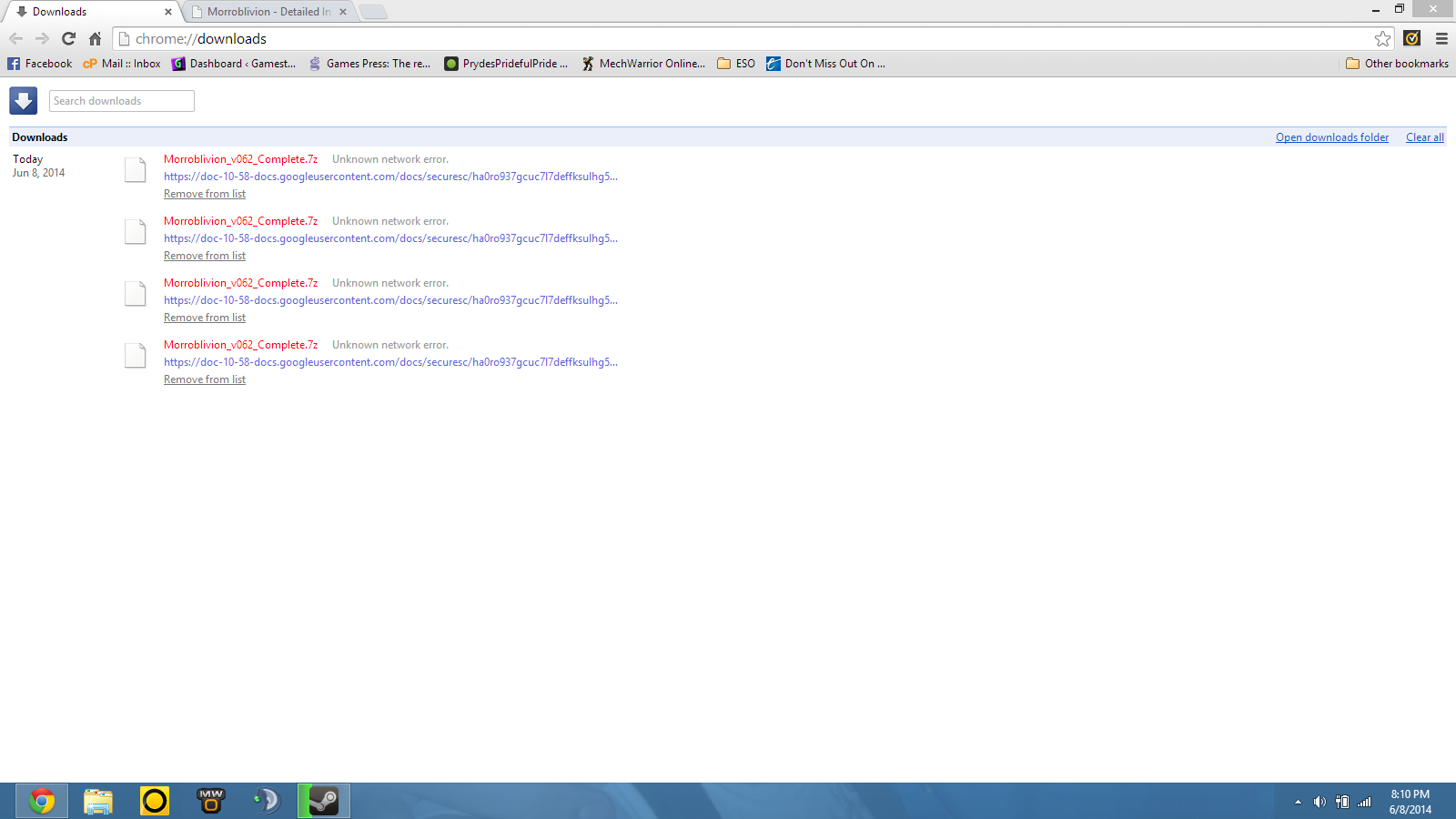
I have tried to download the Morroblivion_v062_Complete.7z 5 times now and each time it downloads all the way but at 0 seconds remaining says unknown network error...this is the last thing im missing and I have now been trying to get this one for 3 days. I want to wait to install everything until I am sure that I have what I need...so...any idea on how I can check to make sure that I have the full file and its just being dumb or if I am missing a slash somewhere or something?


Screenshot attatched.

Attachment Size
capture.png 121.48 KB
Karma: 0 (0 votes)

 On the Download Page where it Says Morroblivion v062 Complete Resources (2.1 GB ) ( Mirror ).

try the Mirror

Karma: 0 (0 votes)

I'll give it a shot.


thanks :)


Karma: 0 (0 votes)

ok a little help. the morroblivion installer is a .7z not a .exe....any ideas?

Karma: 0 (0 votes)

You Extract MorroblivionInstaller_v062.7z to Create MorroblivionInstaller.exe

Karma: 0 (0 votes)

Its not in a zip file...screenshot attatched.

Attachment Size
capture.png 137.13 KB
Karma: 0 (0 votes)

No it is a 7z (zip ) file you will need 7z to Extract it

Karma: 0 (0 votes)

This is giving me a headache! I just wanna relive the glory days of sweet sweet morrowind lol

Karma: 0 (0 votes)

ok one more problem...i installed wryebash but I can not find the actual executable...all I can find is an uninstall program...this is beginning to be more trouble than its worth...any alternatives or trouble shooting that you guys know of?

Karma: 0 (0 votes)